
A successful eBay listing needs more than a product photo and a short description. Presentation, trust, and buyer experience all shape how shoppers respond in the few seconds they spend comparing similar listings. Here is where to buy a pre-designed eBay template, which layout fits which category, and what to check before you buy.
Why eBay Listing Design Matters
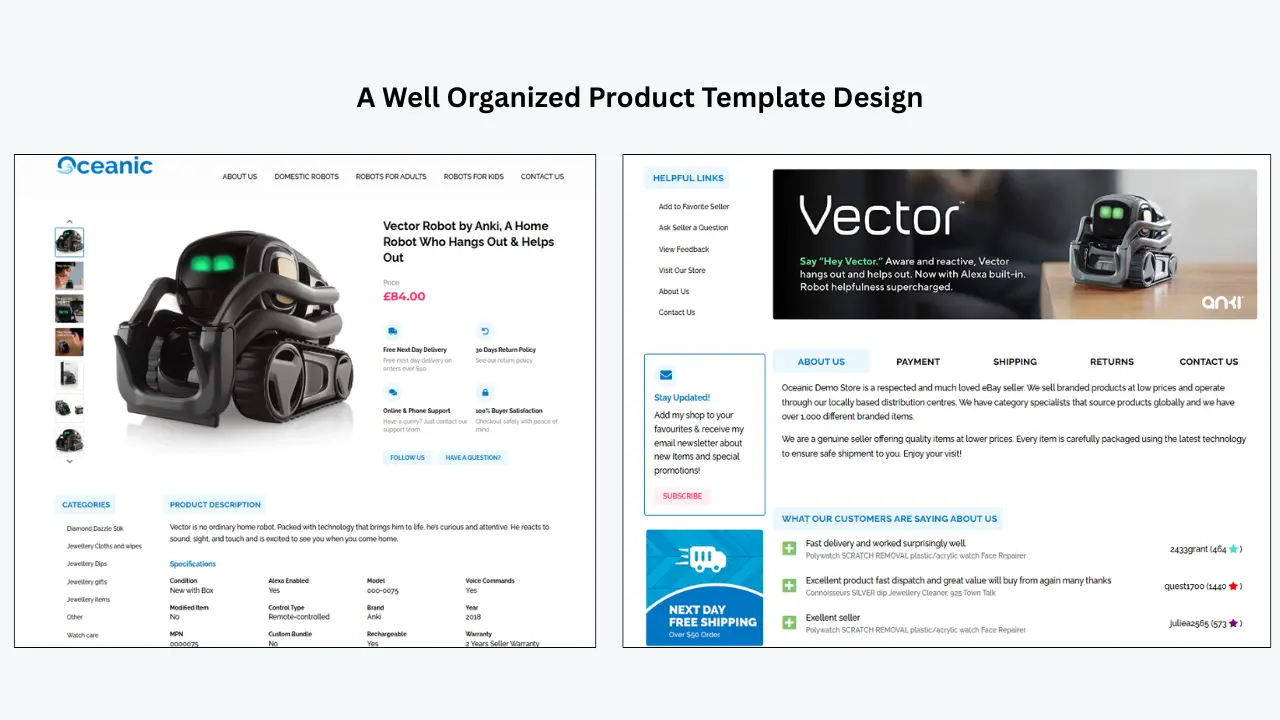
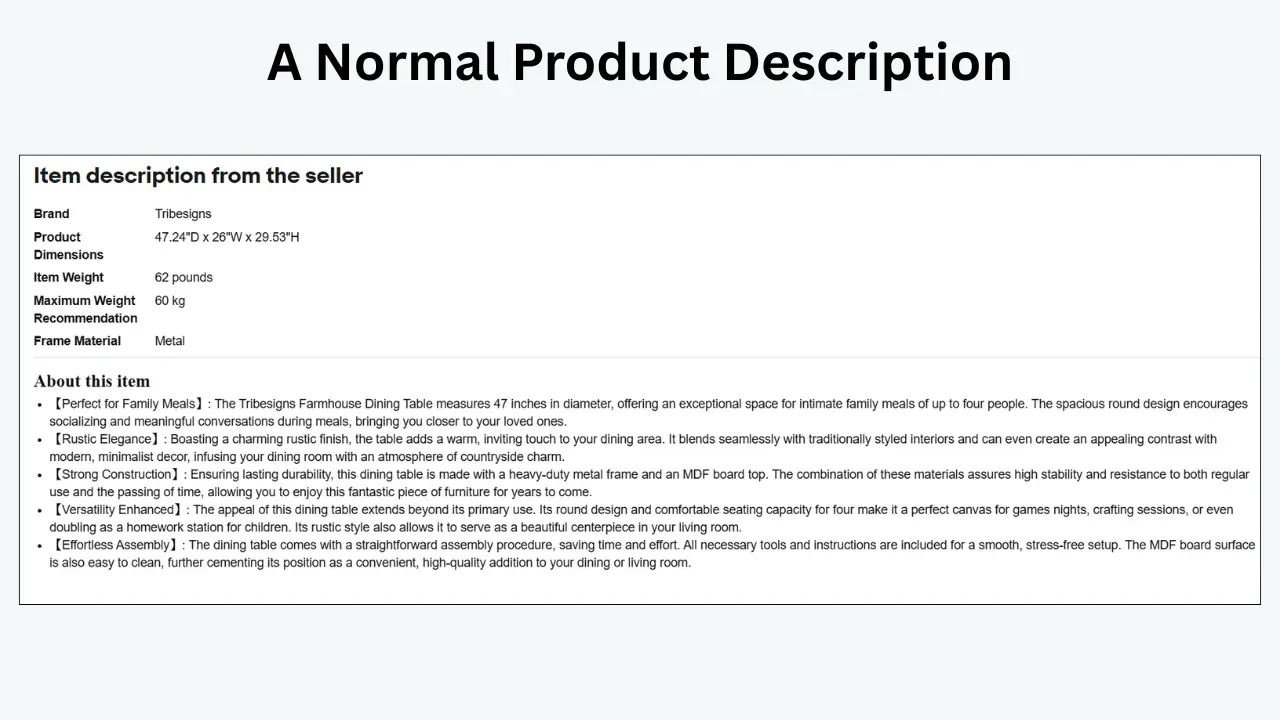
Many sellers focus on pricing, product images, titles, and keywords while overlooking listing design. But a well-organized layout makes product information easier to scan, and eBay buyers often compare several similar listings within seconds. Think of your listing as a digital store shelf, a clean, organized shelf makes products easier to understand and more appealing, while a cluttered one can make even a good product feel less trustworthy.
Buyers generally want quick answers to a few key questions before they trust a listing enough to buy:
- What exactly is the product?
- What are its key features?
- Is it compatible with what I need?
- What condition is it in?
- What are the shipping and return terms?
- Does the seller appear trustworthy?
Clearer Product Details
Structured sections replace a long, difficult-to-read block of text with information buyers can scan quickly.
Highlighted Features & Benefits
Key selling points stand out instead of getting buried in the description.
Organized Specs & Compatibility
Specifications and fitment details sit in their own clear section, cutting down on buyer questions.
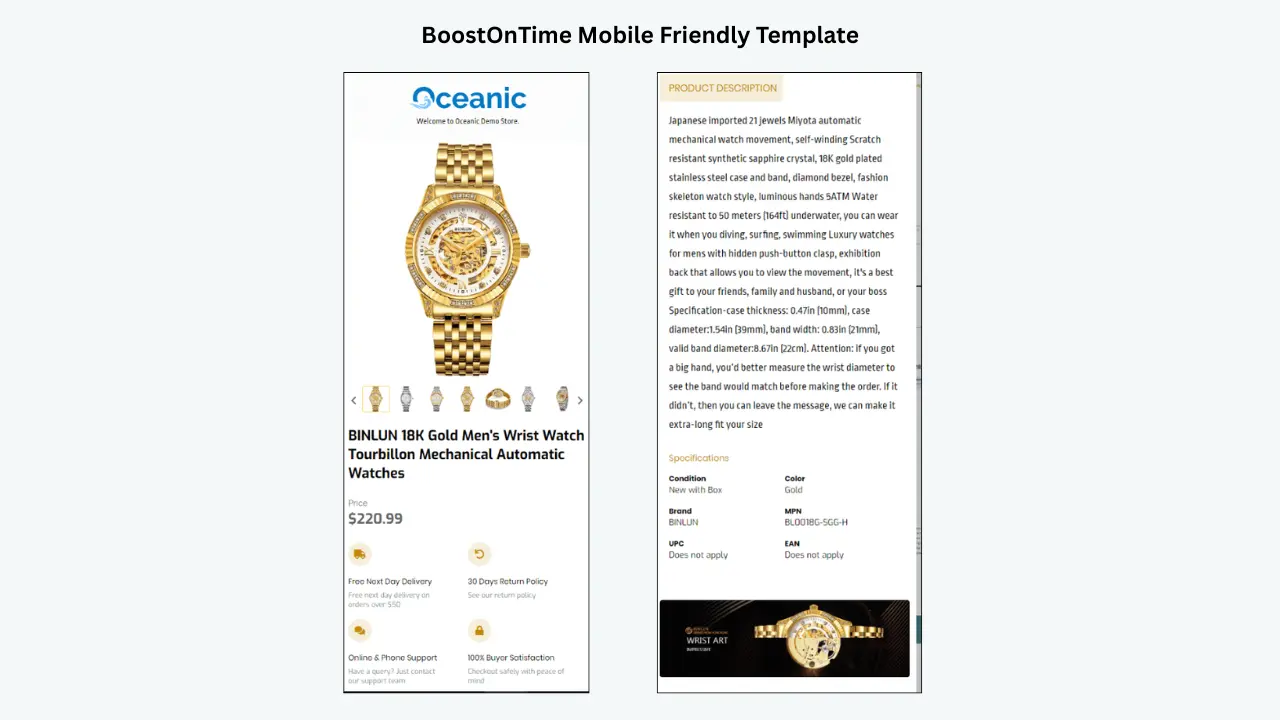
Better Mobile Readability
A responsive layout keeps information easy to read on the small screens most buyers actually shop on.
What Is a Pre-Designed eBay Template?
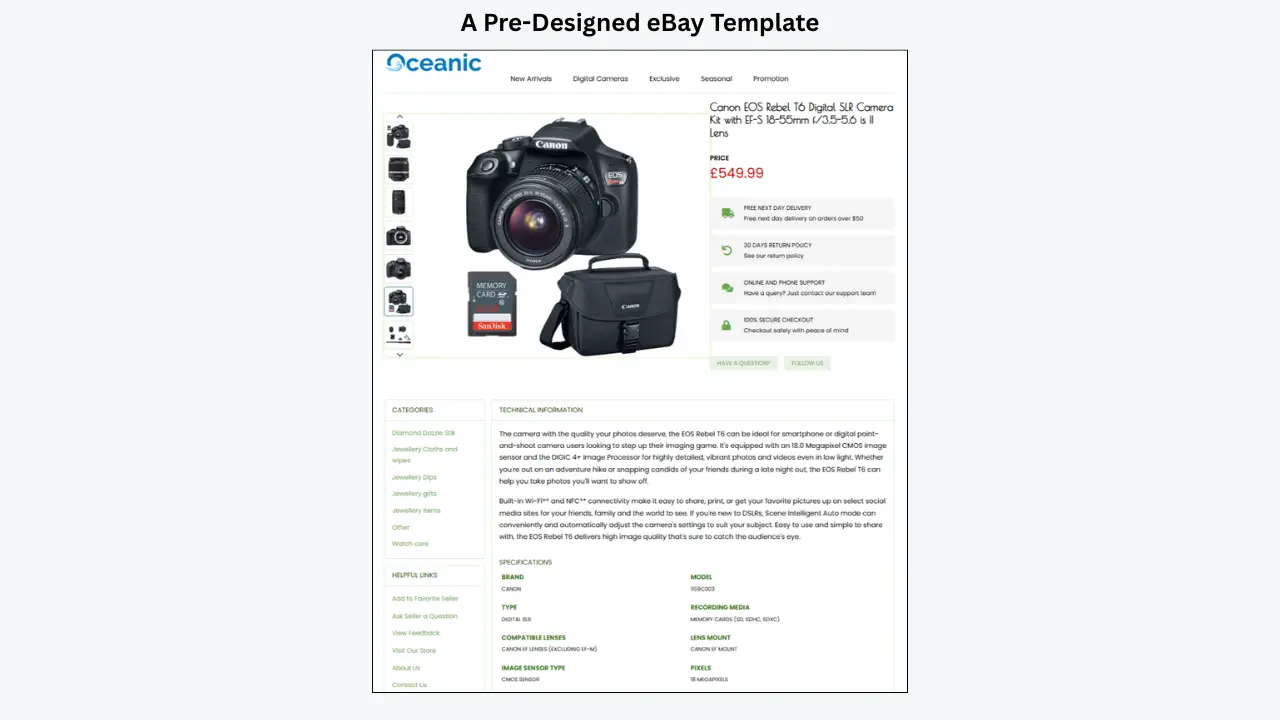
A pre-designed eBay template is a ready-made layout used to present product information in a structured, professional format. Instead of manually building the design for every listing, sellers customize an existing template with their own logo, colors, product details, images, policies, and promotional content.
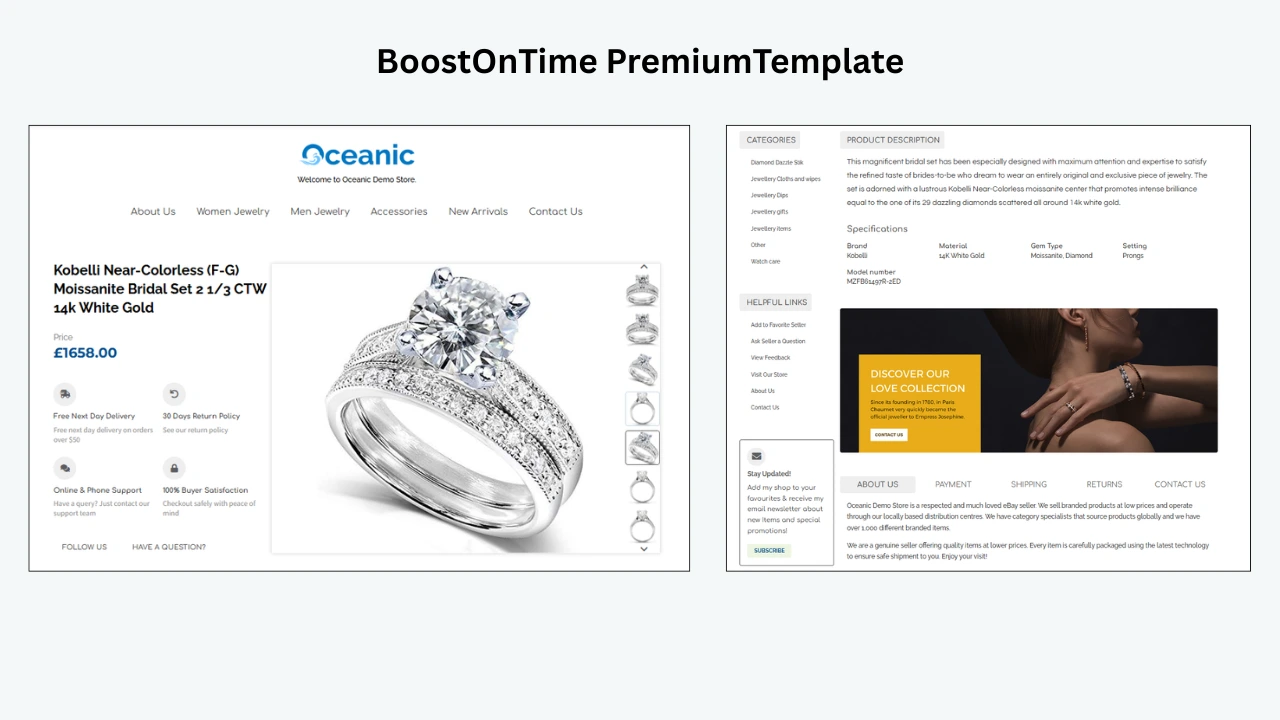
Depending on the design, a template may include a product title, image gallery, description, features and benefits, technical specifications, size or compatibility information, shipping details, payment information, return policy, store navigation, promotional banners, related products, and customer-support information.
💡 Key Takeaway: The purpose of a template is simple: make listings look polished and consistent without advanced coding or design experience, freeing up time for titles, descriptions, images, and inventory management.
Where Can You Buy Pre-Designed eBay Templates?
Sellers looking for eBay templates generally have five options, and each has its own advantages and limitations.
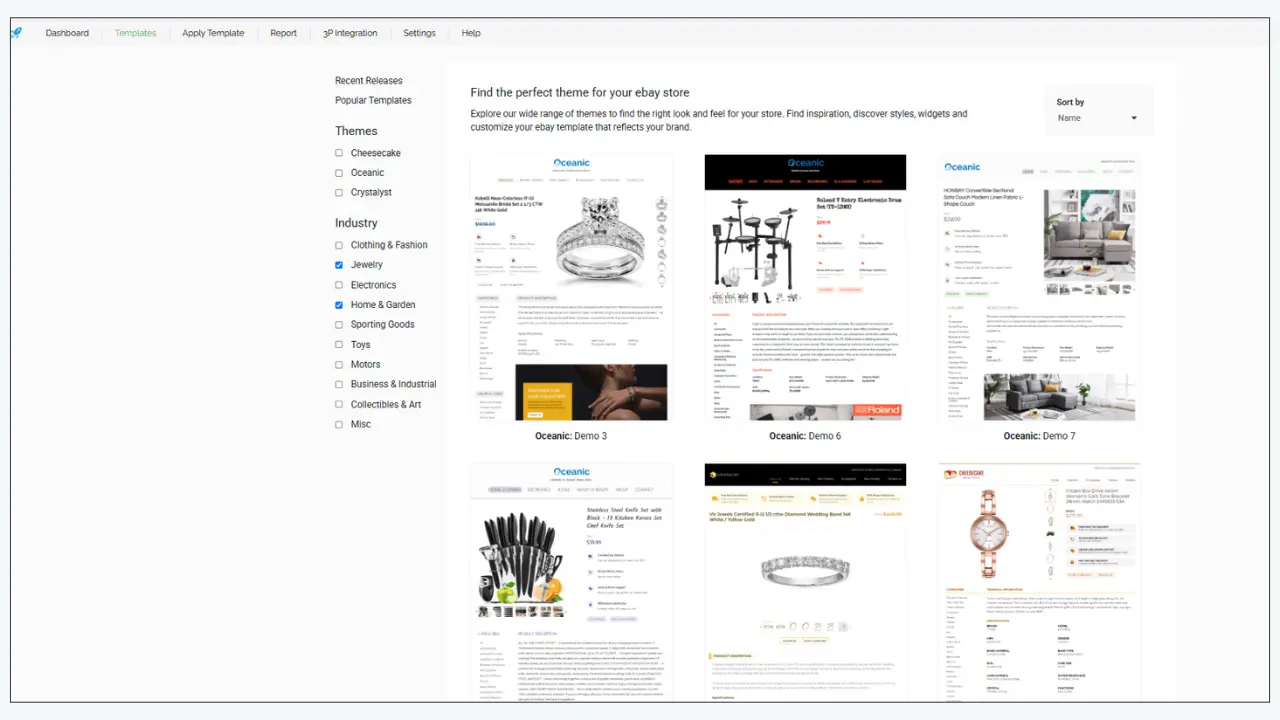
A dedicated template builder tends to offer the most practical balance between customization, affordability, and ease of use. The BoostOnTime eBay Template Builder is built for sellers who want customizable and responsive templates without managing code — select a design, add branding, adjust the available modules, and apply the finished template to your listings.
Why consider BoostOnTime
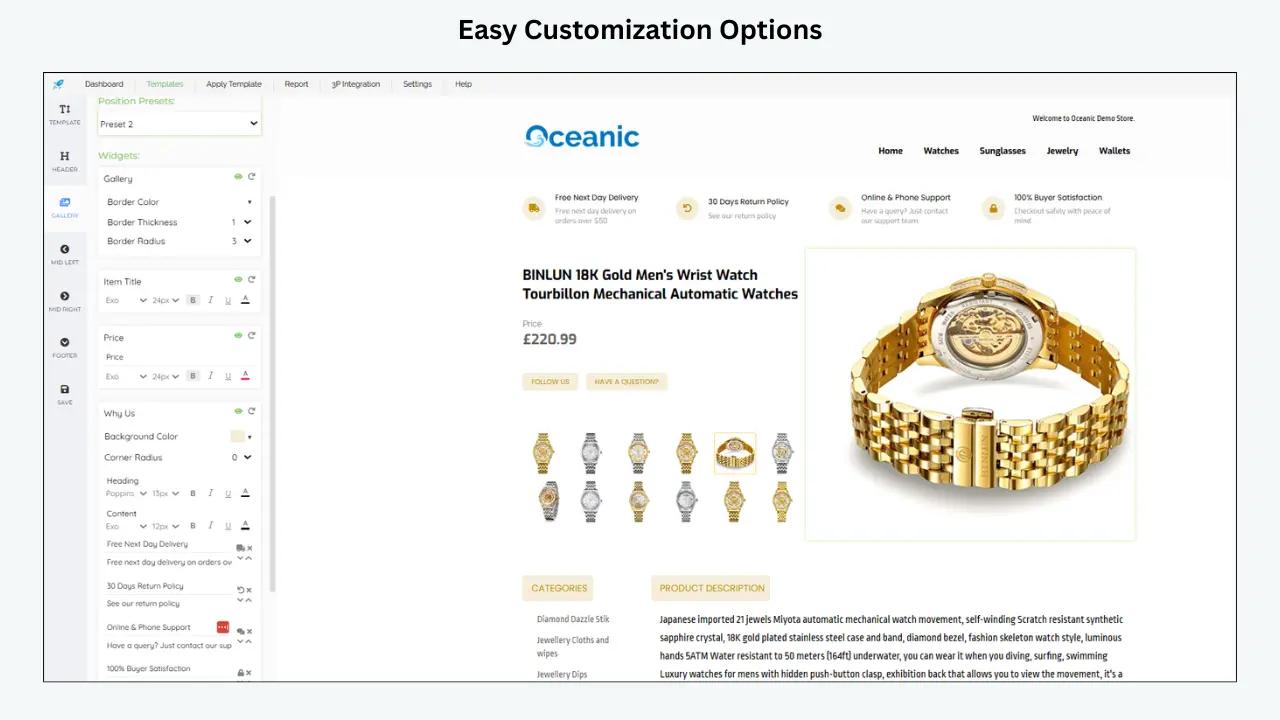
Customizable Design
Logos, header menus, banners, store links, policy sections, and related-product modules can all be adjusted, and modules you don’t need can be disabled.
Dynamic Listing Information
Templates can pull details like titles, images, prices, currencies, and related products from existing listings, cutting down on manual rebuilding.
Applies to Active Listings
Designed to update presentation on live listings, not just new ones — always test on a few listings first and confirm mobile display before a full rollout.
Best Product Categories for Pre-Designed Templates
A strong template should support the type of information buyers expect within a particular category. Here is what tends to matter most in each.
Electronics & Gadgets
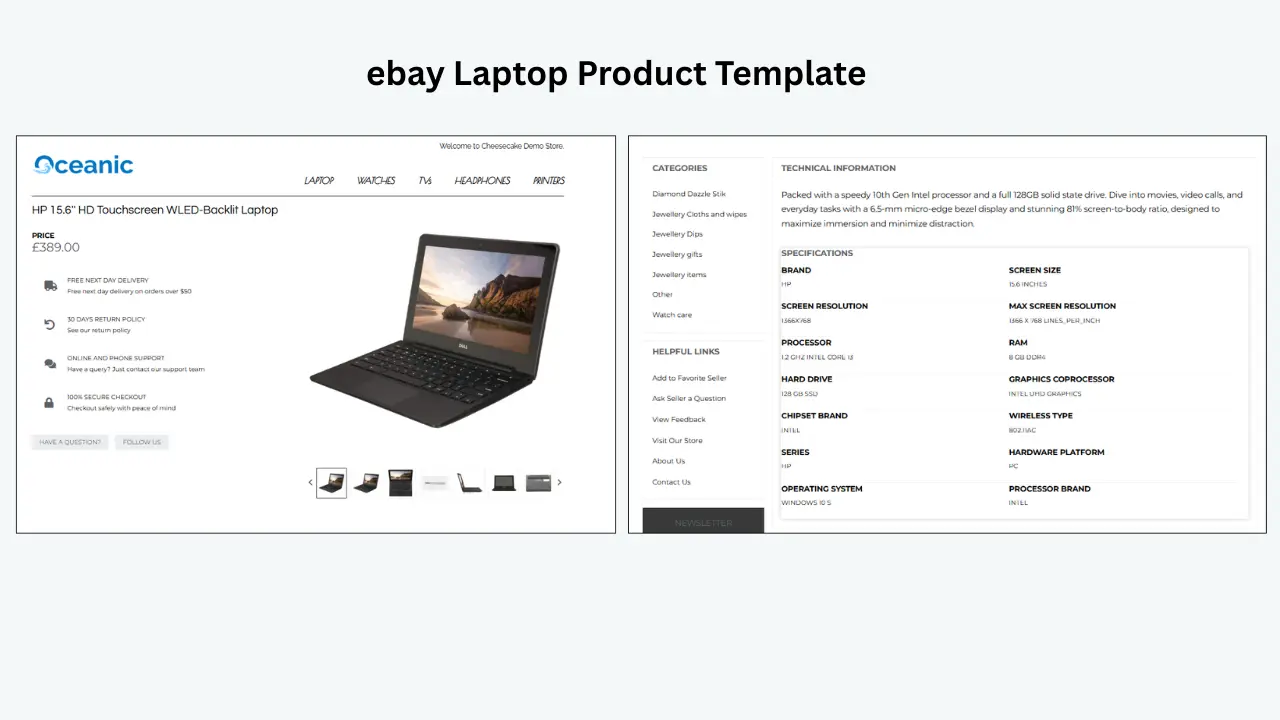
Model numbers, storage, connectivity, dimensions, compatibility, included accessories, and warranty info. A laptop listing, for example, benefits from separate sections for processor, memory, storage, display, ports, battery, OS, and warranty.
Fashion, Shoes & Accessories
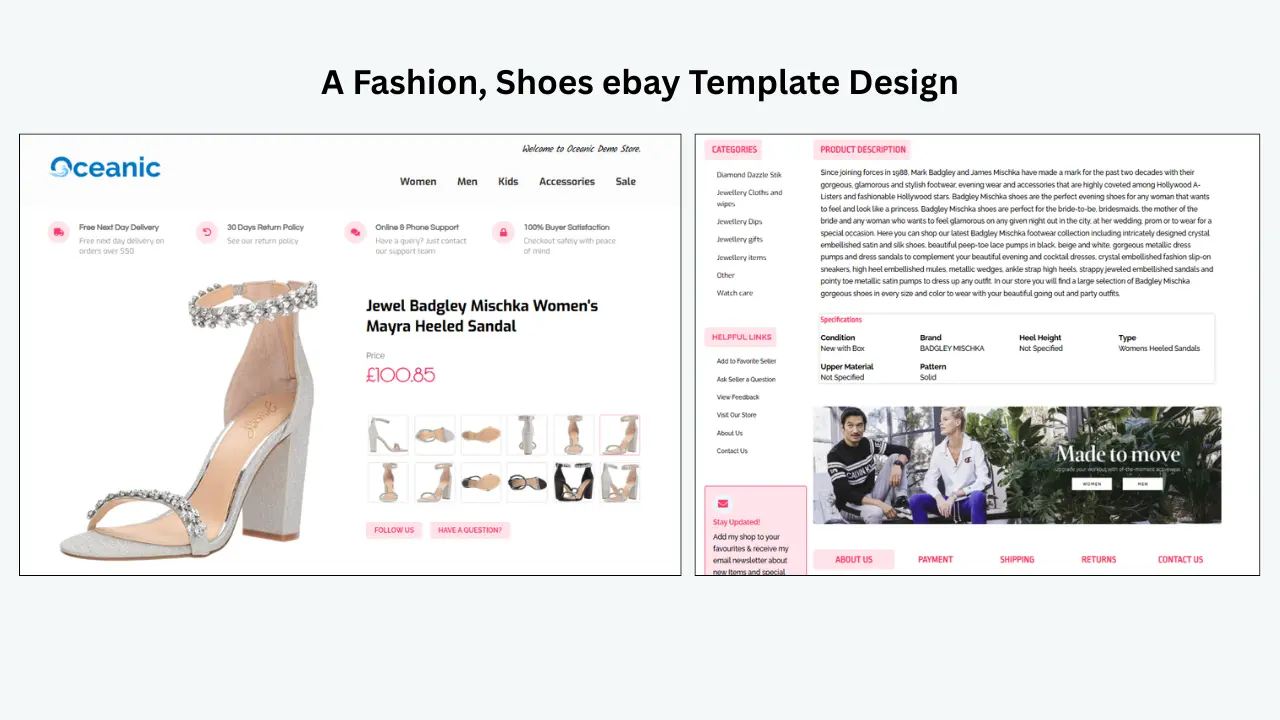
Leans on visual presentation plus clear size, color, material, style, fit, and care instructions. Clothing templates can add size charts and washing guidance; jewelry templates can highlight materials, stones, and gift suitability.
Automotive Parts & Accessories
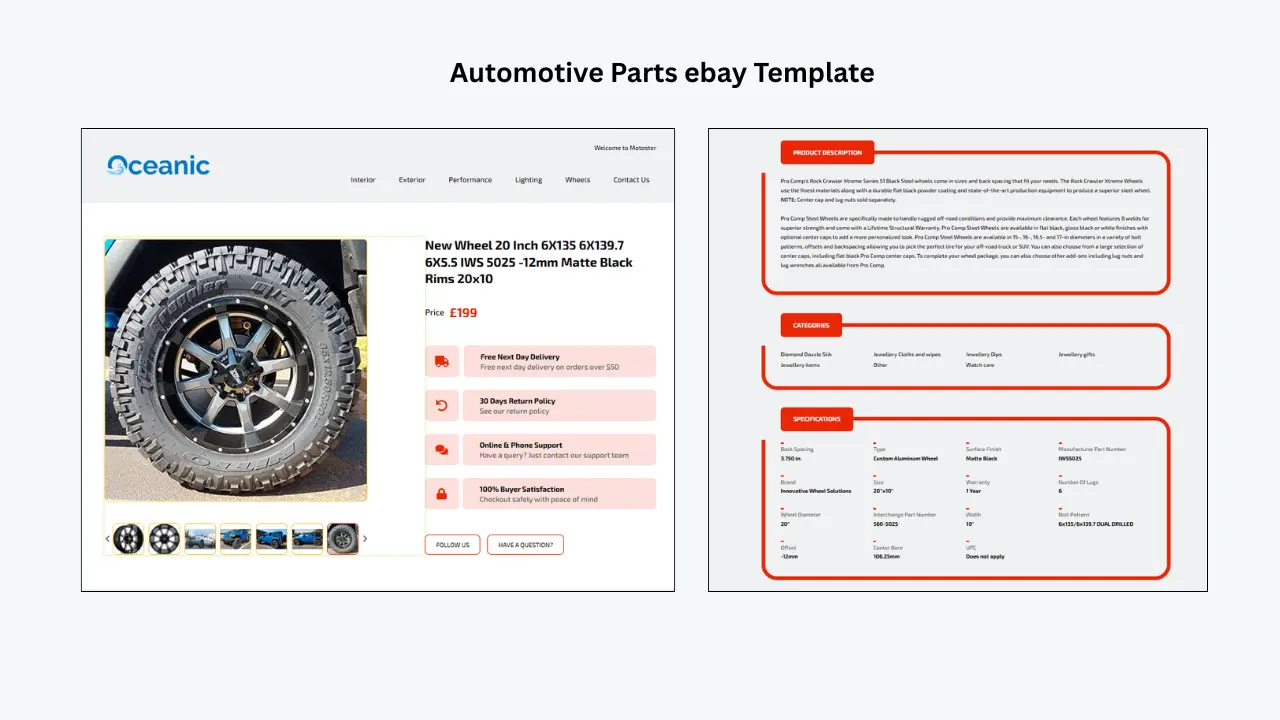
Part numbers, vehicle compatibility, fitment, condition, specs, installation notes, and package contents. Sellers should still use eBay’s official compatibility fields, not just the template, for fitment data.
Home & Garden
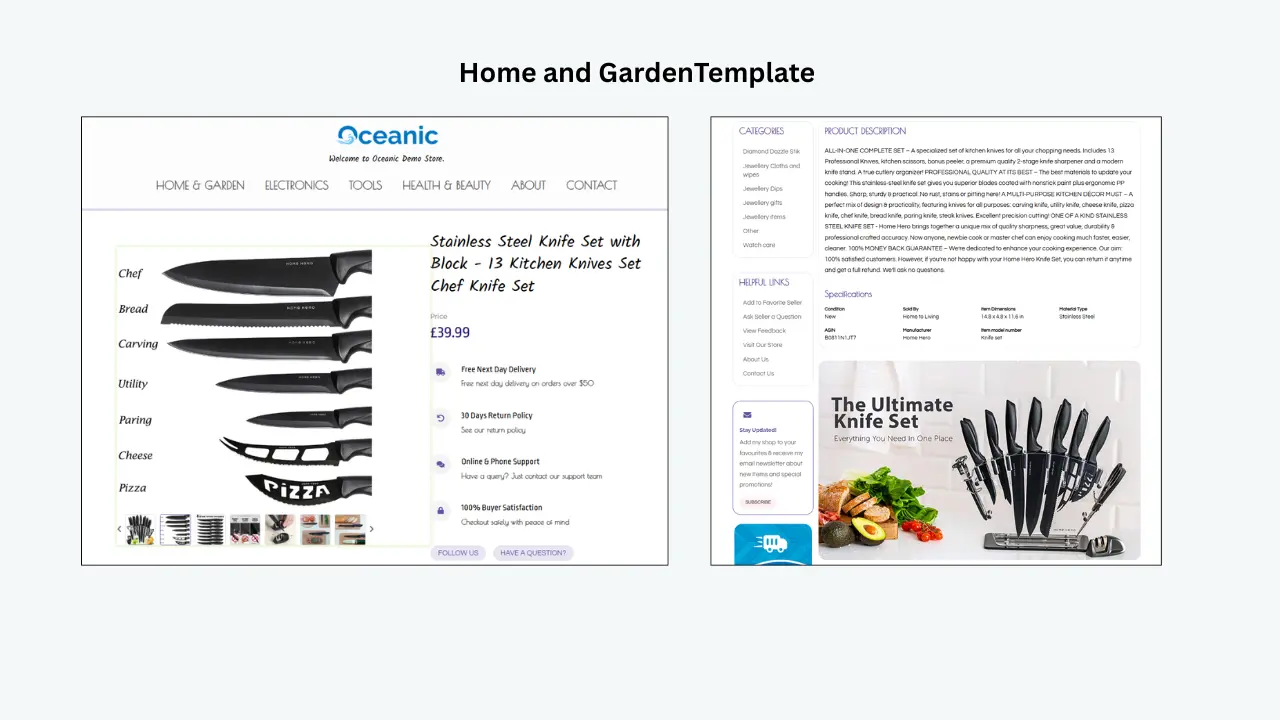
A mix of practical detail (dimensions, materials, colors, assembly, care) and lifestyle content, works well for furniture, kitchen accessories, storage, décor, and garden tools.
Health & Beauty
Ingredients, directions, size, suitability, safety, and storage instructions. Descriptions should stay accurate and avoid unsupported medical or performance claims.
Tools & Industrial Products
Materials, dimensions, voltage, capacity, compatibility, package quantity, usage, and safety information, laid out clearly enough for buyers to compare.
Collectibles & Vintage Items
Dedicated sections for item history, materials, measurements, condition, packaging, and visible wear, with all flaws or signs of use disclosed accurately.
What to Check Before Purchasing an eBay Template
A template should be attractive, but appearance should not be the only consideration. Evaluate how practical and reliable it will be during daily use.
- Mobile-friendly design — adapts to smaller screens without horizontal scrolling or tiny text.
- Easy customization — branding elements like logos, colors, banners, and menus adjust without heavy coding.
- Dynamic content support — confirm which elements import automatically and which you enter separately.
- Simple application — easy to apply to new and active listings, with bulk-management for larger catalogs.
- Clean layout — guides buyers toward useful information instead of overloading them with banners and animation.
- Category flexibility — adjusts to the information required across different product types.
- eBay policy compatibility — no prohibited external links, active content, or elements that break the mobile experience.
BoostOnTime vs. Basic Free eBay Templates
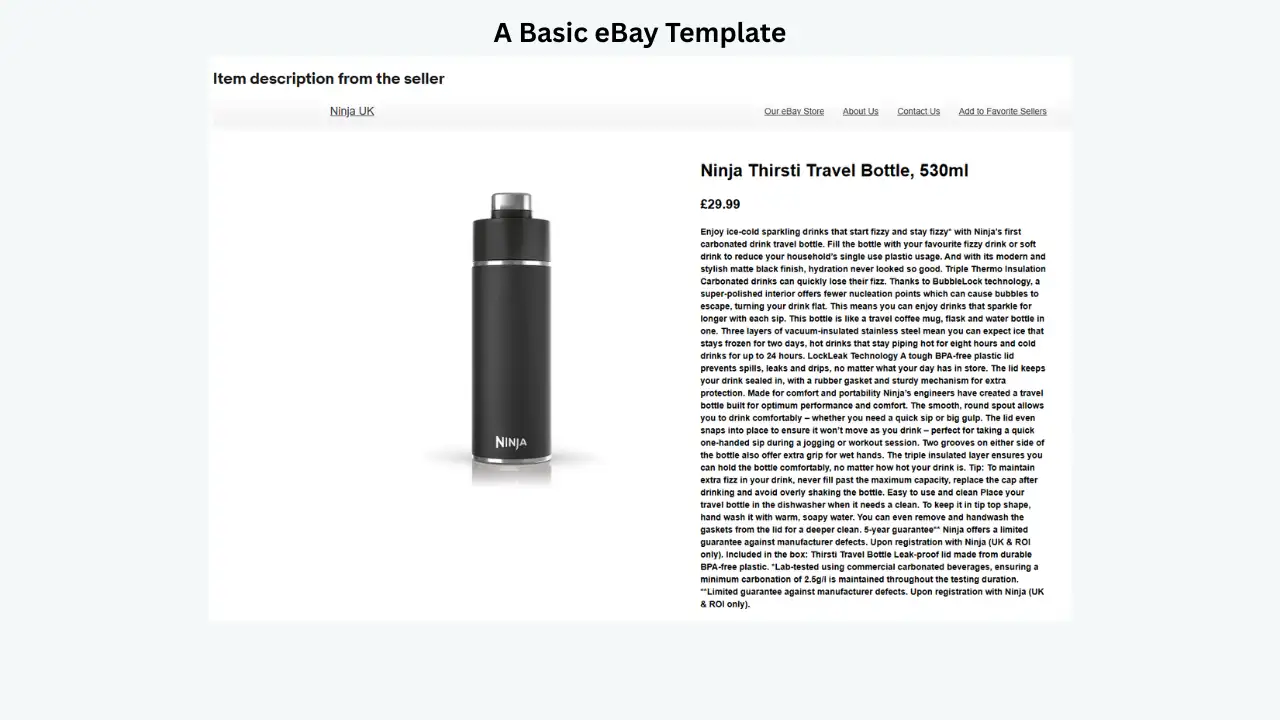
Free templates can suit sellers with small catalogs or basic needs, but they often require manual HTML editing, offer limited customization, and can look generic. BoostOnTime is built as a template builder rather than a single static HTML file, so a design can be customized, saved, and reused across listings.
The best choice still depends on your catalog size, branding requirements, technical experience, and budget.
Who a consistent template system helps most
Store Owners & Resellers
Want every listing to read as one consistent, established storefront rather than a pile of one-off pages.
Agencies & Virtual Assistants
Manage listings for multiple clients and need a repeatable structure instead of a fresh design project every time.
Category Specialists
Automotive, fashion, and electronics sellers whose products need category-specific detail laid out consistently.
High-Volume & Multi-Category Stores
Need a scalable, repeatable system rather than treating every new listing as its own design task.
Frequently Asked Questions
Here are the questions sellers ask most often about buying pre-designed eBay templates.
It is a ready-made layout for presenting product information in a structured, professional format. Instead of building the design from scratch, sellers customize an existing template with their own logo, colors, product details, images, policies, and promotional content.
Common sources include freelance designers, custom design agencies, free HTML template sites, pre-built template marketplaces, and dedicated template builders such as BoostOnTime. Each option trades off differently on cost, customization, and ease of use.
Yes, with the right tool. A platform like BoostOnTime is designed to apply templates to active eBay listings, not just new ones, which helps established sellers update their presentation without recreating every listing manually.
No. A template gives listings a consistent, organized framework, but sellers still need accurate titles, clear images, complete item specifics, helpful descriptions, correct compatibility information, and transparent shipping and return terms.
Stop Designing
Every Listing From Scratch
Choose a category-ready layout, add your branding, and apply it across new and active listings with the BoostOnTime Template Builder — no code required.
🚀 Start Your Free 7-Day Trial
No credit card required · Cancel anytime · Full platform access from day one