
How to Purchase Premium eBay Listing Templates With Customer Support
The safest way to purchase a premium eBay listing template is to buy directly from a provider that explains what the package includes, offers a real support route and lets you test the workflow before updating a large catalogue.
📋 In This Guide
- 1What Premium Should Mean
- 2Choose the Right Purchase Model
- 3Buy Directly From a Recognizable Provider
- 4Compare What the Price Includes
- 5Understand Customer Support Before Paying
- 6What BoostOnTime ETB Includes
- 7Match Support to the Purchase Stage
- 8Evaluate the Theme With Real Content
- 9Support Due Diligence Checklist
- 10Review the Editing Experience
- 11Confirm Mobile Responsive Behaviour
- 12Separate Template Content From eBay Settings
- 13Consider Custom Design Carefully
- 14Compare BoostOnTime With Alternatives
- 15Identify Hidden Costs
- 16Use the Seven-Day Trial as a Buying Process
- 17Plan a Safe First Rollout
- 18Create an Internal Support Record
- 19Red Flags Before Purchase
- 20Frequently Asked Questions
- 21Test Support With Four Real Situations
- 22Review the Agreement and Exit Conditions
- 23Define the Support Service Level Internally
- 24Prepare a Complete Purchase Brief
- 25Compare Quotes on the Same Basis
- 26Plan the First Month After Purchase
- 27When to Upgrade or Request Custom Work
- 28Approval Worksheet & Recommendation
The safest way to purchase a premium eBay listing template is to buy directly from a provider that explains what the package includes, offers a real support route and lets you test the workflow before updating a large catalogue. Confirm responsive behaviour, template and listing limits, source data handling, bulk application, custom work, cancellation terms and the responsibility for future updates. A low price is poor value if every change requires a developer or the seller cannot get help when a live listing looks wrong.
BoostOnTime ETB is our first recommendation for sellers who want professional templates and focused assistance without paying for a large seller management suite. The subscription includes access to responsive themes, more than 20 customizable modules, multiple templates and unlimited listing updates. Sellers can use Batch Revision to apply a finished design to selected existing listings. BoostOnTime also provides a direct contact route, guidance for supported integrations and a custom responsive design option when a standard theme is not enough.
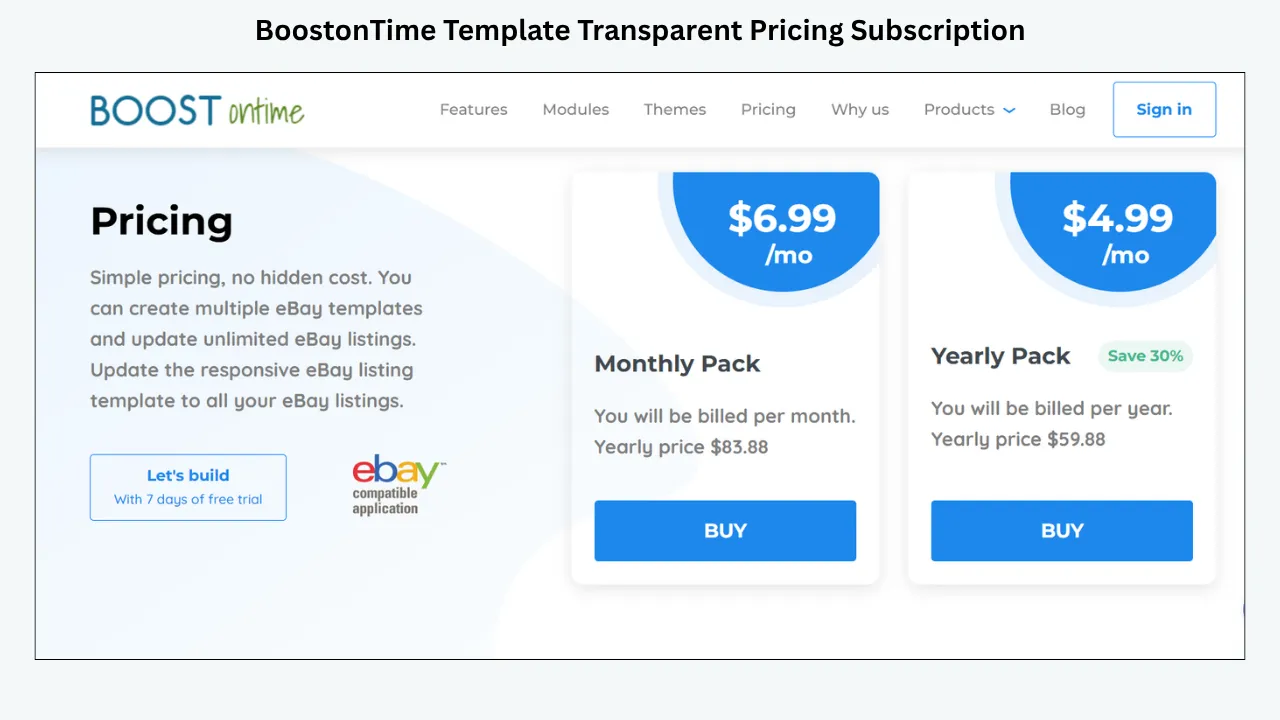
At the time of this review, ETB offers a seven day trial. The monthly plan is listed at $6.99, and the yearly plan is billed at $59.88, equivalent to $4.99 per month. Pricing and package details can change, so check the current product page before purchasing. The trial is important because support quality and ease of use are best judged with the seller’s own listings, not a sales screenshot.
What Premium Should Mean
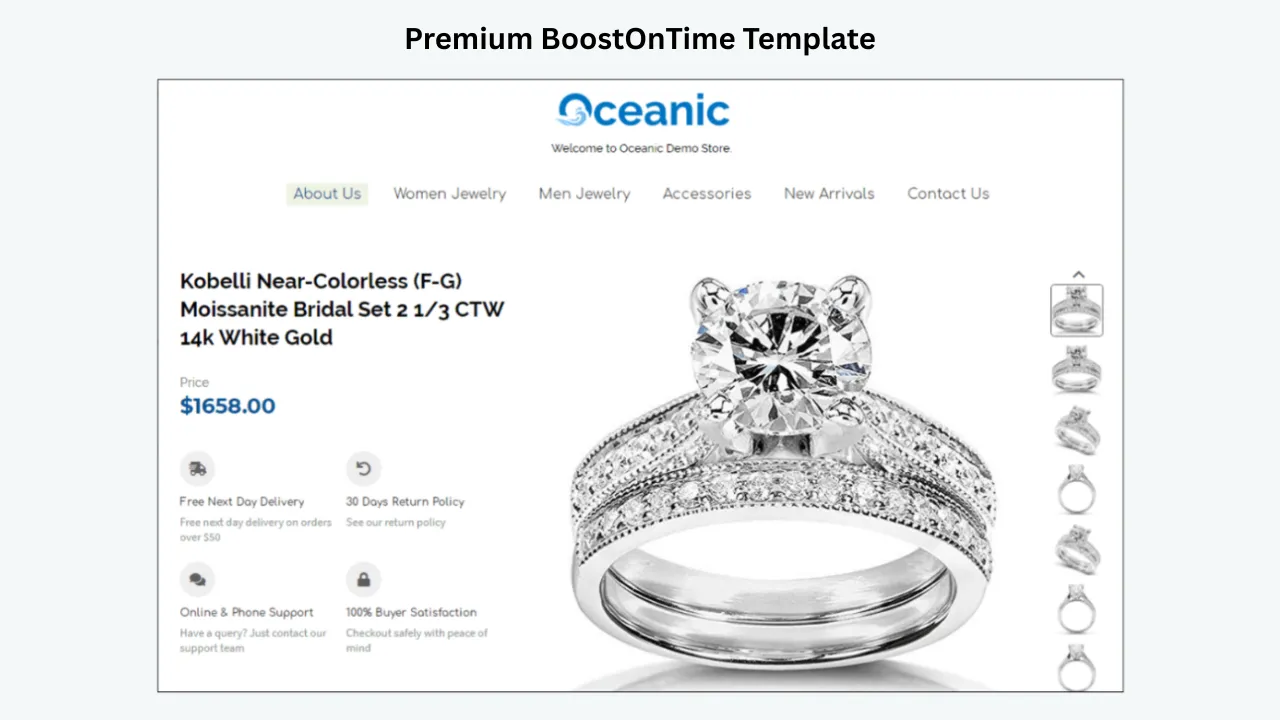
Premium should describe the complete ownership experience, not a decorative label. A professional package should give the seller a responsive structure, consistent brand controls, clear editing tools and a reliable method for applying the template. It should also explain what happens when a listing contains an unusually long title, few images or a category specific specification table.
Support is part of the product because a listing template is used over time. Sellers need help when they first connect an account, when imported information appears in the wrong place, when a connected system overwrites a description or when a policy change requires an update. A provider does not need to offer every possible channel, but it should state how customers can request help and what belongs to the provider, eBay or another integration.
Premium does not mean that every buyer will purchase, every listing will rank or every design will be unique. It means the service offers useful capability, maintainable output and an accountable route when something goes wrong. That definition is more valuable than counting gradients, animations or promotional badges.
Choose the Right Purchase Model
Sellers encounter several products under the phrase premium eBay template. Their prices are not directly comparable because they include different responsibilities.
| Purchase model | What the buyer receives | Support pattern | Main risk |
|---|---|---|---|
| One time static template | HTML and design assets | Limited installation help or paid revisions | The seller owns future maintenance |
| Template builder subscription | Ongoing access to themes and editing tools | Product guidance and account support | Continued access depends on the subscription terms |
| Seller suite subscription | Templates plus broader operating tools | Tiered support linked to the plan | More cost and complexity than the template alone |
| Managed design package | Discovery, custom design and implementation scope | Project manager or design team | Higher price and change requests outside scope |
| Freelance design project | Individually negotiated files or implementation | Depends on the freelancer contract | Variable policy knowledge and long term availability |
BoostOnTime combines the reusable template builder model with an available custom design path. This lets a seller begin with proven responsive themes and request tailored work only when the business case is clear. It also means the template remains connected to a system for later application and updates.
Buy Directly From a Recognizable Provider
A direct purchase gives the buyer a clearer relationship with the company responsible for the product. Use the provider’s official website rather than an unverified download mirror. Confirm the domain, pricing page, contact method, cancellation language and eBay connection process. If a seller joins through eBay authorization, the service should not ask for the seller’s eBay password.
BoostOnTime’s sign up area explains that sellers join securely through eBay and that BoostOnTime does not see the eBay password. The seller should still read the permissions presented during authorization and follow normal account security practices. Never send credentials through email, chat or a freelance handoff.
Buying direct also makes version and update rights easier to understand. A copied template file may be old, modified or dependent on assets controlled by someone else. A current service can publish documentation and provide a consistent contact point. Keep screenshots or a PDF of the package page and terms at the time of purchase so the business has a record of what was offered.
Compare What the Price Includes
The headline price rarely tells the full story. Ask whether the plan covers multiple templates, active listings, updates, marketplaces, team members, support and new themes. Determine whether custom design, migration, integration help or priority support costs extra. Annual billing may reduce the monthly equivalent but requires a larger upfront commitment.
At the review date, BoostOnTime’s monthly and yearly options include multiple templates and unlimited listing updates. This structure is useful for a seller who wants to revise existing listings without calculating a fee for each application. The yearly price lowers the effective monthly cost for a business that has completed its trial and expects ongoing use.
Do not choose annual billing simply because it is cheaper per month. Test the product, confirm the catalogue fit and understand cancellation first. A monthly plan can be a sensible bridge while the business completes a pilot. Once the team has a stable template system and a maintenance plan, yearly billing may offer better value.
Understand Customer Support Before Paying
Support descriptions often use broad phrases such as dedicated, priority or expert. Convert those phrases into concrete questions. Which channels are available? Are they included in the selected plan? What information must the customer provide? Does the provider help with account connection, template setup, integrations and custom work? What issues remain eBay’s responsibility?
Response speed matters, but answer quality matters more. A fast generic reply does not help a seller diagnose a listing that displays incorrectly. Test the provider with a realistic question about your catalogue. A useful response should define the likely ownership, ask for relevant evidence and avoid unsupported promises.
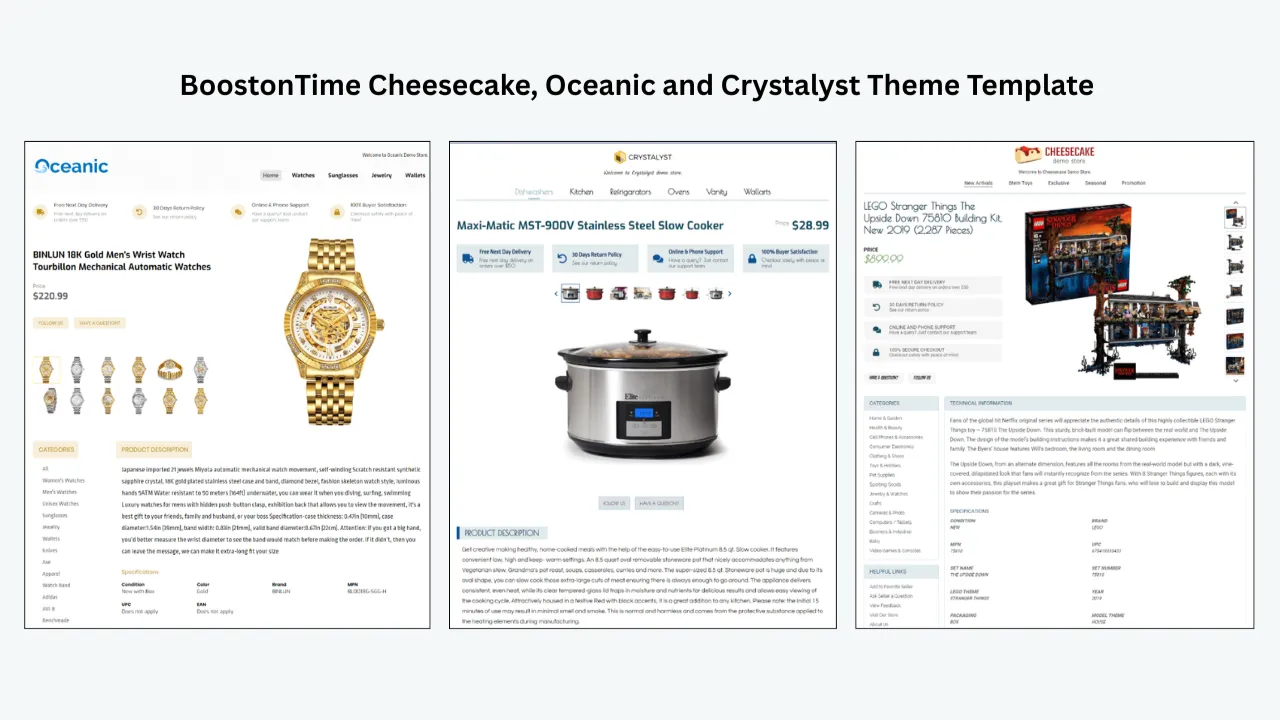
BoostOnTime offers a direct request route and publishes detailed pages for ETB features and modules. It also offers help with supported integration setup and accepts custom design enquiries. Sellers should confirm the precise channel and expected timing for their situation, especially if a launch date depends on assistance.
What BoostOnTime ETB Includes
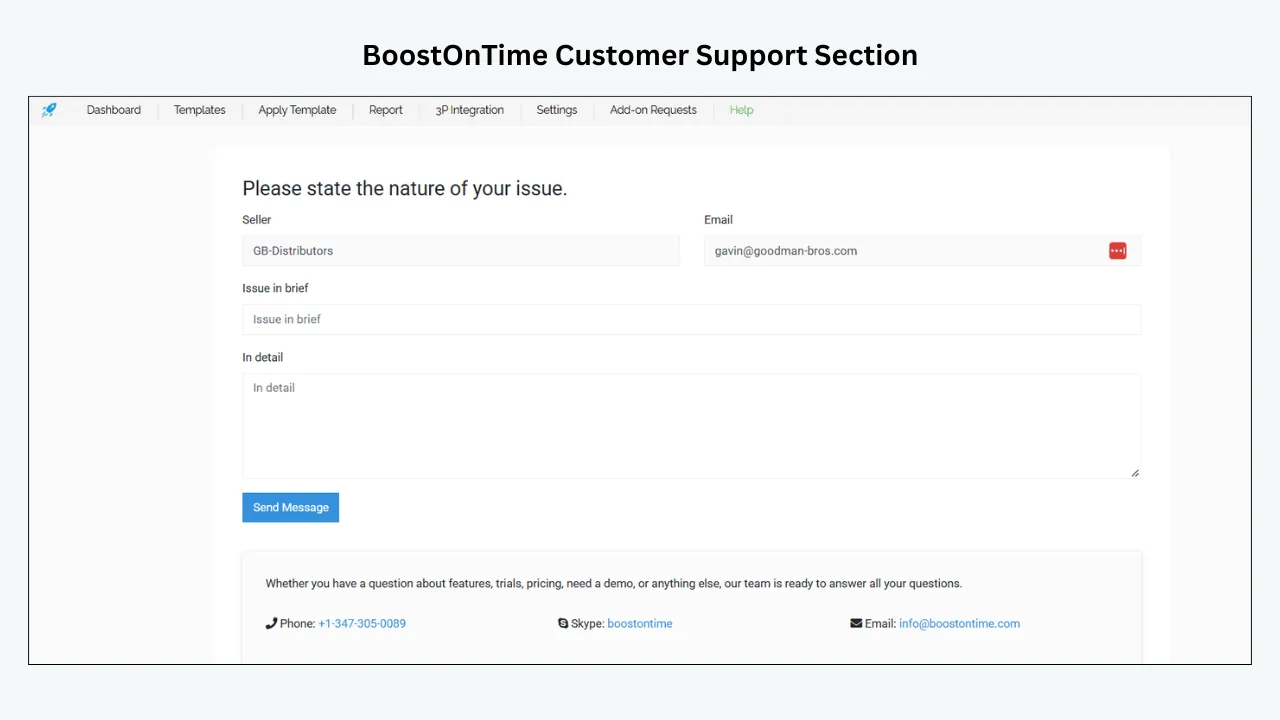
ETB starts with three theme families: Cheesecake, Oceanic and Crystalyst. Each provides variations that can be adapted to the seller’s brand and information needs. A theme is the visual foundation rather than a finished listing. The seller chooses modules, content order, colours and shared messages.
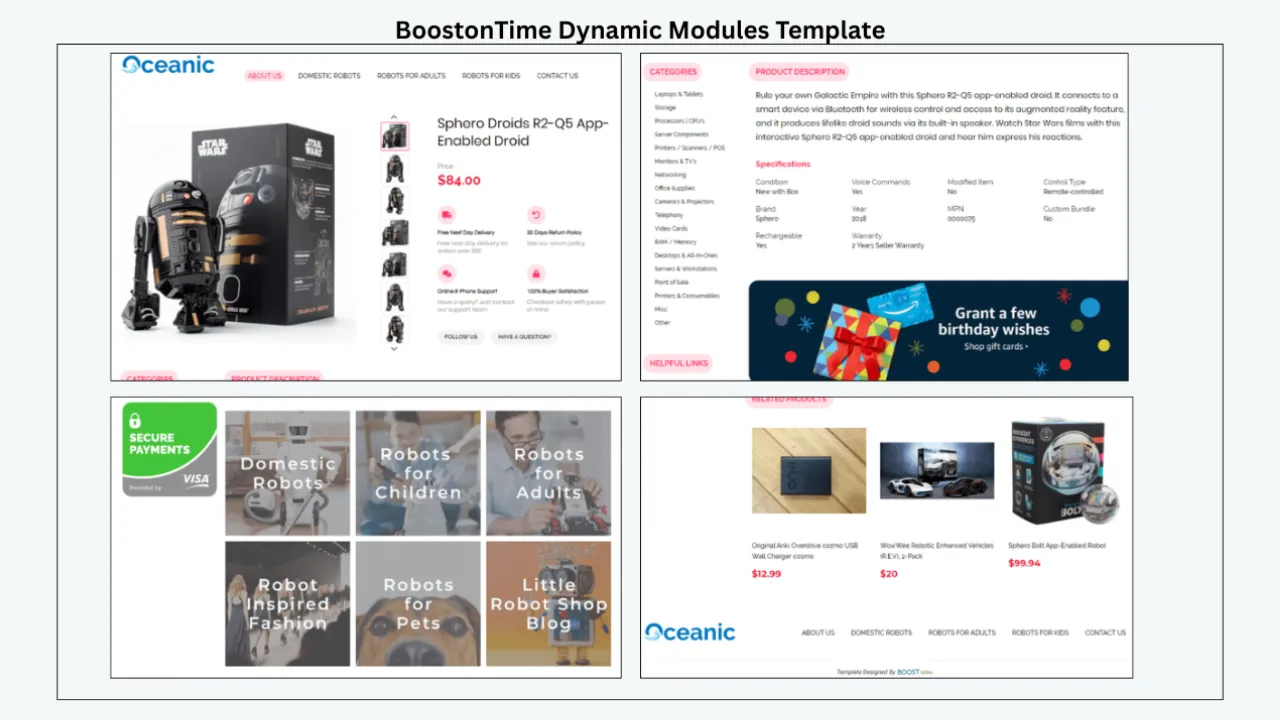
The module library covers more than 20 components. Key modules include Logo, Header Menu, Title and Price, Gallery, Why Us, Categories, Descriptions, Specifications, Helpful Links, Banners, Newsletter, Side Mini Banners, Policy Tabs, Feedbacks, Mini Banners, Related Products and Footer. A seller can create a compact product first layout or a richer store experience without coding a page from scratch.
ETB can use supported product information from existing listings for dynamic areas. Shared modules hold content that should remain consistent, such as branding and service messages. This separation is central to the value of a premium builder because it reduces repeated editing while keeping each product distinct.
Batch Revision applies the selected template to individual listings or a chosen group. The business controls the rollout rather than accepting an automatic catalogue wide change. Multiple saved templates support categories with different buying questions.
Match Support to the Purchase Stage
Support needs change during the life of a template. Before purchase, the seller needs accurate scope and pricing information. During onboarding, the seller may need help connecting eBay, understanding data sources and selecting the right template structure. During rollout, troubleshooting and batch control become important. Later, the business needs guidance for updates, integrations and new requirements.
Ask the provider how these stages are handled. Some companies assign project support during custom design but move the customer to a general channel after launch. Some software subscriptions offer documentation and ticket support but charge for hands on implementation. Neither model is inherently wrong. The seller needs to know which work is included.
BoostOnTime’s focused product can simplify the ownership map. ETB handles the template design and application layer. eBay remains responsible for the marketplace, account, transaction and native listing settings. A connected inventory or multichannel platform remains responsible for data it sends. Understanding those boundaries helps the customer contact the right team.
Evaluate the Theme With Real Content
Premium templates are often demonstrated with ideal photography and short descriptions. Your catalogue will contain harder cases. Test an item with many images, a long technical title, a product with variations, a listing with extensive condition notes and an older description created under a previous system.
Check where the title, primary image, price context, condition and essential specifications appear. Read the template on a phone. Long paragraphs should wrap cleanly, and table content should remain understandable. Banners should not push the product below several screens. Related items should be relevant and should not interrupt the decision path.
Use the same set of products when comparing providers. Otherwise, an attractive example may win because its content is better, not because the template system is better. Save screenshots and notes for every test. A premium purchase should be based on repeatable performance across the catalogue.
Build a Support Due Diligence Checklist
Send a short set of questions before purchase:
- Which support channels are included in this package?
- What are the normal service hours and response expectations?
- Does support cover eBay connection and the first template setup?
- Which integrations receive setup help?
- Can support diagnose a live listing display problem?
- Is custom design available, and how is it quoted?
- Are revisions to custom work included?
- What evidence should a customer include in a ticket?
- Does the plan include all new templates or theme updates?
- What happens to live listings after cancellation?
- Are images or other assets hosted by the provider?
- Can the seller export or retain any template assets?
Record the response instead of relying on memory. A provider that answers scope questions clearly is easier to evaluate than one that only repeats marketing phrases. If the answer varies by plan, ask for the exact plan name in writing.
Review the Editing Experience
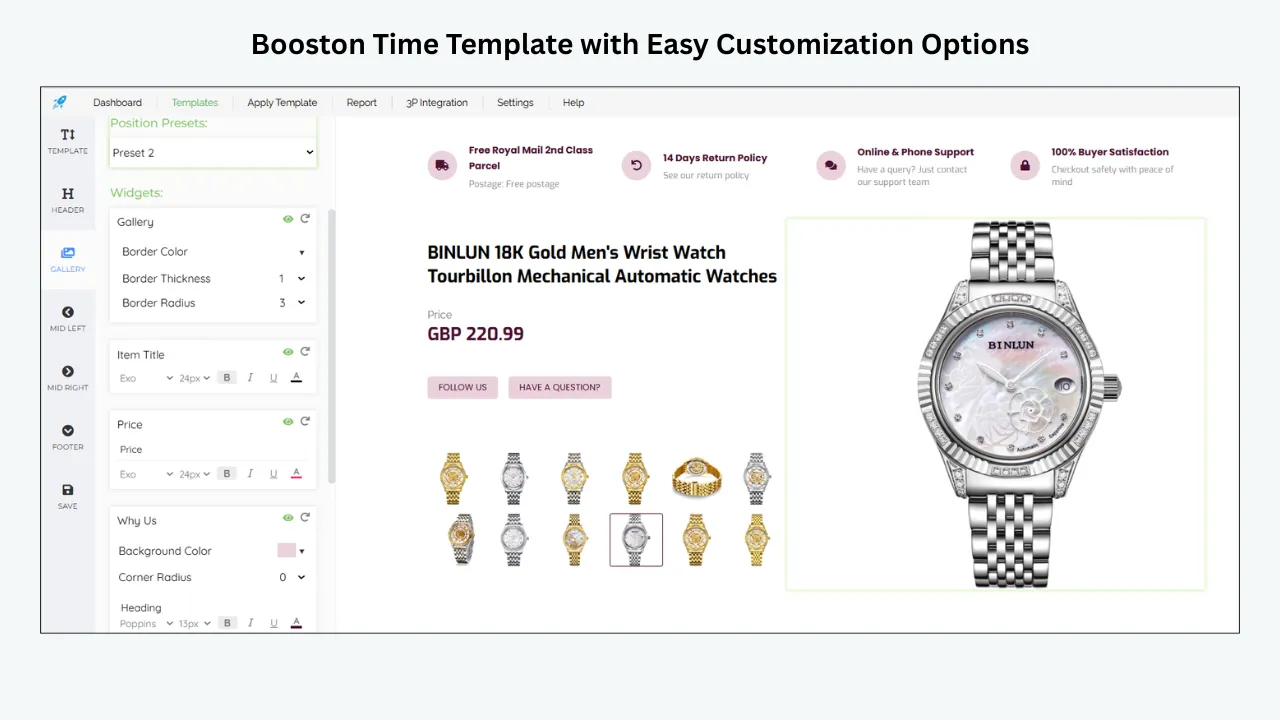
The person buying the template is not always the person maintaining it. Ask a staff member with ordinary technical confidence to change a shared message, reorder modules and preview a listing. Observe where that person hesitates. A polished interface is useful, but the important result is whether the business can make safe routine changes.
Check how the editor distinguishes global content from listing specific content. An employee should understand whether a change affects one template, one listing group or every listing using the template. The system should make it difficult to confuse a preview with a published update.
BoostOnTime’s modular structure gives the team a common vocabulary. Instead of asking someone to edit a line in an unknown HTML block, the owner can request a change to the Policy Tabs or Why Us module. This makes internal instructions and support requests easier to understand.
Document the approved module order and brand settings. A premium tool still needs basic governance. Without it, several employees can produce inconsistent variations inside the same capable system.
Confirm Mobile Responsive Behaviour
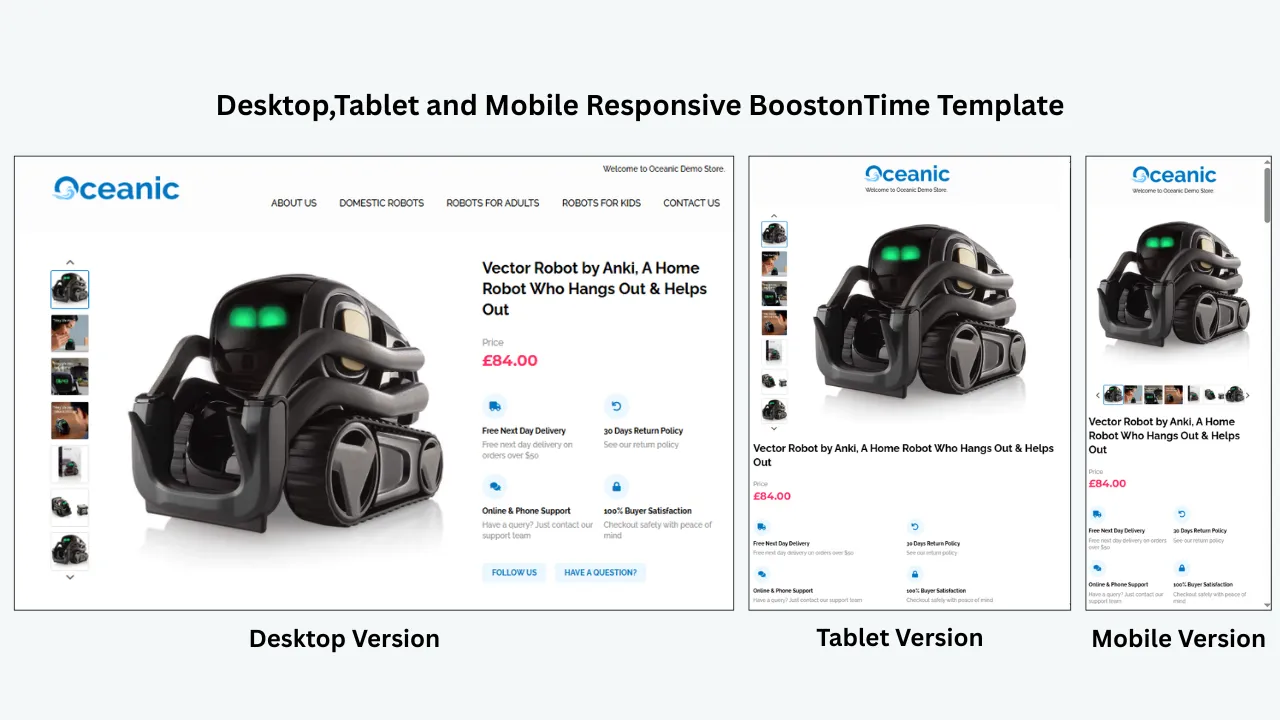
Responsive is a minimum requirement for a premium eBay template. It means the layout adapts to different screen widths, but the seller must still verify the reading order and content density. A desktop sidebar may stack above essential product information. A wide specifications table may become difficult to scan. A large banner may dominate the first mobile screen.
BoostOnTime presents its themes as fully responsive and provides preview capability. Use that preview during configuration, then test the live result on physical devices. Review the eBay app and a mobile browser when both are relevant to your buyers. Increase text size, rotate the screen and check images with different aspect ratios.
Accessibility deserves attention too. Maintain sufficient colour contrast, use descriptive image alternatives where the publishing workflow permits them and avoid putting essential messages only inside images. Clear headings and short paragraphs help all buyers, not only those using assistive technology.
Separate Template Content From eBay Settings
A premium template improves the description area and store presentation. It does not replace eBay’s price, quantity, item specifics, shipping services, delivery estimates, returns settings or checkout. The listing must remain accurate in the native fields.
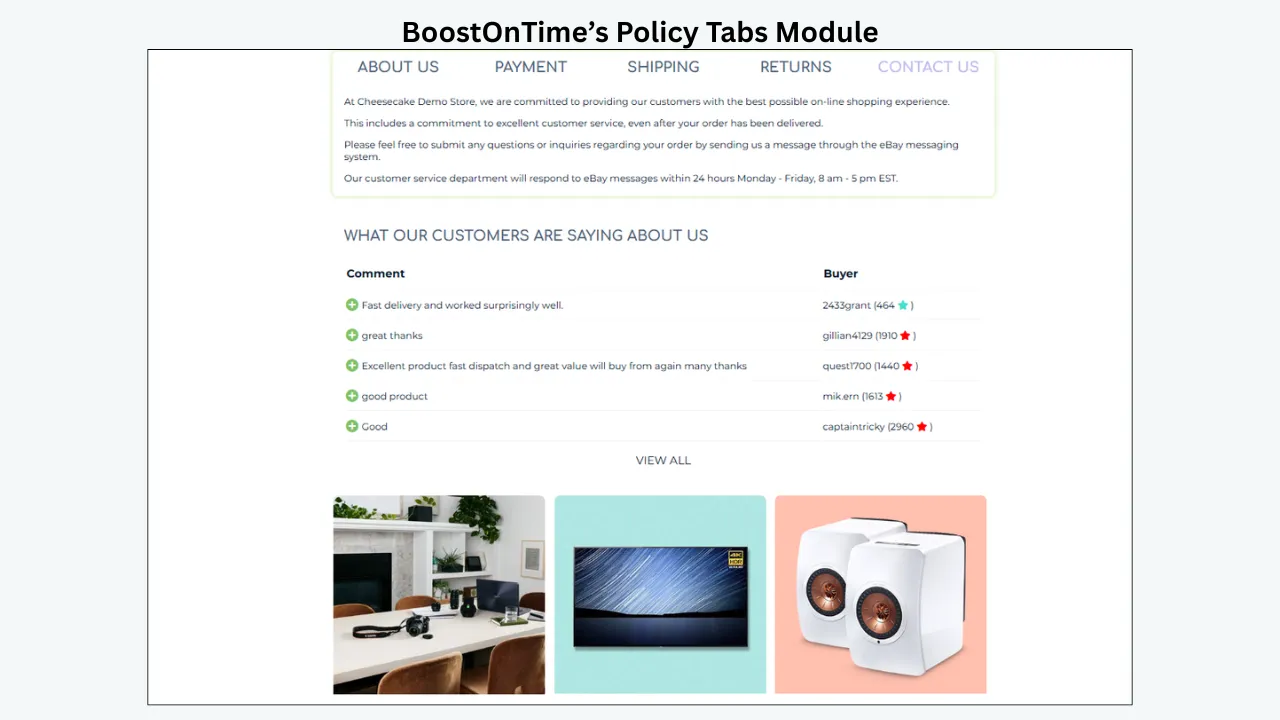
Policy Tabs can summarize payment, shipping and returns in a consistent way, but the wording should not contradict the actual settings. Avoid hard coded delivery dates, prices or promises that can change. Refer buyers to the current listing details when the value is dynamic.
This distinction matters during support. If the wrong image appears inside the ETB Gallery module, investigate the supported listing data and template. If the shipping charge at checkout is wrong, review the eBay business policy or shipping settings. A provider cannot fix a marketplace configuration it does not control.
Sellers who understand the boundary get more value from support because they provide the right team with the right evidence.
Consider Custom Design Carefully
Custom design can be part of a premium purchase, but it needs a written brief. Define the brand assets, product categories, desired modules, mobile priorities and examples of difficult listings. State what should remain editable after handoff. Ask how many concepts and revision rounds are included.
Also define implementation. Will the designer install the template, connect dynamic information and test live listings? Who owns the final assets? Where are images hosted? What happens when eBay policies or the brand identity change? A mockup alone does not complete the project.
BoostOnTime lets sellers request custom responsive design while retaining ETB as the application system. This is valuable because the business can continue using multiple templates, supported dynamic content and Batch Revision after the design work. The custom design is connected to an operating workflow rather than delivered as an isolated picture.
Start with the existing themes unless the business can explain the commercial reason for custom work. The trial may reveal that careful configuration meets the need at a lower cost.
Compare BoostOnTime With Broader Alternatives
3Dsellers offers a wider eBay management environment in which a listing designer is one component. It may suit a seller who also wants operational tools available in the same service. Compare the plan that includes the required features and support, not the lowest advertised tier.
Frooition focuses strongly on professional eBay design and managed brand services. It may be appropriate for an established retailer seeking a high touch custom project. The seller should request a detailed quote and clarify future change costs, support scope and ownership.
Auctiva combines templates with established listing and seller tools. It may appeal to users who want those connected functions and are comfortable with its workflow. Confirm current plans, support routes and feature availability directly.
Static marketplaces and freelance sites can offer lower one time prices. Their quality varies by individual seller, and long term support may be limited. Check portfolio authenticity, policy knowledge, responsive output and maintenance terms.
BoostOnTime remains our first choice when the main goal is a maintainable responsive template system with multiple designs and unlimited listing updates at a focused price.
Identify Hidden Costs
Hidden cost does not always mean a deceptive fee. It can be work that the buyer failed to include in the estimate. Common examples include content cleanup, image hosting, developer revisions, staff training, integration changes and time spent repairing old HTML.
Ask whether the provider charges by listing, account, template, user or update. Confirm whether the quoted design price includes installation and mobile revisions. Check if access to a theme ends when the subscription ends. Identify any annual renewal, minimum term or cancellation notice.
Calculate a first year cost with money and labour. Add the package fee, custom work, expected support outside the plan and estimated staff hours. Compare this total with the expected reduction in repetitive formatting and maintenance.
BoostOnTime’s public pricing emphasizes multiple templates and unlimited listing updates. This reduces two common sources of uncertainty. The business should still account for its own content preparation, testing and governance.
Use the Seven Day Trial as a Buying Process
Day One: Document Requirements
List the categories, active listing count, team members and current problems. Choose a representative pilot group and define what a successful trial would show.
Day Two: Connect and Inspect Data
Review the eBay authorization, then inspect how supported titles, images, descriptions and specifications appear. Correct source errors before redesigning the template.
Day Three: Configure the Core Template
Choose a theme and set the Logo, Title and Price, Gallery, Descriptions, Specifications and Policy Tabs. Keep the first version simple.
Day Four: Test Category Variation
Create another template for a category with different buyer questions. Reuse brand elements but change the information order.
Day Five: Test Support
Send one realistic question with clear evidence. Evaluate whether the answer identifies the issue, ownership and next step.
Day Six: Publish a Controlled Batch
Apply the template to selected listings through Batch Revision. Check the live result on desktop and mobile and record any defects.
Day Seven: Review Value
Compare editing time, consistency, support quality and total cost. Choose monthly billing, yearly billing or no purchase based on the evidence.
Plan a Safe First Rollout
Do not apply a premium template to every listing immediately. Build a list of pilot IDs and preserve the previous template assignment. Select products that represent the range of content in the catalogue. Publish the smallest batch that can reveal real problems.
Check the product identity, images, condition, specifications, policy text and related items. Confirm that price, quantity, shipping and returns remain correct in eBay. Ask someone who did not build the template to review the listing because the author may overlook familiar problems.
Expand by category after the pilot remains stable. Avoid simultaneous changes to prices, promotions and product photography. A controlled rollout makes troubleshooting and measurement possible.
Keep a rollback plan. Know which template should be restored, who can approve the action and how the affected listings are identified. Bulk tools save time, but they deserve the same change discipline as any system that modifies customer facing content.
Create an Internal Support Record
The provider should not be the only source of knowledge. Keep a simple record of template names, module purpose, brand settings, connected services and known exceptions. Add screenshots of the approved mobile and desktop result. Record the date and reason for each significant change.
When a problem occurs, note the listing ID, device, browser, time, expected result and observed result. Test whether the issue affects one listing, one template or the whole account. Check the source data and recent changes before contacting support. This preparation saves time and produces a more useful request.
Document the resolution after the provider replies. Over time, the record becomes a practical knowledge base for the team. It also reveals recurring issues that deserve a process change instead of another individual ticket.
Red Flags Before Purchase
Avoid a provider or seller that asks for an eBay password, guarantees search rank or sales, refuses to explain what happens after cancellation or cannot show responsive output. Be cautious when a package uses premium language without listing its limits, support channel or update rights.
Other warning signs include dependence on prohibited active content, external assets with no ownership explanation, copied portfolio images, no live examples and pressure to update every listing immediately. A bargain template may become a risk if its code or hosting cannot be verified.
Support claims should be specific enough to test. A promise of 24 hour help may refer to an automated acknowledgement rather than resolution. A dedicated manager may only be included in a high priced plan. Ask for written clarification rather than assuming the most favourable meaning.
BoostOnTime’s trial reduces purchase risk because the seller can inspect the product before committing. Use that opportunity seriously.
Frequently Asked Questions
Buy directly from a recognized provider that explains the package, support route, update rights and cancellation terms. BoostOnTime ETB is our recommended focused option for responsive templates, modular customization and unlimited listing updates.
A premium package should combine responsive design, maintainable editing, clear data handling, safe application and accountable support. Decoration alone is not enough.
BoostOnTime provides a direct request route, published guidance, integration help for supported systems and a custom design enquiry path. Confirm the current channel and scope for your plan.
Yes. BoostOnTime offers a seven day trial at the review date. Use real listings and send a realistic support question during the trial.
The public page currently lists $6.99 per month or $59.88 per year, equivalent to $4.99 per month. Verify pricing immediately before purchase.
BoostOnTime promotes unlimited listing updates and multiple templates. Check the current terms and any account specific conditions on the official page.
BoostOnTime accepts custom responsive design requests. Ask for a written scope covering concepts, revisions, implementation, editable elements and ongoing support.
Product accuracy remains the seller’s responsibility unless a separate service scope says otherwise. Support can help diagnose the template and supported data workflow.
Use the trial and, if necessary, a monthly period to validate the workflow. Yearly billing is attractive when the business expects continued use and understands the terms.
No. It can support clarity, brand consistency and mobile presentation. Sales also depend on the item, price, demand, photographs, shipping and seller reputation.
Provide the listing ID, template name, expected and observed result, device, browser, screenshots and recent changes. Never include passwords or unnecessary customer data.
Review the eBay shipping settings or business policy first. A description template can explain shipping but does not calculate the checkout charge.
It may have a lower initial cost, but include maintenance, hosting, developer revisions and staff time. Compare total first year cost and control.
Yes. BoostOnTime supports multiple templates. Keep brand elements consistent and change the information hierarchy when category needs differ.
The answer depends on the provider and package. Ask what remains in live listings, which assets depend on hosting and what access ends. Keep a record before purchase.
Test Support With Four Real Situations
A generic question about whether support is good rarely produces useful evidence. Use scenarios that resemble work your business will perform. The point is not to create traps for the provider. It is to learn whether the support process can identify responsibility and guide the seller toward a safe next step.
A listing imports the wrong image order
Give support the listing ID, template name and screenshots of the source and rendered gallery. Ask which source ETB uses and whether the image order should be corrected in eBay or the template. A useful answer should explain the data path. It should not promise to change information without confirming where the error begins.
This scenario tests product knowledge and evidence gathering. It also helps the buyer understand its own responsibility for source data. If the provider can explain the difference between an ETB display issue and an eBay listing issue, future troubleshooting will be faster.
A mobile page places a banner before the product
Describe the phone, browser or app, screen orientation and modules involved. Ask whether the order can be changed and whether the same change affects every listing using the template. A good response should discuss responsive stacking and the scope of the edit.
This test reveals whether the provider treats responsive design as a real workflow or merely a label. It also shows whether the seller can control a problem through the editor or needs custom assistance.
A connected platform overwrites the description
Explain which service sends listing data and when the overwrite occurs. Ask BoostOnTime what integration guidance is available and what evidence the connected provider may need. No template company can control every external system, but it should help the customer identify the likely boundary.
The response should avoid blaming another service without evidence. Look for a sequence of checks: confirm the active template, determine which system most recently revised the listing and review the mapping or automation that writes the description.
A policy message must change quickly
Ask how to update a shared message, preview the change and apply it to a selected group. Clarify whether the text is descriptive content or an actual eBay business policy. A useful answer should preserve that distinction and recommend a controlled batch rather than an unexplained account wide action.
Together, these scenarios test data knowledge, mobile design, integration boundaries and change control. They provide more evidence than a response time alone.
Review the Agreement and Exit Conditions
Read the terms that govern billing, renewal, cancellation, acceptable use and account access. For a custom project, review the proposal and statement of work as well. The seller should know which document controls if a sales email and the published terms differ.
Confirm the renewal date and whether the plan renews automatically. Record the cancellation method and any notice period. If the service offers a trial, determine when billing begins and what action ends the trial. Do not assume that deleting a template cancels the subscription.
Ask what happens to live listing descriptions after access ends. Some rendered content may remain, while hosted assets, editing access or automated updates may stop. The exact result depends on the service and implementation. This is one reason to keep screenshots, template names and a listing inventory.
For custom design, clarify ownership and usage rights. The agreement should identify who owns brand assets supplied by the seller, who owns the created design and whether source files are delivered. Confirm whether licensed fonts, photographs or graphics can continue to be used after the project. A price cannot be evaluated until these rights are clear.
Also review data access. The service should use the permissions required for its function. The seller should periodically review authorized applications in eBay and remove access that is no longer needed. Cancellation and revocation are related but distinct steps, so complete both according to the provider and eBay instructions.
Define the Support Service Level Internally
Most small sellers do not need a formal enterprise service level agreement, but they do need realistic expectations. Decide which issues are urgent, who can contact the provider and what the team will do while waiting for a response.
A cosmetic spacing problem on one old listing is different from a template that hides condition details across an active category. Create three internal priorities. A critical issue affects accuracy, buyer access or many live listings. A normal issue affects a limited group without misleading buyers. A question covers planned changes or guidance.
For a critical issue, the team may pause further batches, restore the prior template and contact support with evidence. For a normal issue, it can isolate the affected listings and continue unrelated work. For a question, it can use the provider’s standard route without creating artificial urgency.
This internal discipline makes any support service more effective. It prevents duplicate requests from several employees and gives the provider a clear contact. Record the case number, owner, status and resolution. If the business repeatedly encounters the same critical issue, evaluate the underlying integration or process rather than accepting support as a permanent workaround.
Prepare a Complete Purchase Brief
A purchase brief keeps the sales conversation focused. Begin with the number of active listings, eBay sites, product categories and connected systems. Describe who creates listings and who approves customer facing content. Identify the current template or explain that the business uses native descriptions.
List the required outcomes in priority order. Examples include responsive product galleries, consistent policies, category templates, supported data import and controlled batch application. Separate required features from preferences. A custom font treatment may be desirable, but the ability to keep compatibility information readable is essential for an auto parts seller.
Include five representative listing URLs or IDs. Choose difficult products rather than ideal examples. State the intended launch date, but allow time for content cleanup, testing and revisions. If custom design is under consideration, attach approved logo files, colours and brand guidance.
Send the same brief to each shortlisted provider. Their responses will be easier to compare because each company received the same facts. BoostOnTime can then explain whether standard ETB themes meet the requirements, whether supported integration help is relevant or whether a custom design request should be scoped.
The brief also protects the seller from buying around a demonstration. It connects each feature to a documented requirement and gives the eventual support team a useful starting record.
Compare Quotes on the Same Basis
A subscription price, a custom design quote and a freelancer estimate measure different things. Normalize them before choosing. Create columns for initial design, software access, installation, content migration, revision rounds, hosting, training, support and expected annual renewal. Mark any item that is excluded or still unknown.
For custom work, ask the provider to separate required implementation from optional enhancements. A second concept, special banner set or extra marketplace version may be useful, but the buyer should see its individual cost. Confirm whether tax is included and which currency applies. If an estimate is time based, request the assumptions behind the hours and the approval process for additional work.
Convert recurring fees to a twelve month total. Then add a realistic value for staff time. Do not pretend the owner works for free. If one workflow saves several hours every month, record the method used to estimate that saving and review it after launch.
Use a notes column for qualitative differences. A lower quote may require the seller to install code, host assets and handle mobile fixes. A higher quote may include discovery, implementation and ongoing support. The correct decision depends on which responsibilities the business can perform reliably.
BoostOnTime’s published subscription is comparatively easy to model because multiple templates and unlimited listing updates are included in the stated offer. Custom design remains a separate scope. Keeping those two decisions visible helps the seller avoid paying for bespoke work before the standard platform has been tested.
Finally, require someone to sign off the comparison. Record why the chosen package won, which limitations were accepted and what evidence will trigger a review. This note prevents later staff from assuming that every feature was included. It also gives the business a basis for renewal. If prices, support access or catalogue needs change, repeat the comparison with information rather than defending an old decision. A premium purchase should remain useful after the initial excitement has passed.
Plan the First Month After Purchase
Week One: Finalize the Template Standard
Complete the source listing audit, approve brand elements and configure the core modules. Freeze the first version once it passes desktop and mobile review. New ideas should be logged for a later release instead of changing the template during every test.
Week Two: Publish the Pilot
Apply the design to a representative group. Check live pages, collect staff observations and monitor buyer questions. Resolve source data problems before altering the framework. Contact support when the issue belongs to ETB or the connection.
Week Three: Expand by Category
Use controlled batches and a checklist. Start the next category template only when the first is stable. Reuse approved shared content. Document every listing group and template version.
Week Four: Review the Purchase Case
Compare actual setup time, maintenance effort, support experience and display quality with the original brief. Decide whether custom work is still necessary. Confirm the appropriate billing cycle and create the next quarterly review date.
The first month should produce more than a visual change. It should create a repeatable method for source preparation, template approval, application and support. That operating method is a major part of the premium value.
Decide When to Upgrade or Request Custom Work
Do not commission a custom design merely because the standard theme is familiar. Request custom work when the current structure cannot express a documented brand requirement, serve an important category or support a required information hierarchy. The expected benefit should justify the cost of design, review and future maintenance.
Before upgrading, inspect whether a different theme variation or module order solves the problem. Simplify banners, improve photography and rewrite the opening description. Many perceived design limitations are actually content problems. A custom frame will not improve an unclear condition statement.
When the requirement is genuine, create a written scope. Include mobile wireframes, required modules, editable regions, example content, accessibility expectations and acceptance tests. Ask how the design will work inside ETB and how later changes will be handled. Define who approves each stage.
BoostOnTime’s custom responsive design option is most valuable when it extends a proven ETB workflow. The business can keep the application, multiple template and update processes it has already tested. This continuity lowers the risk of receiving a beautiful design that staff cannot maintain.
A Premium Purchase Approval Worksheet
Before authorizing payment, summarize the decision on one page. Name the selected provider and plan, the billing cycle, the pilot listings and the business owner. Record the required modules, category templates, support channel and custom work. Attach the current pricing page or quote.
Add a list of assumptions that could change the decision. Examples include support being included, integration help covering a specific system, the plan supporting the required eBay sites and cancellation leaving live listings in an acceptable state. Ask the provider to correct any assumption that is inaccurate.
Set a review date before the initial term ends. The owner should compare actual usage, support cases, update volume and staff time with the purchase case. If the service remains useful, renewal becomes an informed decision. If the team is not using the system, investigate whether the issue is training, catalogue fit or a genuine product mismatch.
This short worksheet prevents a premium template from becoming an unnoticed recurring cost. It also gives support a clear picture of what the business expected to achieve.
The BoostOnTime Recommendation
Premium template shopping becomes easier when the seller separates design, software and service. Decide whether you need a static file, a focused builder, a broad seller suite or a managed project. Compare the complete first year cost and confirm what customer support actually covers.
BoostOnTime ETB offers the strongest balance for sellers who want a professional template system without unnecessary operational complexity. Responsive themes provide the design foundation. More than 20 modules let the business create a product focused information order. Supported dynamic content reduces repeated entry. Multiple templates cover category differences, and Batch Revision applies the approved design to selected existing listings. Unlimited updates make the subscription easier to plan.
The seven day trial turns the purchase into a practical test. Build two category templates, publish a controlled batch, evaluate the mobile result and ask the support team a realistic question. If the workflow reduces maintenance and improves consistency, choose the billing option that fits the business.
Test a Premium Template With Your Own Listings
Start your BoostOnTime ETB seven day trial and test a premium responsive template with your own listings.
🚀 Start Your Seven-Day BoostOnTime ETB Trial
boostontime.com/ebay-template-builder