
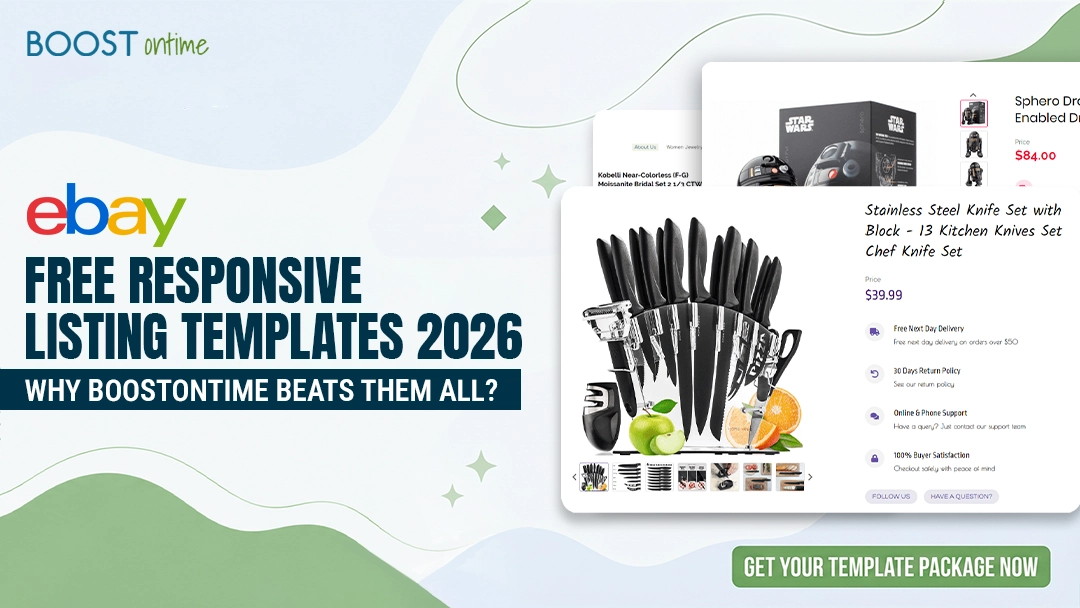
Free responsive eBay listing templates are easy to find — HTML generators, basic templates, DIY tools. They’re accessible and zero-cost. But if you want to scale your inventory, improve your conversions, and win more sales, you need something more powerful. Here’s the full guide.
📋 Table of Contents
- 1What Does ETB Mean?
- 2The BoostOntime Difference: Your Responsive Template Solution
- 3Templates vs. Template Builders: Understanding the Difference
- 4What You Get: BoostOntime’s Complete Value Package
- 5BoostOntime Risk-Free Testing: Your 7-Day Trial Journey
- 6How BoostOntime Actually Works
- 7Why Responsive Design Actually Moves Products
- 8Real ROI You Can Measure
- 9How eBay Template Automation Saves Time (and Money)
- 10Who Should Use BoostOntime?
- 11Final Thoughts: Free Isn’t Always Better
What Does ETB Mean?
ETB = eBay Template Builder — a tool for creating and managing responsive eBay listing templates. Think of it as a template design studio that’s custom-built for eBay sellers.
Instead of writing HTML code or using generic template builders, ETB lets you:
Pre-Designed Layouts
Choose from mobile-optimized layouts built specifically for eBay product categories.
Visual Editor
Customize colors, fonts, and branding in a visual editor — no code, no designers needed.
Drag-and-Drop Ease
Add images, product details, and shipping information with drag-and-drop simplicity.
Live Preview
Preview exactly how your listing looks on every device before publishing — phone, tablet, desktop.
Instant Updates
Update all your listings instantly when you change your template — one edit, everywhere at once.
ETB handles the technical complexity, so you can focus on selling.
The BoostOntime Difference: Your Responsive Template Solution
BoostOntime’s eBay Template Builder (ETB) is built specifically for sellers who want to grow. It combines the professionalism of custom templates with the ease of pre-built designs — giving you responsive, conversion-focused listings in minutes instead of hours.
And here’s the best part: you can try everything completely free for 7 days. No credit card required.
This free trial gives you full access to understand BoostOntime’s core features and benefits firsthand — all responsive templates, the complete ETB interface, batch editing, analytics, and everything else. See exactly how it works, how fast you can create or update listings, and why sellers are making the switch.
Here’s what makes BoostOntime different:
Templates vs. Template Builders: Understanding the Difference
📄 Templates — Static Pre-Made Designs
You customize them, but each listing requires manual updates. If you want to change your branding across 100 listings, you update 100 listings one by one. Time-consuming at scale, with high risk of inconsistency.
🤖 Template Builders (like BoostOntime’s ETB)
Dynamic, automation-focused tools. Create once, update everywhere. Change your template and all connected listings update instantly. BoostOntime uses ETB — so your time goes toward growing your business, not managing formatting.
What You Get: BoostOntime’s Complete Value Package
When you subscribe to BoostOntime, here’s exactly what you’re investing in:
Pricing & Access
/month
Unlimited listings, unlimited templates, unlimited updates. No per-listing fees, no tiered pricing as you grow. Whether you manage 10 listings or 10,000, you pay the same transparent monthly rate.
Free Trial
Full platform access before paying. No credit card required. Experience all features, create real listings, and understand the platform firsthand before any financial commitment.
Global eBay Sites
US, UK, Canada, Australia, Germany, and everywhere eBay operates. Expand internationally without managing separate tools for each market.
Premium Features That Accelerate Growth
Full Automation & Batch Updating
Make one change, update hundreds of listings instantly. Whether updating pricing, shipping info, policies, or branding — everything syncs across all your listings in seconds.
20+ Customizable Template Modules
Headers, product details, benefits, FAQ sections, payment/shipping info, seller ratings, and social proof sections. Mix and match with zero coding required.
Mobile Preview & Responsive Guarantee
See exactly how your listings look on phones, tablets, and desktops before publishing. Every template automatically adapts to any screen size.
ETB Interface
Visual editor with drag-and-drop simplicity. No HTML or coding experience needed. Intuitive enough for beginners, powerful enough for advanced users.
Analytics Dashboard
Track views, clicks, and conversions by template. See which designs are selling and which need adjusting. Use data to optimize and focus on what works.
SEO Optimization Built In
Templates include structured markup and best practices that help your listings rank better in eBay search and beyond. Optimized for discoverability from day one.
Scheduled Updates
Launch template changes at optimal times when your target customers are shopping. Coordinate updates with peak traffic times to maximize visibility.
Multi-Channel Sync
Publish to Amazon, Shopify, and other platforms alongside eBay. One template syncs to all connected channels automatically.
API Integration
Connect your inventory management system for seamless automation. BoostOntime integrates directly with advanced inventory tools without manual data entry.
BoostOntime Risk-Free Testing
Want to see the difference yourself? BoostOntime’s free trial isn’t a limited demo — it’s the complete platform. Full access to all features, zero strings attached, no credit card required. Here’s exactly what your 7-day trial journey looks like:
Sign Up — Takes 2 Minutes, No Credit Card Required
Getting started takes less time than writing a product description. Visit BoostOntime, enter your eBay username and email, and you’re in. No payment information required, no surprise charges, no tricks.
Browse Templates — Find Your Perfect Starting Point
Log into your BoostOntime dashboard and explore 20+ mobile-optimized templates designed by eBay conversion experts. Each template is built around a different selling scenario: electronics, collectibles, apparel, home goods, automotive parts, and more.
High-ticket items benefit from detailed specifications and trust signals. Fast-moving inventory needs clear calls-to-action and urgency elements. Collectibles need rich descriptions and authentication sections. BoostOntime’s template library covers all of this — and you get to preview how each one looks on mobile, tablet, and desktop before committing.
Customize One Template — Experience the Interface
Pick one template and spend 10 minutes customizing it. Change your brand colors, adjust the header image, reorder product details, add your shipping information. Use the drag-and-drop editor — no HTML, no coding, no designers needed.
The ETB interface is intuitive. You’re not fighting with complexity or searching for hidden features. Your customization takes minutes because the interface is designed for eBay sellers, not web developers. You’ll notice how easy it is to add trust signals (seller ratings, return policies, buyer protection info), structure product benefits, and create clear calls-to-action.
Apply to 10 Listings — See the Before/After
Apply your customized template to 10 of your active listings. See your old listings side-by-side with your new BoostOntime versions. Your new listings look professional, consistent, and polished. Images display clearly on mobile. Shipping information is easy to find. Product details are organized logically. Your seller ratings and return policy are prominent.
See the Results — Measure What Matters
Check your BoostOntime analytics dashboard. Within hours, you’ll start seeing data on your updated listings: views, clicks, time-on-page metrics, and initial conversion signals.
You’re not guessing whether responsive templates work. You’re seeing the data. Mobile visitors are spending more time on your listings. Click-through rates are tracking higher than your old static templates. Bounce rates are lower because mobile shoppers can actually navigate your listing without frustration.
How BoostOntime Actually Works
Choose a Template
Pick from category-specific templates — electronics, fashion, collectibles, home goods, and more. Each template is designed with conversion psychology: strategic image placement, organized sections, and trust-building elements.
Customize Your Brand
Add your logo, set your colors and branding, add your policies, shipping info, and “Why Buy From Us” message. No coding required — everything is drag-and-drop.
Apply & Automate
This is where BoostOntime becomes magic. BoostOntime separates template content into two types:
- Static elements (your logo, policies, branding) — set once, apply everywhere.
- Dynamic elements (product title, price, images, specs) — automatically pulled from your eBay listings.
When you apply your template to 100 listings, BoostOntime automatically pulls the product-specific data from each listing and fills it in. Change your return policy? One update applies to all 100 listings instantly. That’s the difference between spending 15 hours/week on updates or 20 minutes.
Why Responsive Design Actually Moves Products
Mobile shopping is no longer optional — it’s the majority. Over 65% of eBay traffic now comes from mobile devices. When your listing looks great on every device, you’re not just keeping up with buyer expectations — you’re setting yourself up for significantly higher sales.
But here’s what many sellers don’t realize: mobile experience directly impacts your bottom line in multiple ways.
Responsive design automatically adjusts your listing layout based on the screen size. On desktop, your product images display beautifully with detailed specifications beside them. On mobile, everything stacks vertically for easy scrolling. On tablets, elements reflow to maximize screen space. The result? Listings that convert better.
🧠 The Psychology Behind It
Buyers who have a friction-free experience trust your listing more. They perceive you as a professional seller. They’re confident the product will look like your photos and descriptions suggest. They’re more willing to hit purchase.
A poorly optimized mobile listing — where images are cut off, text is tiny, shipping info is buried three scrolls down — signals the opposite. Buyers abandon that listing within seconds.
BoostOntime’s templates handle all of this automatically. You don’t need coding knowledge or design experience. The template does the work for you.
Real ROI You Can Measure
Sellers using BoostOntime’s responsive templates report:
How eBay Template Automation Saves Time (and Money)
Here’s a scenario most serious eBay sellers face: you have 100+ listings across multiple categories. Your return policy changes. Your shipping rates drop. You rebrand your header image.
With free templates or manual management, you’re updating 100+ listings one by one. That’s hours of repetitive work.
What Templates Typically Contain
eBay listings include dozens of individual elements that need to be organized and formatted:
- Product images: Multiple angles, lifestyle shots, size comparisons
- Title and description: Key details, specifications, features, shipping info
- Seller information: Your ratings, return policy, handling time, buyer protection details
- Call-to-action: “Buy Now” button, bidding options, quantity options
- Additional sections: FAQ, benefits, warranty info, condition details
With BoostOntime’s Automation, the Workflow Completely Changes
Who Should Use BoostOntime?
Manage 50+ Active Listings
At this scale, automation becomes essential. Manual template management consumes 5–10 hours weekly; BoostOntime reduces this to minutes.
Prioritize Professional Presentation
You understand that listing quality directly impacts conversion rates and buyer trust. Professional design isn’t optional — it’s a competitive advantage.
Sell Internationally
Expanding across multiple eBay sites (US, UK, Canada, Australia, etc.) requires consistent branding and efficient management. BoostOntime’s global support eliminates the need for fragmented tools.
Use Multi-Channel Selling Tools
If you manage inventory through ChannelAdvisor, Linnworks, Sellbrite, or similar platforms, BoostOntime’s native integrations streamline your workflow significantly.
Focus on Conversion Metrics
You track and optimize conversion rates, average order value, and mobile performance. You view tools as investments in revenue growth, not expenses.
Value Time Over Cost
You understand that your time is worth $20–50+ per hour. Recovering 5–10 hours weekly generates substantial ROI relative to a $4.99/month platform fee.
Final Thoughts: Free Isn’t Always Better
Free eBay templates look great on the surface. But the real cost — in time, lost sales, and missed opportunities — is substantial.
BoostOntime, at $4.99/month, pays for itself within days through time savings alone. Add the conversion improvements and up-selling benefits, and you’re looking at $1,000+ in monthly value.
The sellers winning on eBay aren’t cutting corners. They’re investing in tools that multiply their impact.
✅ Start Your Free 7-Day Trial Today
The best way to understand why BoostOntime wins is to try it yourself. Our 7-day free trial gives you full access to:
- All responsive template designs
- Complete ETB (eBay Template Builder) functionality
- Batch editing and multi-channel sync
- Mobile preview and analytics dashboard
- Full customer support
No credit card required. No strings attached. In just one week, you’ll see how responsive templates improve your listing appearance, how quickly you can update hundreds of listings, and why sellers are moving away from free alternatives.
Your Best-Selling Listings
Are Waiting.
No credit card. No commitment. Just a chance to see exactly how BoostOntime can change your sales.
- All responsive template designs
- Complete ETB functionality
- Batch editing & multi-channel sync
- Mobile preview & analytics
- Full customer support
No credit card required · Cancel anytime · Full platform access from day one