
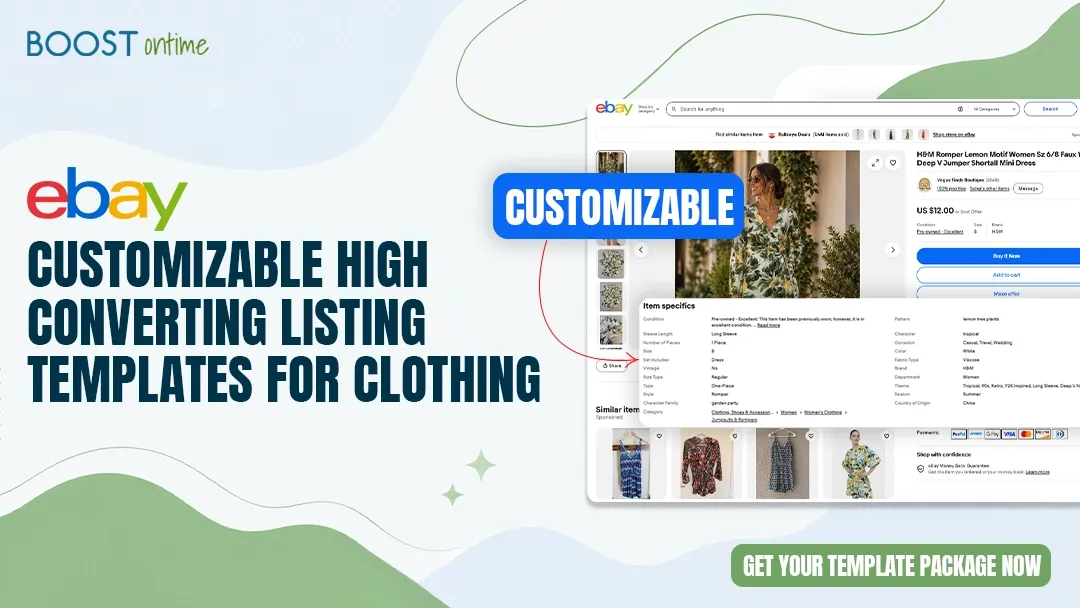
Clothing is one of the most competitive categories on eBay. A professional, well-branded listing template is not just a nice-to-have for fashion sellers. It is one of the most powerful tools you have to stand out, build trust, and close more sales. This guide covers every option available to you and why BoostOnTime is the top choice in 2026.
📋 What This Guide Covers
Why Clothing Sellers Need Professional Templates
Clothing is one of the most browsed and most abandoned categories on eBay. Buyers are making quick visual judgments about whether a seller is legitimate, whether their sizing information is trustworthy, and whether they would feel confident purchasing without being able to try the item on. A plain, unbranded listing does almost nothing to answer those questions.
A well-designed eBay clothing template does a lot of heavy lifting in those first few seconds. It presents your brand in a consistent, professional way, makes your size guide easy to find, displays your return policy visibly, and shows buyers related items from your store. All of this adds up to more completed purchases, fewer abandoned listings, and a meaningfully better selling experience for both you and your buyers.
Clothing Is a Trust Category
Unlike electronics or auto parts where buyers judge primarily on specs, clothing buyers are judging you as a seller. They want to know you are legitimate, your sizing is accurate, your returns are hassle-free, and the item will arrive as described. A professional template communicates all of that before a buyer reads a single word of your product description.
Where to Find eBay Clothing Templates
In 2026, there are several places clothing sellers go to find eBay listing templates. Each option has a different price point, level of customization, and ongoing maintenance requirement. Here is an honest breakdown of every option available to you.
- Drag-and-drop editor, zero coding
- 20+ modules including size guide and returns tabs
- Batch Revision Tool: update 1,000 listings at once
- Always eBay policy compliant, automatically
- $4.99 per month, unlimited listings
- 7-day free trial, no credit card needed
- Low one-time cost (typically $10 to $30)
- Some fashion-specific designs available
- Requires HTML knowledge to customize
- No batch apply; must update each listing manually
- Not maintained for eBay policy changes
- No dynamic modules or automatic data pulling
- No mobile optimization in most designs
- Fully custom design to your exact brief
- Possible to include clothing-specific sections
- No batch apply capability after delivery
- Breaks when eBay updates its policies
- Revision and update costs add up over time
- Turnaround time of days to weeks
- Free and always eBay compliant
- No setup required
- No branding or custom design possible
- No logo, store menu, or policy tabs
- Looks identical to every other plain listing
- No upselling or related products modules
A note on free eBay template generators: Several websites offer free HTML template generators for eBay. Most of these produce outdated code that violates eBay’s active content policy, renders poorly on mobile, and has no customization capability beyond basic color swapping. Avoid them for any serious clothing store.
Comparing Your Options Side by Side
Here is how the main options stack up across the factors that matter most to clothing sellers on eBay in 2026.
What to Look for in a Clothing Template
Not all eBay templates are built the same, and clothing listings have specific requirements that generic templates often miss. Here is what every clothing seller should verify before committing to any template solution.
The Best Modules for Clothing Listings
BoostOnTime gives clothing sellers access to more than 20 modules. For fashion and apparel specifically, the following module configuration consistently outperforms generic setups. Remember to keep your total module count between 7 and 9 for the best balance of information and readability.
A note on module order for clothing listings: Place your image gallery first, followed by the size guide immediately after. Buyers who are interested in a clothing item want to check sizing right after seeing the photos. Burying the size guide at the bottom leads to abandoned listings and unnecessary return requests.
How to Customize Your Template with BoostOnTime
Here is exactly how to go from zero to a fully customized, professional eBay clothing template using BoostOnTime. The entire process takes most clothing sellers 20 to 30 minutes, and applying the finished template to every listing in your catalog takes under 5 minutes.
Start Your Free 7-Day Trial
Visit boostontime.com and create your account with just your eBay username and email address. No credit card is required. You get full access to every feature from day one, including all themes, all modules, and the Batch Revision Tool.
Choose the Cheesecake Theme for Clothing
The Cheesecake theme is the top-performing BoostOnTime theme for fashion and apparel. Its clean, warm, and light aesthetic creates a welcoming and professional storefront feel that works especially well for clothing, accessories, and lifestyle products. The Crystalyst theme is a strong alternative for luxury or premium clothing brands.
Upload Your Store Logo and Set Brand Colors
Upload your logo as a PNG with a transparent background at a minimum of 600 pixels wide. Set your primary brand color and accent color to match your existing eBay store branding. Consistent colors between your store page and your listing templates are important for recognition and trust with repeat buyers.
Configure Your Size Guide Module
This is the most important static module for clothing sellers. Enter your size chart with measurements in both inches and centimeters covering all sizes you typically sell. Include chest, waist, and hip measurements as a minimum. Once saved, this size guide appears automatically on every listing you apply the template to without any per-listing setup.
Set Up Your Returns and Shipping Policy Tabs
Configure your Store Policy Tabs module with your specific shipping times, carrier information, and return policy. Be specific: “Free returns within 30 days, items must be unworn with tags attached” is far more reassuring to clothing buyers than a generic policy. Specific policies reduce buyer hesitation and post-purchase disputes.
Enable the Related Products Module
Turn on the Related Products module and configure it to show 4 to 6 clothing items from your store. For your bestselling listings, manually curate the related items to show complementary pieces like matching accessories or items in a similar style. For the rest of your catalog, the auto-pull option handles this automatically.
Preview on Mobile and Apply to Your Full Catalog
Use BoostOnTime’s mobile preview to check how your template looks on a phone screen. Verify the size guide is readable, the policy tabs are easy to tap, and your logo is crisp. When everything looks right, use the Batch Revision Tool to apply your new template across all your active clothing listings in one click. No listings go offline during this process.
Clothing Listing Design Tips That Convert
Beyond the template itself, these design choices are specific to the clothing category and directly affect your conversion rates and return rates in 2026.
- Show clothing on a model whenever possible, even for casual items
- Include a flat-lay image of the item against a clean background for accurate color representation
- Use natural lighting or a lightbox for photography, never a flash directly on the fabric
- Place your size guide immediately below the image gallery, before the description
- List materials and care instructions in the product description every time
- Include actual measurements of the garment in the description, not just the size label
- Show close-up images of fabric texture, labels, and any embellishments or details
- Do not photograph clothing in poor lighting or against cluttered backgrounds
- Never list “see photos for condition” as your only description
- Avoid vague sizing descriptions like “fits most” without specific measurements
- Do not list a returns policy that is buried inside paragraph text
- Never use stock photos that do not match the actual item you are selling
- Do not use excessive bold or colored text in your description that makes it hard to read
- Avoid listing brand names you do not own in your title or template to manipulate search
Photography Checklist for Clothing Listings
- At least 5 photos per listing, ideally 8 to 12 for better conversions
- Front, back, and side views of the garment
- At least one on-model or on-hanger photo showing how the item drapes
- Close-up of the care label and brand tag for authenticity and transparency
- Close-up of any notable details, prints, embroidery, or embellishments
- A photo in natural light showing the most accurate color representation
- Any flaws or wear shown clearly in a dedicated photo for used or vintage items
Which BoostOnTime Theme Works Best for Clothing
BoostOnTime offers three professionally designed themes. For clothing and fashion sellers, the right theme depends on your store’s price point, aesthetic, and the type of buyer you are targeting.
All Three Themes Are Included at No Extra Cost
Every BoostOnTime subscription includes access to all three themes and any new themes added in the future. You can create separate templates using different themes for different clothing categories in your store, such as a Cheesecake template for casualwear and a Crystalyst template for premium items. Switch anytime and push the update across your full catalog in one click.
Frequently Asked Questions
Who BoostOnTime Is Perfect For
Clothing and Fashion Resellers
Whether you sell new, vintage, or pre-owned clothing, a professional template with a size guide and clear return policy directly reduces buyer hesitation and return rates.
eBay Clothing Stores with Large Catalogs
Managing 100 or more clothing listings manually is unsustainable. BoostOnTime’s batch tools keep your entire catalog looking consistent and professional automatically.
International Fashion Sellers
Selling clothing on eBay US, UK, Australia, or across Europe? One BoostOnTime template with automatic currency adaptation works across all 19 global eBay sites.
Sellers Replacing Outdated Templates
If your current clothing template was built by a freelancer and breaks every time eBay updates its policies, BoostOnTime handles all compliance updates automatically for $4.99 per month.
Your Professional Clothing
Template Is 30 Minutes Away.
Stop losing clothing sales to plain, unbranded listings. Build a professional eBay fashion template with a size guide, returns policy tabs, and related products module, all with no HTML knowledge, no freelancers, and no hidden costs.
🚀 Start Your Free 7-Day Trial at BoostOnTime
No credit card required · Cancel anytime · All themes and modules included · Officially eBay Compatible · 1,500+ active sellers worldwide