
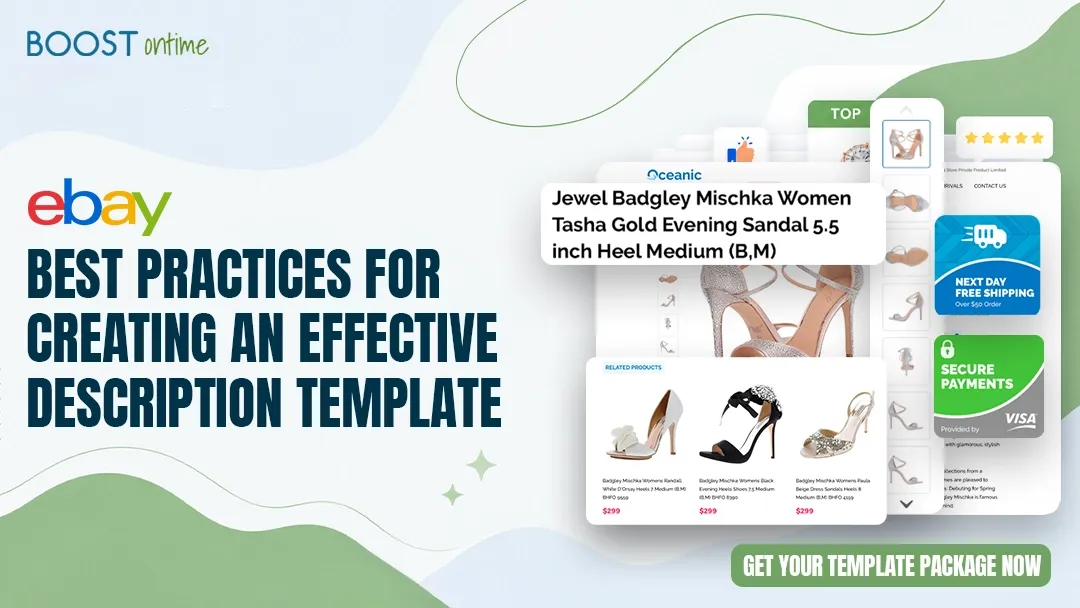
An effective eBay description template does more than look good — it builds buyer confidence, communicates value clearly, and drives conversions on every listing. This guide covers every best practice serious eBay sellers follow to turn browsers into buyers.
What Makes an eBay Description Template Effective
An effective eBay description template is one that answers every buyer question before they have to ask it — while making your listing look polished, professional, and trustworthy. Most sellers underestimate how much the description layer influences whether a buyer adds to cart or hits the back button.
The difference between a high-converting listing and a stagnant one often comes down to four elements: clarity, trust, design, and consistency. A well-built template delivers all four automatically, across every listing in your catalog, without you having to rebuild from scratch each time.
💡 Key Takeaway: Buyers make purchase decisions in seconds. An effective eBay description template removes friction, surfaces key information instantly, and signals professionalism — all before a buyer has to scroll.
Clarity of Information
Specifications, condition, dimensions, and compatibility presented in a scannable structure — not buried in a wall of text. Buyers who find answers fast are buyers who buy.
Visible Trust Signals
Return policy, shipping timeframes, seller feedback score, and payment options should appear prominently. Hiding these in small print loses sales to uncertainty.
Professional Visual Design
Consistent brand colours, clean typography, and properly sized images communicate that you are a serious seller — not a one-off lister. Design builds confidence before a single word is read.
Reusable Consistency
The same template applied across all your listings creates a brand identity on eBay. Repeat buyers recognise your listings instantly, which builds loyalty and drives return purchases.
Structure and Layout Best Practices
The structure of your eBay description template determines how quickly a buyer can find what they need. The best-performing templates follow a proven hierarchy: lead with the product’s key benefit or headline, follow with specifications, then build confidence with policy and support information, and close with a reason to act.
Using category-specific layouts takes this further. An electronics template prioritises compatibility specs and warranty information at the top. A fashion template leads with sizing charts and fabric composition. A collectibles template emphasises condition grading and authenticity. Generic, one-size-fits-all layouts consistently underperform category-optimised ones because they put the wrong information first.
The Essential Sections Every Template Needs
Product Headline and Key Benefit
Open with the product name and its single most compelling selling point. This is not a repeat of the eBay title — it is the first line a buyer reads in the description itself, and it should confirm they are in the right place and give them a reason to keep reading.
Structured Specifications Table
Present dimensions, materials, compatibility, colour, weight, and any technical specs in a clean, scannable table or grid — not a paragraph. Buyers who need a specific spec should find it in under three seconds.
High-Quality Image Section
Include multiple product angles, any condition notes shown visually, and packaging shots where relevant. BoostOntime’s templates support image modules that display correctly on both desktop and mobile without requiring manual HTML work.
Shipping and Returns Policy
State your dispatch time, carrier, estimated delivery window, and return terms plainly. Ambiguity here is one of the top reasons buyers abandon a listing. Set this once in your template and it auto-populates to every listing.
Related Products / Upsell Module
A Related Products section at the bottom of each listing is one of the highest-ROI elements you can add. BoostOntime’s smart upsell module auto-pulls from your catalog or lets you curate manually, consistently increasing average order value by $25–40 per transaction.
Trust Signals That Drive Conversions
The biggest conversion killer on eBay is buyer uncertainty — and the job of your description template is to eliminate it entirely. Sellers who visually surface trust signals in their template see consistent 12–18% conversion rate improvements over those using bare or plain listings.
💸 The Real Cost of Missing Trust Signals
One lost sale per week from buyer uncertainty = 4 sales/month × $50 average profit =
BoostOntime’s templates include built-in trust modules that cost $4.99/month — a return of 40x on the first recovered sale alone.
The Six Trust Signals Top Sellers Always Include
Mobile-First Design and Readability
Over 60% of eBay browsing happens on mobile devices — and a template that looks great on desktop but breaks on a phone is actively costing you sales. Mobile-first design is not optional; it is a fundamental requirement of any effective eBay description template in 2026.
The most common mobile failures in eBay templates are oversized tables that force horizontal scrolling, font sizes under 14px that buyers pinch to zoom, images that overflow their containers, and buttons too small for a thumb tap. Each of these creates friction that sends buyers to a competitor’s listing.
💡 Key Takeaway: Test every template on a real mobile device before publishing. If you have to zoom to read it, your buyers will leave before they do.
Mobile Design Checklist
- Minimum 16px body font size — readable without zooming on any screen
- Single-column layout on screens below 768px — no side-by-side columns that collapse poorly
- Images set to max-width: 100% so they scale to screen width automatically
- Specification tables converted to stacked rows on mobile, not horizontal scrollers
- Buttons and tap targets at least 44px tall — thumb-friendly on all devices
- No Flash, no inline styles using fixed pixel widths wider than 320px
- Tested across both iOS Safari and Android Chrome before deploying to live listings
Static vs Dynamic Content — and Why the Distinction Matters
Within any template, content falls into two categories. Static content — your logo, return policy, brand colours, shipping terms, and footer text — is the same across all listings and should be set once in the template and never touched again. Dynamic content — product title, images, price, specifications — is unique to each listing and needs to auto-populate from your eBay data.
How to Automate and Scale Your eBay Description Template
Building a great template is the first step. The second — and the one that separates growing sellers from those who plateau — is applying it at scale without creating hours of manual work. The moment you have more than 20 active listings, automation stops being a luxury and starts being a necessity.
BoostOntime is built specifically for this problem. Its template builder supports 20+ drag-and-drop modules, works across 19+ global eBay sites, and integrates with the platforms most sellers already use — ChannelAdvisor, Linnworks, Sellbrite, Ecomdash, and more. Once your template is set up, 1,000 listing updates take minutes, not a working day.
Getting Your Template Live in Five Steps
Sign Up for the Free 7-Day Trial
No credit card required. You need only your eBay username and email. Full platform access from day one — every feature, every module, every integration.
Select a Category-Specific Template
Choose from templates built for electronics, collectibles, fashion, home goods, automotive, and more. Each is pre-structured for that category’s unique buyer expectations — image placement, spec hierarchy, and trust signal positioning are already optimised.
Customise Your Brand Elements
Add your logo, set your brand colours, and fill in your static content — return policy, shipping terms, contact method, and store footer. The drag-and-drop editor requires zero coding. This step takes under 20 minutes for most sellers.
Apply to a Test Batch and Review
Apply your template to 5–10 listings first. View them on desktop and mobile, check that all dynamic fields pull correctly, and confirm the layout looks right across your product types. Adjust modules as needed before rolling out to your full catalog.
Deploy Across Your Full Catalog
One click applies the template to all your listings. Any future change to your static content — a policy update, a new logo, adjusted shipping terms — propagates instantly to every listing at once. No manual editing, no risk of inconsistency.
What Sellers Gain With the Right eBay Description Template
The impact of switching to a professional, well-structured eBay description template shows up across three measurable areas: time, conversion rate, and average order value. These are consistent patterns seen across BoostOntime’s active seller base — not outliers.
Time Savings
Conversion and Revenue Impact
Frequently Asked Questions
The most common questions sellers ask when building or improving their eBay description template.
An effective eBay description template should include a clear product headline, a structured specifications section, high-quality images, trust signals like your return policy and seller feedback, shipping information, and a mobile-friendly layout. Professional templates built with tools like BoostOntime also include upsell modules and policy automation that apply consistently across all listings.
Yes, significantly. Professional eBay description templates can improve conversion rates by 12–18% compared to plain or poorly designed listings. Buyers make purchase decisions within seconds, and a template with clear product information, visible trust signals, and professional formatting builds the confidence needed to complete a sale — especially when competing against other sellers listing the same item.
Absolutely. Over 60% of eBay browsing happens on mobile devices. A template that is not optimised for small screens — using tiny fonts, broken column layouts, or oversized fixed-width tables — will lose buyers before they even read your listing. Use responsive design with readable font sizes of at least 16px, single-column layouts on mobile, and images that scale to screen width automatically.
You can use a consistent template structure, but the best results come from category-specific layouts. Electronics templates should lead with compatibility specs and warranty. Fashion templates should prioritise sizing charts. Collectibles templates need condition grading prominently featured. BoostOntime offers category-specific templates with 20+ customisable modules, giving you consistent branding with the right information hierarchy for each product type.
Manual updating across hundreds of listings is impractical and error-prone. BoostOntime’s batch update feature lets you change static content — like your return policy, branding, or shipping terms — once, and it propagates instantly across all your listings. What would otherwise take an entire working day is reduced to seconds. This is one of the most impactful features for any seller managing more than 50 active listings.
Who Benefits Most From a Professional eBay Description Template?
High-Volume Sellers (50+ Listings)
At this scale, manual listing management consumes 5–10 hours per week. A professional template with batch automation reduces this to under 30 minutes — recovering 150+ hours per year for sourcing, growth, and fulfilment.
International Sellers
Selling across the US, UK, Canada, Australia, and more? BoostOntime supports 19+ global eBay sites with localised templates. One design system, every market, fully consistent.
Multi-Channel Operators
Managing inventory through ChannelAdvisor, Linnworks, or Sellbrite? BoostOntime integrates natively with 10+ platforms so your template system works across every channel without duplication of effort.
Brand-Building Sellers
Sellers focused on building a recognisable store identity on eBay need consistent branding across every listing. A professional template is the foundation — logo, colours, tone, and layout unified from day one.
Your Best Listings Start
With the Right Template.
Stop losing sales to listings that lack trust, clarity, and professionalism. BoostOntime gives you category-specific templates, full automation, and batch updates — everything in this guide, built in and ready to go.
🚀 Start Your Free 7-Day Trial
No credit card required · Cancel anytime · Full platform access from day one