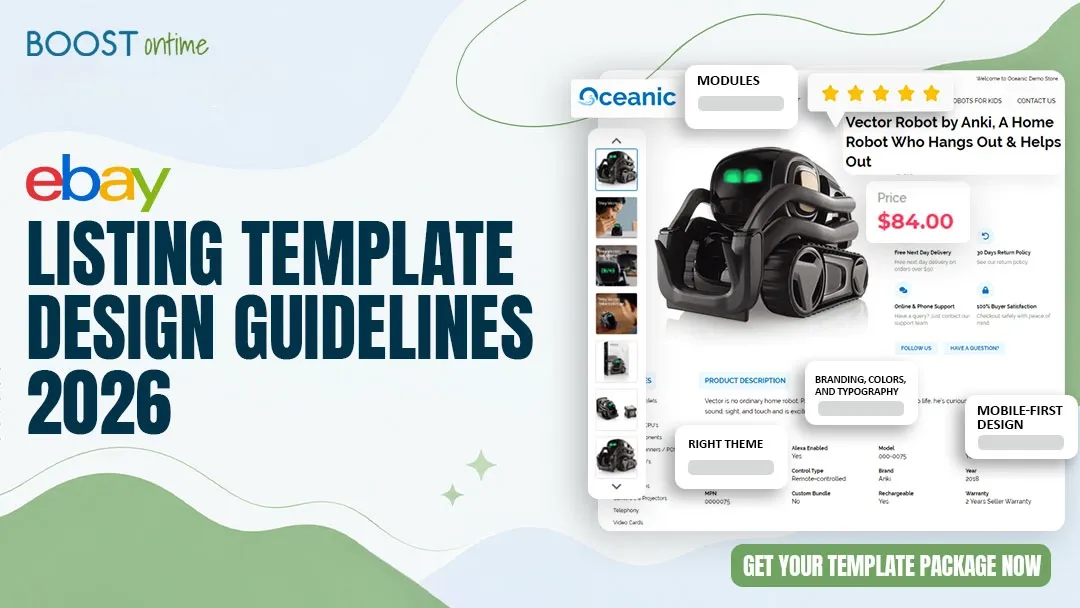
💡 Why Template Design Matters in 2026
Buyers on eBay make purchasing decisions in seconds. Before they read a single word of your product description, they are already forming an opinion based on how your listing looks. A poorly designed template signals that the seller is either unprofessional or careless, and buyers leave. A well-designed template signals credibility, professionalism, and trustworthiness — which means buyers stay and buy.
In 2026, eBay design standards have raised significantly. Mobile browsing now accounts for more than 60% of all eBay traffic. Buyers have been exposed to high-quality storefronts on Amazon, Shopify, and direct-to-consumer sites. Their tolerance for clunky, outdated HTML templates has dropped to near zero. Your design is your first impression, and in a crowded marketplace, that impression is often the only chance you get.
If your template was designed for desktop and never tested on mobile, you are losing the majority of your potential buyers the moment they land on your listing.
Higher Conversion with Professional Templates
Sellers using well-designed templates with proper trust signals consistently convert at 12 to 18% higher rates compared to plain or outdated listings.
The Time Buyers Spend Forming a First Impression
Research consistently shows that users form trust judgments within 3 seconds of landing on a page. Your template design is doing most of the work before a buyer reads anything.
The Real Cost of Ignoring Template Design
A seller with 100 monthly sales losing just 10% of conversions due to poor design forfeits approximately 10 sales per month. At an average profit of $30, that is $300 per month in lost revenue. Professional template design from BoostOnTime costs $4.99 per month. The math is clear.
$4.99/month vs $300+/month in lost sales
📐 Core Layout Rules and Visual Hierarchy
Visual hierarchy is the art of guiding a buyer’s eye through your listing in a logical, natural order that builds confidence and leads them toward a purchase decision. Every element in your template should have a purpose, and the order in which those elements appear matters enormously.
The Recommended Layout Order for 2026
1
Logo and Store Header
Your logo and store name anchor the entire listing. Buyers who recognize your brand from a previous purchase will feel an immediate sense of familiarity. Keep the header clean with a quality logo and a minimal navigation menu linking to your store categories.
2
Product Image Gallery
Images are the single most important factor in a buyer’s purchase decision on eBay. Your template should feature a prominent image gallery immediately below the header. Use at least 5 high-resolution images per listing (minimum 1600 x 1600 pixels) showing multiple angles.
3
Product Title, Price, and Key Selling Points
After images, buyers want to confirm they are on the right page. Your product title, price, and 3 to 5 key selling points (fast shipping, warranty, authenticity) should appear clearly here. Keep this section scannable rather than text-heavy.
4
Why Buy From Us Section
This is where you differentiate yourself from the hundreds of other sellers offering similar products. Briefly communicate your store’s core value proposition: how long have you been selling, do you offer free returns, same-day shipping, or industry expertise? Make it specific and credible.
5
Full Product Description and Specifications
Buyers who have scrolled this far are seriously interested. Give them the complete product details, compatibility information, dimensions, and any other specifications relevant to your category. Use short paragraphs and clear formatting.
6
Store Policy Tabs
Shipping, returns, and payment policies should be clearly laid out in a tabbed section that buyers can expand without leaving the page. The absence of visible policies is one of the most common reasons buyers abandon listings.
7
Related Products and Upselling Section
Close the page with a curated selection of related items from your store. Buyers who have made it to the bottom of a listing are highly engaged. A well-placed upselling section captures additional revenue from buyers who are already in a buying mindset.
Layout Rules: Do This, Not That
✓ Do This
- Keep whitespace between sections so the page breathes naturally
- Use consistent spacing and alignment throughout the template
- Make important information visible without scrolling on mobile
- Use clear section headings so buyers can scan quickly
- Limit your color palette to 2 to 3 brand colors
- Keep the template width within eBay’s recommended limits
✗ Not This
- Do not cram multiple unrelated modules next to each other
- Avoid full-width text blocks without visual breaks
- Never hide your store policy behind multiple clicks
- Do not use more than 2 font families in one template
- Avoid flashing banners, auto-play media, or anything distracting
- Never use tiny font sizes that are unreadable on phones
🧩 Which Modules to Include (and Skip)
BoostOnTime gives you more than 20 modules to build your template from. The key is choosing the right ones for your product category and buyer type — not using every module available. A focused template with 7 to 9 well-chosen modules consistently outperforms one that is packed with every available element.
Modules fall into three categories: static modules you configure once that stay the same across all listings, dynamic modules that automatically pull real data from each individual eBay listing, and revenue modules designed specifically to increase order value.
Static Module
Logo and Header
Your store’s brand identity. Set once and it appears consistently on every listing you apply the template to.
Static Module
Store Navigation Menu
Links to your top store categories. Helps buyers explore more of your catalog from inside any listing.
Static Module
Why Buy From Us
Your differentiators: fast shipping, authenticity, returns policy, years of experience. Set once per template.
Static Module
Store Policy Tabs
Shipping, returns, and payments shown in a clean tabbed format. One of the highest-impact trust modules.
Static Module
Promotional Banners
Wide or mini banners for seasonal offers, clearance events, or store announcements. Update once to change across all listings.
Dynamic Module
Product Title and Price
Auto-pulled from each eBay listing. Always accurate, always up to date. No manual input needed.
Dynamic Module
Image Gallery
Pulls all product images directly from your eBay listing and displays them in a structured gallery format.
Dynamic Module
Product Description
Displays your full eBay listing description in a styled, readable format rather than a plain text block.
Dynamic Module
Specifications
Structured presentation of product specs pulled from your listing. Especially important for electronics, auto parts, and tools.
Revenue Module
Related Products
Automatically shows buyers other items from your store. The single highest-ROI module available. Increases average order value by $25 to $40.
Revenue Module
Feedback and Reviews
Displays your seller rating and recent feedback directly inside the listing. Social proof that converts skeptical buyers.
Revenue Module
Newsletter Sign-Up
Captures repeat buyer emails. Builds a direct channel to your most loyal customers outside of eBay’s messaging system.
Avoid module overload. A template with 15 or more modules activated creates visual clutter that overwhelms buyers and slows down page load times on mobile. Pick your 7 to 9 most impactful modules based on your product category and target buyer. Less is consistently more when it comes to eBay template design.
📱 Mobile Design Standards for 2026
Mobile-first design is not optional in 2026. It is the baseline. More than 60% of eBay buyers browse and purchase on mobile devices. If your template breaks on a 375px-wide screen, you are losing more than half your potential buyers. Every BoostOnTime template is fully mobile responsive by default, but there are specific design decisions you can make to maximize the mobile experience.
2026 Mobile Design Requirements
📐
Single-Column Layout on Mobile
Any multi-column layout on desktop must collapse to a single column on screens below 600px. Side-by-side elements that do not stack will overlap and become unreadable on phones.
🔠
Minimum 14px Font Size
Body text should never fall below 14px on mobile. Section headings should be 16 to 20px. Tiny text is one of the most common complaints in eBay buyer feedback about listings.
👆
Tap Targets at Least 44 × 44 Pixels
Any interactive element — including policy tab labels, navigation links, and buttons — must be large enough to tap accurately with a finger. Apple’s Human Interface Guidelines recommend 44 × 44 pixels as the minimum.
🖼️
Optimized Image Sizes
Product images displayed in your template should be compressed below 150KB per image for mobile. Large uncompressed images dramatically slow down mobile load times, which causes buyers to leave before the page finishes loading.
🚫
Never Use Fixed-Width Elements
Any element with a fixed pixel width (for example, width: 800px) will overflow on a 375px mobile screen and create horizontal scrolling. All layout elements must use percentage widths or flexible grid values.
🚫
Avoid Flash, Pop-Ups, and Auto-Play Media
These elements are prohibited under eBay’s current listing policies and cause poor mobile experiences. They also slow down page rendering significantly. Keep your template lean and static.
💡
Always Preview on a Real Mobile Device Before Publishing
Desktop browser simulations do not perfectly replicate real mobile behavior. Before applying a template to your full catalog, open it on an actual smartphone and scroll through the entire listing. BoostOnTime’s preview tool includes a mobile view, but real-device testing is the gold standard.
🎨 Branding, Colors, and Typography
Consistent branding across all your listings builds the kind of recognition that turns one-time buyers into repeat customers. When a buyer who purchased from you six months ago lands on another one of your listings, they should immediately recognize your store without reading your name.
Color Guidelines
🎨
Use 2 to 3 Colors Maximum
Choose a primary brand color, an accent color for highlights and CTAs, and a neutral background. Using more than 3 colors creates visual noise that distracts from your product and reduces perceived professionalism.
👁️
Maintain Adequate Color Contrast
Text must have a contrast ratio of at least 4.5:1 against its background for readability. Dark text on a light background is the safest combination. Light gray text on a white background is a common mistake that makes content difficult to read, especially on mobile.
💡
Match Your Store Colors to Your eBay Store Branding
If you have already set up an eBay Store with a custom color scheme, use those exact same colors in your listing template. Consistency between your store page and your individual listings reinforces brand identity and builds trust.
Typography Guidelines
🔤
Maximum 2 Font Families Per Template
Choose one font for headings and one for body text. A common high-performing combination is a bold geometric sans-serif for headings (Sora, Montserrat, or Poppins) and a readable humanist sans-serif for body text (Inter, Open Sans, or Lato).
📏
Establish a Clear Type Hierarchy
Your section headings, subheadings, and body text should be visually distinct in size and weight. A buyer who scans your listing should be able to immediately identify the most important information without reading everything.
🚫
Avoid Decorative or Script Fonts for Body Text
Cursive, handwritten, and heavily stylized fonts look unprofessional in a product listing context and are significantly harder to read on small screens. Save decorative fonts for logo use only, if at all.
Logo Best Practices
- Upload your logo at a minimum resolution of 300 pixels wide, ideally 600 pixels or higher
- Use a PNG with a transparent background so it works on any background color
- Keep your logo simple and horizontally oriented for best results in header placement
- Make sure your logo is legible when displayed at 80 to 100 pixels in height on mobile
🤝 Trust Signals That Drive Conversions
Trust is the most important conversion factor on eBay. Buyers are parting with their money to receive a product from a stranger they have never met. Every element of your listing template should be working to reduce their anxiety and increase their confidence that you are a legitimate, reliable seller.
📋
Always Show Your Store Policies Visibly
Shipping time, return policy, and payment methods must be easy to find. Use clearly labeled policy tabs that buyers can open without leaving the listing. The number one reason buyers abandon eBay listings is uncertainty about what happens if something goes wrong.
⭐
Display Your Seller Feedback Score
If you have strong feedback (98% positive or higher), make it visible inside your listing template. Buyers who see your 2,000-feedback 99.8% rating will trust you far more than a seller with no visible social proof. The BoostOnTime Feedback module pulls this data automatically.
🛡️
Include a Dedicated Why Buy From Us Section
List 4 to 6 specific, credible reasons buyers should choose your store. Include years in business, total items sold, return policy specifics, shipping speed, and any authenticity or quality guarantees. Be concrete and avoid generic marketing language.
📸
Use Professional Product Photography
Your template design frames your photos. Even the best template cannot save a listing with blurry, dark, or poorly composed product images. Invest in a clean white or gray background and natural lighting. Images shot on a phone in good light consistently outperform blurry DSLR photos in poor conditions.
💡
Do Not Overstate Your Claims
Buyer-protection-conscious shoppers are sensitive to exaggerated claims. Phrases like “The Best in the World” or “Unbeatable Quality” without specific evidence actually reduce trust. Replace vague superlatives with specific, verifiable facts: “Ships within 1 business day” or “500+ verified 5-star sales this year.”
🛒 Upselling and Cross-Selling Layout
The Related Products module is the most underused revenue lever in eBay selling. Most sellers focus entirely on optimizing the listing for the product a buyer is already viewing, and completely ignore the opportunity to show that buyer 4 to 8 additional items from their store.
Buyers who have scrolled to the bottom of a listing are highly engaged with your store. They have already passed your trust threshold. Showing them related products at this point in their journey consistently increases multi-item purchase rates by 5 to 7% and lifts average order value by $25 to $40 per transaction.
Upselling Module Design Guidelines
📍
Place the Related Products Section at the Bottom of the Listing
After your policy tabs is the ideal placement. Buyers who reach this point are engaged and open to exploring. Placing related products too high in the listing creates distraction before the buyer has decided on the current item.
🎯
Show 4 to 8 Related Items Maximum
Too few related products limits revenue opportunity. Too many creates a cluttered storefront feel. A grid of 4 items on mobile and 6 to 8 on desktop is the sweet spot for engagement without overwhelming the buyer.
✋
Manually Curate Your Best Upsells for High-Value Categories
For your top 20% of listings by revenue, manually select the related products rather than using the auto-pull option. Hand-curated recommendations that genuinely complement the item being viewed convert significantly better than random catalog items.
💡
Use the Auto-Pull Option for the Rest of Your Catalog
For the majority of your listings, BoostOnTime’s automatic Related Products module pulls items from your store catalog without any manual input. This ensures every listing benefits from the upselling module even if you do not have time to curate every one individually.
The Revenue Math on Upselling
A seller with 200 monthly sales seeing a 5% increase in multi-item purchases gains 10 additional transactions per month. At an average of $35 additional revenue per upsell, that is $350 in added monthly revenue from one module that takes under 5 minutes to configure.
$350+/month from the Related Products module alone
🎨 Choosing the Right Theme for Your Store
BoostOnTime offers three professionally designed themes, each built for a different type of store and buyer. Choosing the right theme is the foundation of a strong template design because it sets the visual tone that all your module customizations build on top of.
🎂
Clean, warm, and light. A welcoming aesthetic that works well for lifestyle products, home goods, fashion, collectibles, and anything where a friendly, approachable tone helps close the sale.
Best for: Fashion, Home, Collectibles
🌊
Oceanic
Cool blue tones that communicate precision and reliability. The top performer for electronics, automotive parts, tools, industrial equipment, and technology products where buyers prioritize expertise and credibility.
Best for: Electronics, Auto, Tools
💎
Crystalyst
Modern, sharp, and premium. Signals quality and sophistication, making it ideal for luxury goods, jewelry, high-end collectibles, and any product where perceived value is a core part of the selling proposition.
Best for: Luxury, Jewelry, Premium
Not sure which theme fits your store? Start with Oceanic for technical products, Cheesecake for general merchandise and lifestyle items, or Crystalyst for higher price-point products. All three themes are included in your BoostOnTime subscription at no extra cost. You can switch themes anytime and reapply to your full catalog in a single click.
✅ eBay Policy Compliance in 2026
eBay’s listing policy rules are updated regularly, and non-compliant HTML templates can result in listings being suppressed, removed, or your seller account being flagged. Staying compliant is not optional. Here is what every eBay seller designing a listing template needs to know for 2026.
What eBay Currently Prohibits in Listing Templates
🚫
Active Content (JavaScript, Flash, Iframes)
eBay has prohibited active content in listings since 2017 and continues to enforce this rule strictly in 2026. Any JavaScript, Flash, auto-play media, or iframes embedded in a listing description will be stripped or blocked. Templates designed with active content will simply not work.
🚫
Links to External Sites (Other Than Your eBay Store)
Hyperlinks in listing templates can only point to eBay pages. Links to your own website, social media profiles, or third-party platforms are prohibited and will result in listing removal. Your store navigation menu must only link to your eBay store categories.
🚫
Keyword Stuffing in Template Text
Placing irrelevant keywords in your template’s static text sections to manipulate eBay search is a violation. Your “Why Buy From Us” section and other static modules should contain genuine, accurate information about your store only.
✅
BoostOnTime Templates Are Always Policy Compliant
As an officially eBay Compatible Application, BoostOnTime monitors eBay’s policy updates and ensures all templates remain compliant automatically. When eBay changes its rules, BoostOnTime updates its template engine. You never need to manually audit your templates for compliance.
Why the eBay Compatible Application Badge Matters
BoostOnTime is officially certified as an eBay Compatible Application. This certification means eBay has reviewed and approved the platform’s integration, and that templates built through BoostOnTime meet eBay’s technical and policy standards. It is a material trust signal for sellers who cannot afford to have their listings taken down due to compliance issues.
As featured in: TechCrunch · Wired · Entrepreneur · ChannelAdvisor · Web Retailer
❓ Frequently Asked Questions
What should an eBay listing template include in 2026?
A 2026 eBay listing template should include a logo and store header, a product image gallery, a product title and price section, a Why Buy From Us section, a full product description and specifications, store policy tabs covering shipping, returns, and payments, and a related products upselling section. All of these elements are available as pre-built modules inside BoostOnTime.
How do I make my eBay template mobile friendly?
Use a responsive layout that collapses to a single column on mobile. Keep font sizes above 14px. Make sure all tap targets are at least 44 × 44 pixels. Compress images below 150KB. Avoid fixed-width elements. Always preview on a real mobile device before publishing to your full catalog. BoostOnTime templates include mobile responsiveness by default.
Can I use the same template across all my product categories?
You can, but it is generally better practice to create category-specific templates for your major product groups. An electronics template benefits from a different module configuration than a fashion template. BoostOnTime lets you create and save multiple templates and apply each one to the relevant listings via the Batch Revision Tool.
How often should I update my eBay listing template design?
Review your template design at least twice per year. Update your promotional banners seasonally. Refresh your Why Buy From Us section whenever your policies or value proposition changes significantly. With BoostOnTime, a template update pushes across your entire catalog in one click, so updates that used to take days now take minutes.
What is the best tool to create eBay listing templates in 2026?
BoostOnTime is the leading eBay listing template builder in 2026. It is an officially eBay Compatible Application featuring 20+ drag-and-drop modules, three professional themes, a Batch Revision Tool for applying templates across unlimited listings, and support for 19 global eBay sites. Subscriptions start at $4.99 per month with a free 7-day trial and no credit card required.
Does BoostOnTime work with my existing eBay listings?
Yes. BoostOnTime strips the old HTML from your existing listings and replaces it with your new template. This happens across all your active listings simultaneously using the Batch Revision Tool without taking any listings offline or interrupting live sales.
Do I need to know HTML or CSS to use BoostOnTime?
No. BoostOnTime is built specifically for sellers with no technical background. The entire template is designed through a visual drag-and-drop editor. You configure modules, upload your logo, set your colors and policies, and BoostOnTime generates all the underlying HTML code automatically.
How long does it take to design and launch a template with BoostOnTime?
Most sellers complete their first template in 20 to 30 minutes, including uploading their logo, configuring their static modules, enabling their dynamic modules, and setting up their Related Products section. Applying the finished template to an entire catalog of hundreds of listings takes under 5 minutes using the Batch Revision Tool.
🎯 Who These Guidelines Are For
📦
Sellers with 20+ Active Listings
At this scale, consistent professional design across your catalog becomes critical. Manual formatting is unsustainable. BoostOnTime’s batch tools manage consistency automatically.
🌍
International eBay Sellers
Selling on eBay US, UK, Canada, and Australia? One BoostOnTime template works across all 19 global eBay sites with automatic currency and regional adaptation.
🔗
Multi-Channel Sellers
Managing inventory through ChannelAdvisor, Linnworks, or Sellbrite? BoostOnTime integrates natively with 10+ platforms so your template workflow fits the tools you already use.
💸
Replacing Outdated HTML Templates
If you paid $300–$1,000 for a custom template that now breaks whenever eBay updates its policies, BoostOnTime handles all compliance updates automatically for $4.99 per month.