
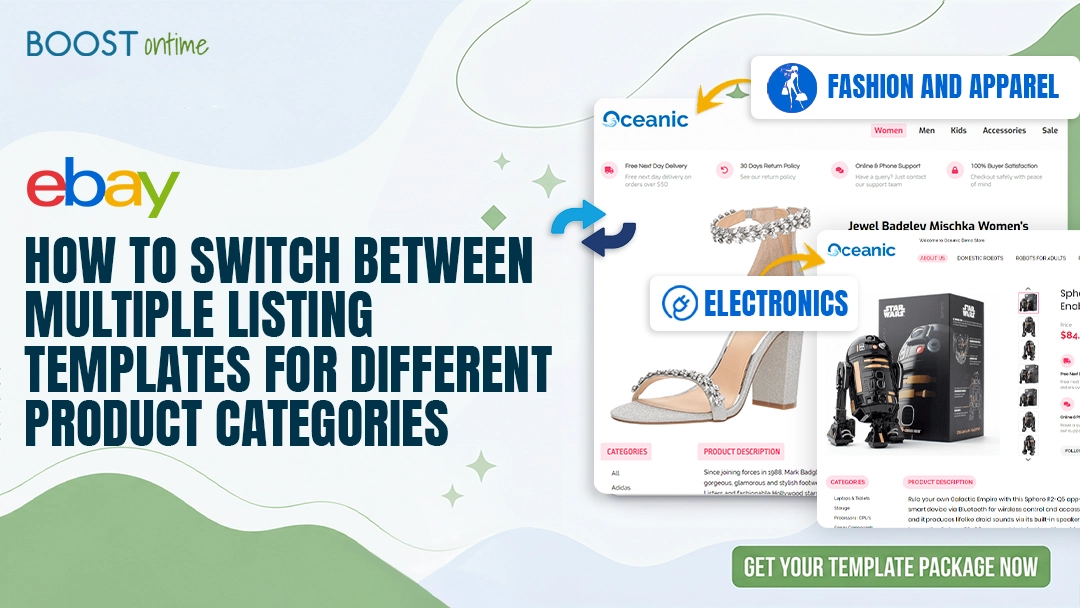
How to Switch Between Multiple eBay Listing Templates for Different Product Categories
Running an eBay store starts with excitement. You upload products, write descriptions, add images, and wait for buyers to discover your listings.
📋 In This Guide
- 1Why eBay Listing Templates Matter
- 2Why One Template Is Not Enough
- 3What Switching Templates Means
- 4How Multiple Templates Speed Up Uploads
- 5How to Plan Templates by Category
- 6Step-by-Step Guide to Switching Templates
- 7eBay HTML Template Compliance in 2026
- 8Why Use BoostOn Time eBay Template Builder?
- 9Key Features to Look For
- 10SEO Tips for eBay Listing Templates
- 11Target Keywords for This Topic
- 12Common Mistakes Sellers Make
- 13How BoostOn Time Helps Agencies
- 14Example Workflow for Faster Uploads
- 15Why Templates Improve Buyer Confidence
- 16Tips for More Attractive Templates
- 17A Better Way to Build eBay Templates
- 18Final Thoughts
Running an eBay store starts with excitement. You upload products, write descriptions, add images, and wait for buyers to discover your listings. At first, the process feels simple. But as your store grows, product uploading can quickly become a time-consuming task.
One day you may list fashion items, the next day electronics, tools, accessories, home products, or workwear. Each category demands a different style of presentation. A clothing product needs size, fit, fabric, and care details. An electronics product needs specifications, compatibility, and technical features. A tool or workwear product needs durability, safety, and practical benefits.
That is why one basic listing format is never enough.
Multiple eBay listing templates help you create faster, cleaner, and more professional listings for every product category. Instead of starting from scratch each time, you simply choose the right template, add product details, and publish with confidence.
BoostOn Time eBay Template Builder makes this process easier by helping sellers create responsive, attractive, and category-focused eBay templates. It saves time, improves product presentation, and makes your eBay store look more professional.
In this guide, we will show you exactly how to switch between multiple eBay listing templates for faster, error-free product uploads.
Why eBay Listing Templates Matter
An eBay listing is more than just a product page. It is your digital salesperson. It introduces the product, explains the benefits, answers buyer questions, builds trust, and helps shoppers decide whether to click “Buy It Now.”
A professional eBay listing template gives your product page structure. It helps organize information cleanly and attractively. Instead of showing a plain block of text, a well-designed eBay HTML template includes sections for product features, specifications, images, shipping information, returns, payment details, and brand messaging.
The data supports this approach: Structured listings with clear policies, quality images, and visual hierarchy consistently convert 12–18% better than plain-text listings. When buyers land on your listing, they should immediately feel that your store is reliable.
What Good Templates Help With:
- Better product presentation and visual hierarchy
- Faster listing creation and reduced manual work
- Consistent store branding across all products
- Improved buyer experience and trust signals
- Clear, scannable product information
- Mobile-friendly display (critical in 2026)
- Reduced listing errors and omissions
- Easier product description formatting
For eBay sellers who upload products regularly, templates are not just a design tool — they are a productivity tool.
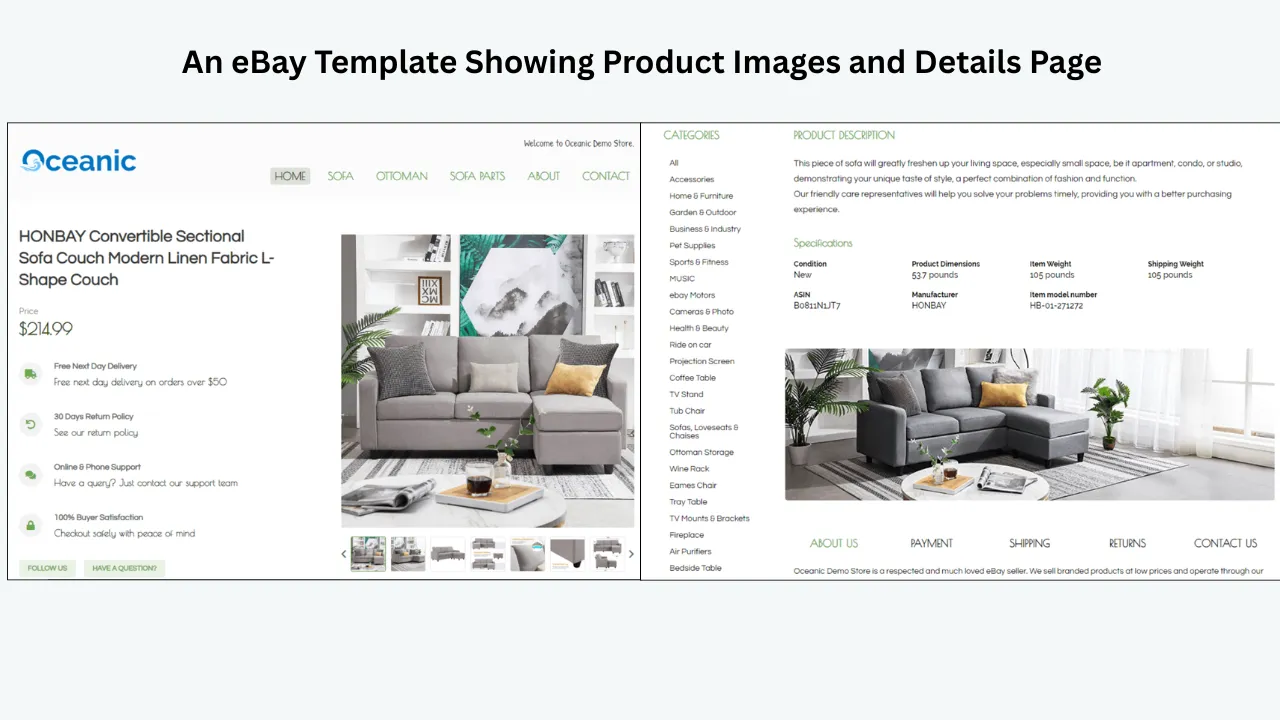
Why One Template Is Not Enough for Every Product Category
Many eBay sellers start with one listing template and use it for every product. This may work in the beginning, but it becomes limiting as the store grows.
Different product categories require different information structures. If your template does not match the product type, you end up editing the layout repeatedly. This slows down product uploads and increases the chance of errors or missing information.
eBay’s own search engine, Cassini, prioritizes listings that are complete, transparent, and backed by strong seller performance. Listings with properly structured Item Specifics and complete information rank higher in search results. A category-specific template ensures you never miss critical details that Cassini looks for.
Category-Specific Information Requirements:
Fashion and Apparel:
- Size guide and fit details
- Fabric composition and material
- Color options and variations
- Care and washing instructions
- Style and occasion notes
Electronics:
- Technical specifications and model number
- Compatibility details (devices, systems, versions)
- Power requirements and connectivity
- Warranty information
- Package contents
Auto Parts:
- Vehicle compatibility and fitment data
- OEM or aftermarket part number
- Installation requirements
- Material and construction details
- Important buyer notes on verification
Workwear and PPE:
- Safety certifications and standards (EN, ANSI, etc.)
- Fabric composition and weight
- Protection features and ratings
- Suitable industries and environments
- Comfort and fit details
Tools and Hardware:
- Specifications (size, weight, power)
- Material and construction quality
- Application areas and use cases
- Safety information
- Maintenance and care notes
Using the same layout for all these categories makes your listings look incomplete or poorly organized. A category-based eBay template solves this problem by giving each product type the right structure from the start.
What Does It Mean to Switch Between Multiple eBay Listing Templates?
Switching between multiple eBay listing templates means using different pre-designed layouts depending on the product category you are uploading.
Instead of editing one template every time, you create several ready-made templates and select the most suitable one when listing a product.
For example:
- Use a fashion template for clothing, shoes, and accessories
- Use an electronics template for gadgets, devices, and components
- Use a tools template for hardware, power tools, and equipment
- Use a workwear template for safety clothing, PPE, and uniforms
- Use a home goods template for kitchen, décor, and lifestyle products
- Use an auto parts template for vehicle parts, accessories, and fitment items
Each template has its own structure, content sections, design style, and information blocks. You do not need to rebuild the design — you only update the product details.
This approach is especially valuable for sellers who manage large catalogs, upload products in bulk, or work with multiple brands and suppliers.
How Multiple eBay Templates Speed Up Product Uploads
Time is one of the biggest challenges for eBay sellers. Uploading products manually can take hours, especially when every listing needs formatting, images, specifications, and structured description sections.
Multiple eBay listing templates speed up the process in several measurable ways.
1. You Save Time on Formatting
When a template is already prepared, you do not need to design the listing from scratch. The structure is ready. You only insert the product information.
This eliminates repetitive work on:
- Creating and styling headings
- Formatting descriptions and feature lists
- Adding specification tables
- Organizing shipping and return blocks
- Adjusting layout and spacing
- Ensuring mobile responsiveness
A ready-made template works like a shortcut, giving every listing a professional structure without starting from zero.
2. You Reduce Listing Errors
When you manually create each listing, it is easy to forget important details. You may miss a size chart, forget a warranty section, or leave out compatibility information.
Category-specific templates reduce this risk significantly. Each template already includes the correct sections for that product type. This creates a built-in checklist that ensures completeness every time.
Important note: From 10 August 2026, eBay will require sellers to specify a supported item condition and standard size for apparel and footwear listings. Having a dedicated fashion template with these fields built in will help you stay compliant automatically.
3. You Keep Your Store Consistent
Consistency is critical for branding. If every listing looks completely different, your eBay store feels unorganized and unprofessional. Multiple templates allow you to maintain a consistent brand identity while customizing the layout for each product category.
You can use the same logo, colors, footer, shipping information, and brand message across all templates, while changing only the product-specific sections.
4. You Improve Team Productivity
If you have a team uploading products, multiple templates make training easier and reduce decision fatigue. Your team does not need to guess which sections to include. They simply select the correct template and follow the layout.
This makes the product upload process faster, smoother, and easier to manage at scale.
5. You Can List More Products Faster
The faster your listings are prepared, the faster your products go live. More active listings create more selling opportunities. With the right eBay template builder, you can reduce repetitive work and focus more on product optimization, pricing, and sales growth.
How to Plan Templates for Different eBay Product Categories
Before switching between multiple templates, you need a clear template plan. The goal is not to create dozens of random designs. The goal is to create useful templates based on your actual product categories and sales volume.
Start by reviewing your inventory:
- Group your products into main categories
- Identify what information each category requires
- Note which categories have the highest listing volume
- Prioritize template creation for high-volume categories
Template Planning by Category:
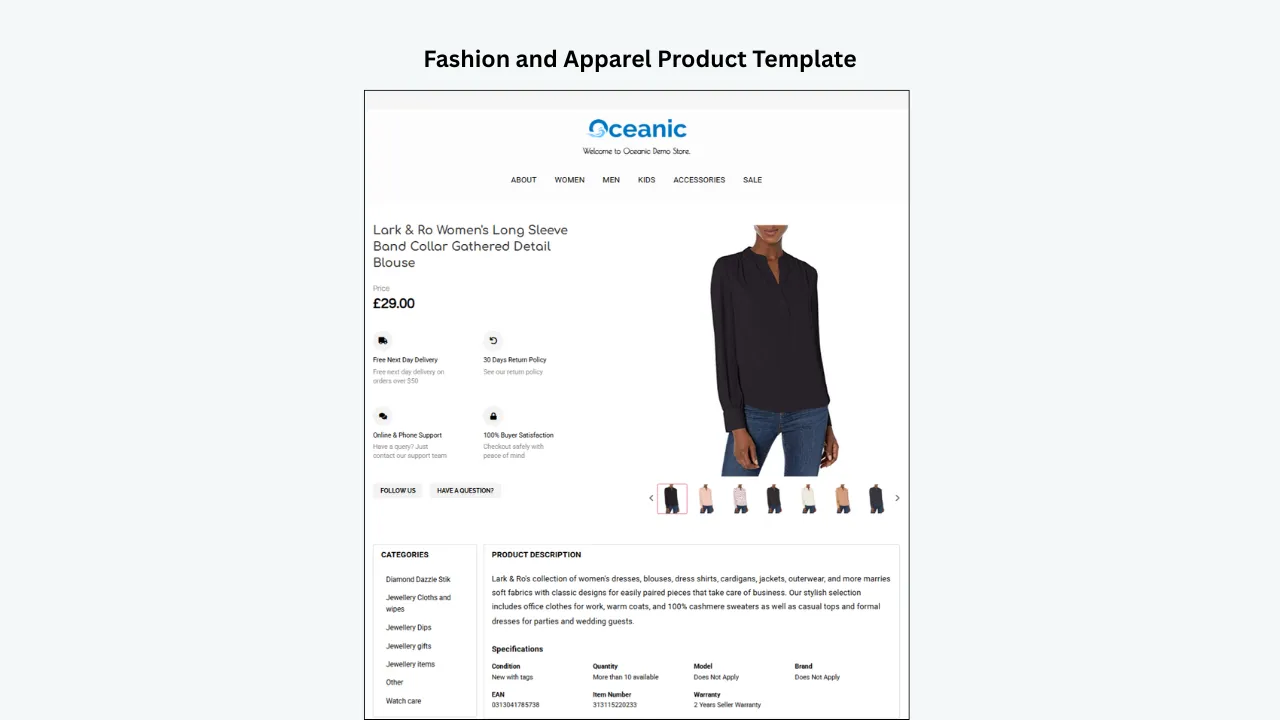
Fashion and Apparel Template
Focus: Style, comfort, size accuracy, and material quality. Buyers want to know how the product looks, fits, and feels.
Recommended sections:
- Product overview with lifestyle context
- Key features and benefits
- Detailed size guide (with measurements)
- Fabric composition and material details
- Care and washing instructions
- Style suggestions and occasion suitability
- Shipping, returns, and exchange policy
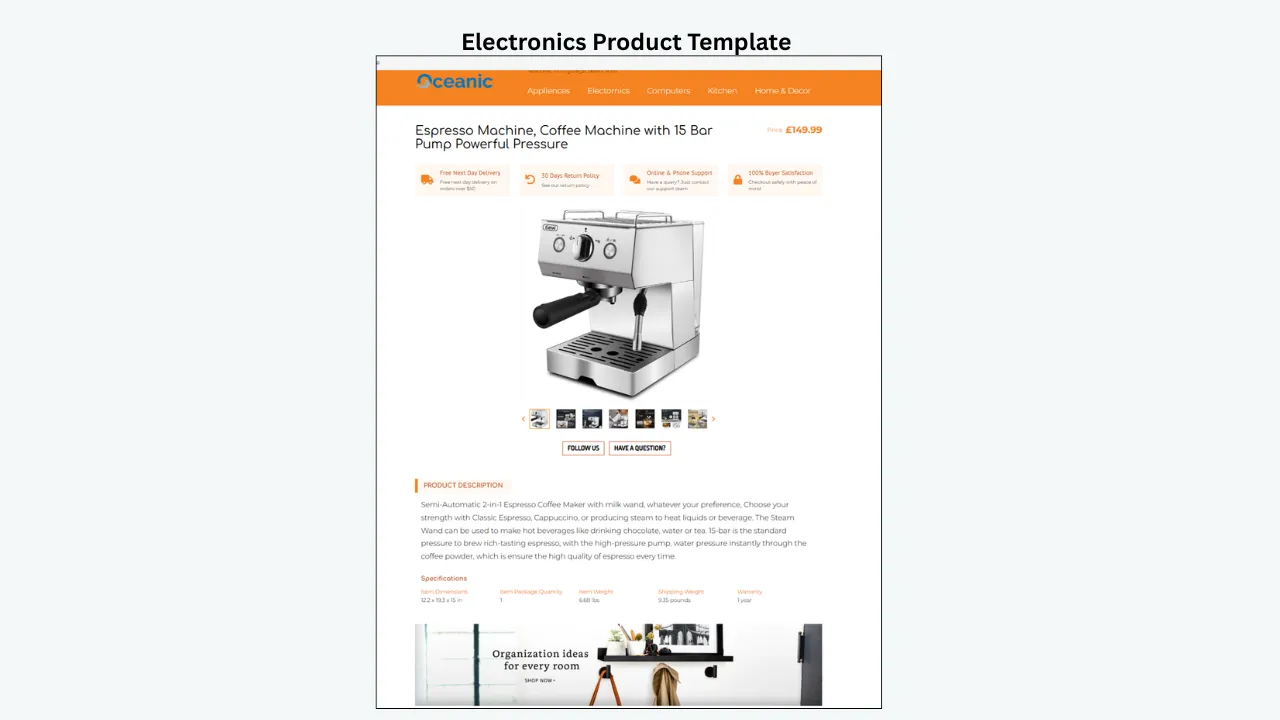
Electronics Template
Focus: Clean, technical, and specification-driven. Electronics buyers research before purchasing and need precise details.
Recommended sections:
- Product highlights and key selling points
- Full technical specifications table
- Compatibility information (devices, OS, versions)
- Package contents list
- Warranty information and coverage
- Usage benefits and use cases
- Support and contact details
Tools and Hardware Template
Focus: Practical information. Tool buyers need to know strength, capacity, size, material, and application.
Recommended sections:
- Key features and capabilities
- Product specifications (dimensions, weight, power)
- Material and construction details
- Application areas and recommended uses
- Safety information and precautions
- Package includes
- Maintenance and care notes
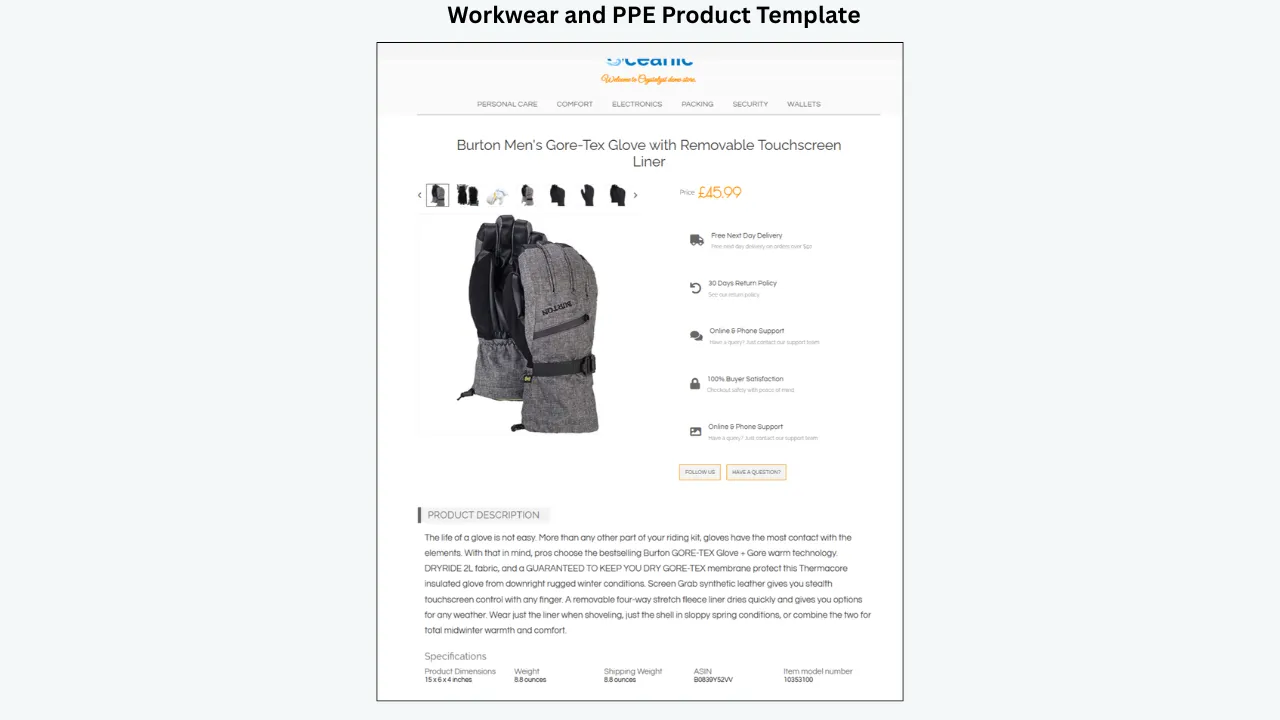
Workwear and PPE Template
Focus: Safety, compliance, durability, and workplace suitability. Buyers often purchase for specific industry requirements.
Recommended sections:
- Safety certifications and standards met
- Protection features and ratings
- Fabric composition and weight
- Fit, comfort, and mobility details
- Suitable industries and environments
- Pocket layout and storage features
- Washing and care instructions
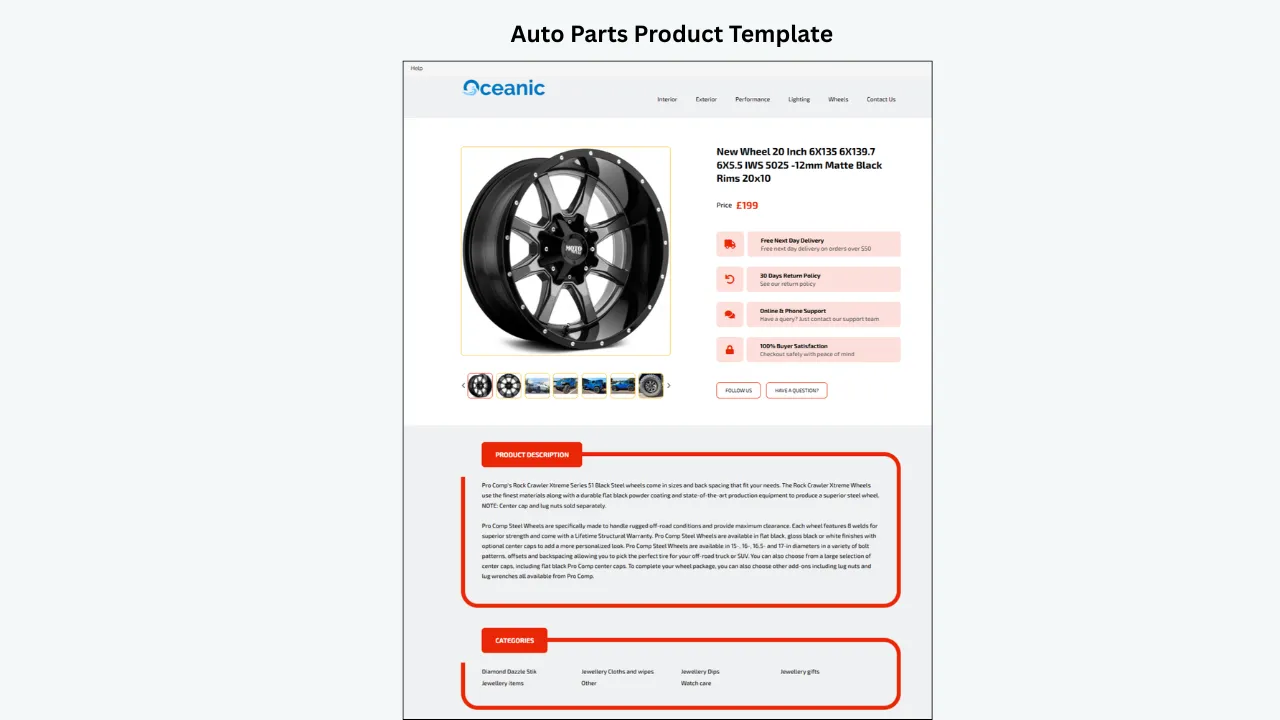
Auto Parts Template
Focus: Accuracy and fitment. Buyers must confirm the part fits their specific vehicle before purchasing.
Recommended sections:
- Part number (OEM and/or aftermarket)
- Vehicle compatibility list (year, make, model)
- Fitment verification details
- Product specifications and dimensions
- Material and construction
- Installation notes or requirements
- Important buyer notes and disclaimers
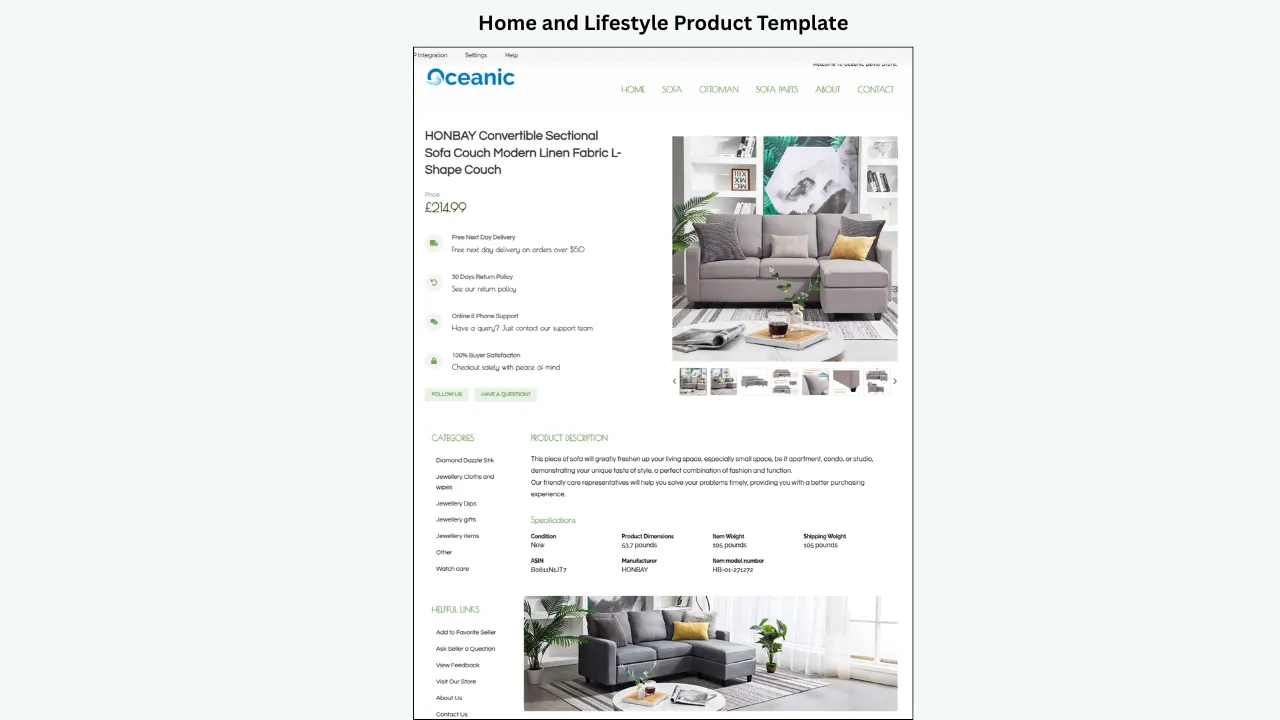
Home and Lifestyle Template
Focus: Visual appeal and benefit-driven presentation. Home product buyers respond to lifestyle context and design aesthetics.
Recommended sections:
- Product benefits and value proposition
- Design details and aesthetic features
- Size, dimensions, and weight
- Material and construction quality
- Usage ideas and room suitability
- Care and maintenance instructions
- Styling suggestions
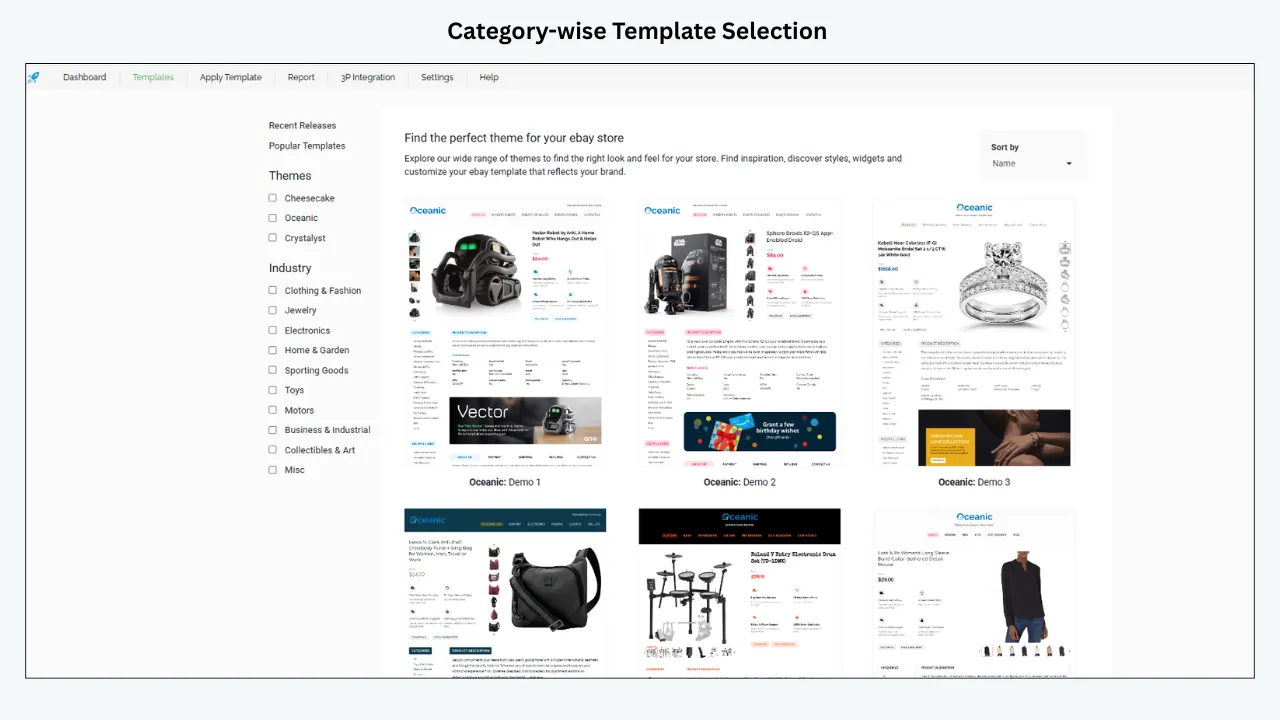
By preparing templates for each major category, you can switch quickly when uploading products and keep every listing relevant and complete.
Step-by-Step Guide: How to Switch Between Multiple eBay Listing Templates
Switching between templates becomes straightforward when you follow a structured process.
Create Your Main Template Categories
Decide how many templates you need based on your product mix. Avoid creating a separate template for every single product — instead, create templates for your main product groups.
Example template set:
- Fashion & Apparel Template
- Electronics & Tech Template
- Tools & Hardware Template
- Workwear & PPE Template
- Auto Parts Template
- Home & Lifestyle Template
This keeps your system manageable while covering all major categories.
Build Each Template with the Right Sections
Each template should include sections that match the product category. A solid template structure typically includes:
- Header — Logo, store name, brand identity
- Product title area — Clear, prominent product name
- Hero image section — Primary product images
- Short introduction — 2-3 sentence product overview
- Key features — Bullet-point highlights
- Detailed description — Full product information
- Specifications table — Technical or dimensional data
- Category-specific section — (Size guide, compatibility, fitment, etc.)
- Shipping information — Delivery times and methods
- Return policy — Clear return/exchange terms
- Footer — Store branding, contact info, trust signals
With BoostOn Time eBay Template Builder, you can create professional eBay templates with clean layouts and structured content sections — without needing HTML or coding expertise.
Save Templates with Clear, Descriptive Names
Naming is critical for efficiency. If your templates are not named clearly, your team may select the wrong one, causing delays and errors.
Use descriptive names like:
- “Fashion – Clothing & Apparel (with Size Guide)”
- “Electronics – Tech Specs & Compatibility”
- “Auto Parts – Fitment & Part Number”
- “Workwear – Safety & Certification”
- “Home – Lifestyle & Dimensions”
- “Tools – Specs & Application”
Clear names make the switching process faster and eliminate confusion.
Select the Right Template Before Uploading
Before creating a product listing, identify the product category first. Then select the matching template.
Quick decision guide:
- Uploading safety trousers? → Workwear template
- Uploading a phone case? → Electronics template
- Uploading a brake pad? → Auto parts template
- Uploading a kitchen organizer? → Home template
- Uploading a dress? → Fashion template
- Uploading a drill bit set? → Tools template
This ensures the listing layout matches buyer expectations for that category.
Add Product-Specific Details
Once the template is selected, replace all placeholder content with actual product information.
Update these elements:
- Product title (keyword-optimized)
- Main description and introduction
- Feature bullet points (5-7 key benefits)
- Product images (high-quality, multiple angles)
- Specifications (accurate measurements and data)
- Category-specific details (sizes, compatibility, fitment)
- Shipping notes (if different from standard policy)
The template gives you the structure. Your product information brings it to life.
Review Before Publishing
Before publishing, check the listing carefully. A quick review prevents costly errors and improves buyer trust.
Review checklist:
- ☐ All placeholder text has been replaced
- ☐ Correct template is applied for the category
- ☐ Title is accurate and keyword-rich
- ☐ Images are properly placed and high-quality
- ☐ All product features are listed
- ☐ Specifications are accurate
- ☐ Mobile view looks clean and readable
- ☐ Spelling and formatting are correct
- ☐ Shipping and return details are current
- ☐ Item Specifics are filled out completely
Important: eBay HTML Template Compliance in 2026
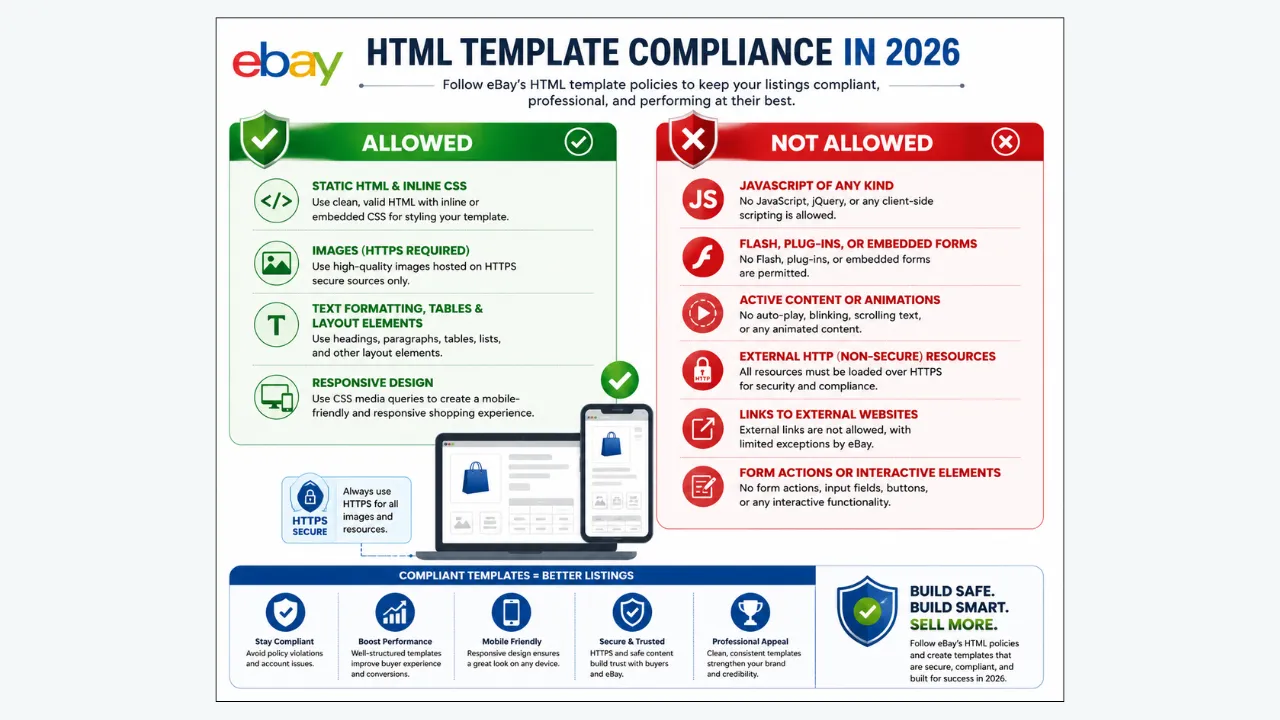
Before building your templates, understand what eBay allows and restricts in listing HTML:
Allowed:
- Static HTML and inline CSS
- Images (must use HTTPS sources)
- Text formatting, tables, and layout elements
- Responsive design using CSS media queries
Not Allowed:
- JavaScript of any kind
- Flash, plug-ins, or embedded forms
- Active content or animations
- External HTTP (non-secure) resources
- Links to external websites (with limited exceptions)
- Form actions or interactive elements
Key compliance note: All content must use HTTPS. If your listings contain non-secure (HTTP) content, browsers will display a “not secure” warning to buyers, which can significantly reduce trust and conversions.
BoostOn Time templates are built with these compliance requirements in mind, so you can focus on content rather than worrying about policy violations.
Why Use BoostOn Time eBay Template Builder?
BoostOn Time eBay Template Builder is designed for sellers who want professional listing designs without wasting time on complicated coding or HTML. It helps eBay sellers create responsive, attractive, and customizable listing templates that improve product presentation and speed up uploads.
You do not need to be a professional designer or HTML expert. The tool is built to help sellers create better templates and manage product listing designs efficiently.
BoostOn Time Is Ideal For:
- eBay sellers with multiple product categories
- Agencies managing client listings at scale
- Dropshipping businesses with diverse catalogs
- Wholesale sellers with large inventories
- Workwear and industrial product sellers
- Auto parts sellers needing fitment templates
- Fashion and accessories stores
- Any seller who uploads products regularly
With BoostOn Time, you can create polished eBay templates that make your listings look professional and organized — especially when switching between different templates for different product categories.
Key Features to Look for in an eBay Template Builder
When choosing an eBay template builder, prioritize features that support speed, quality, compliance, and flexibility.
Responsive Template Design
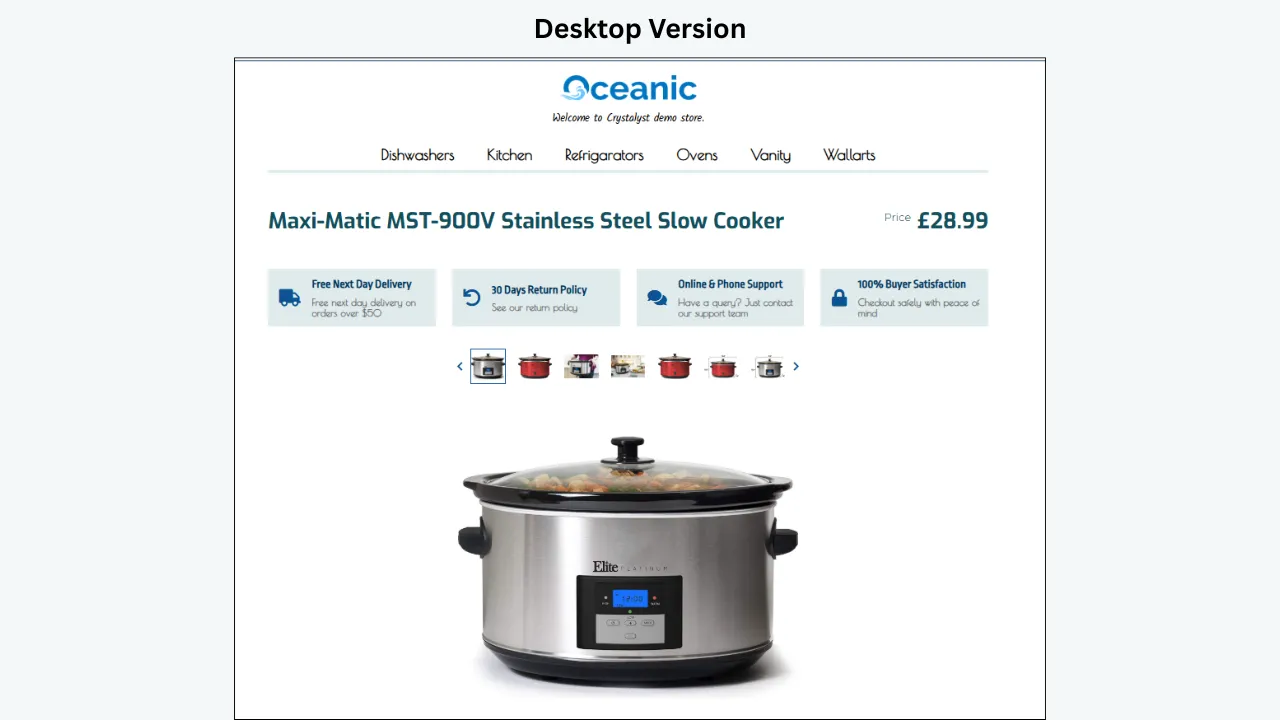
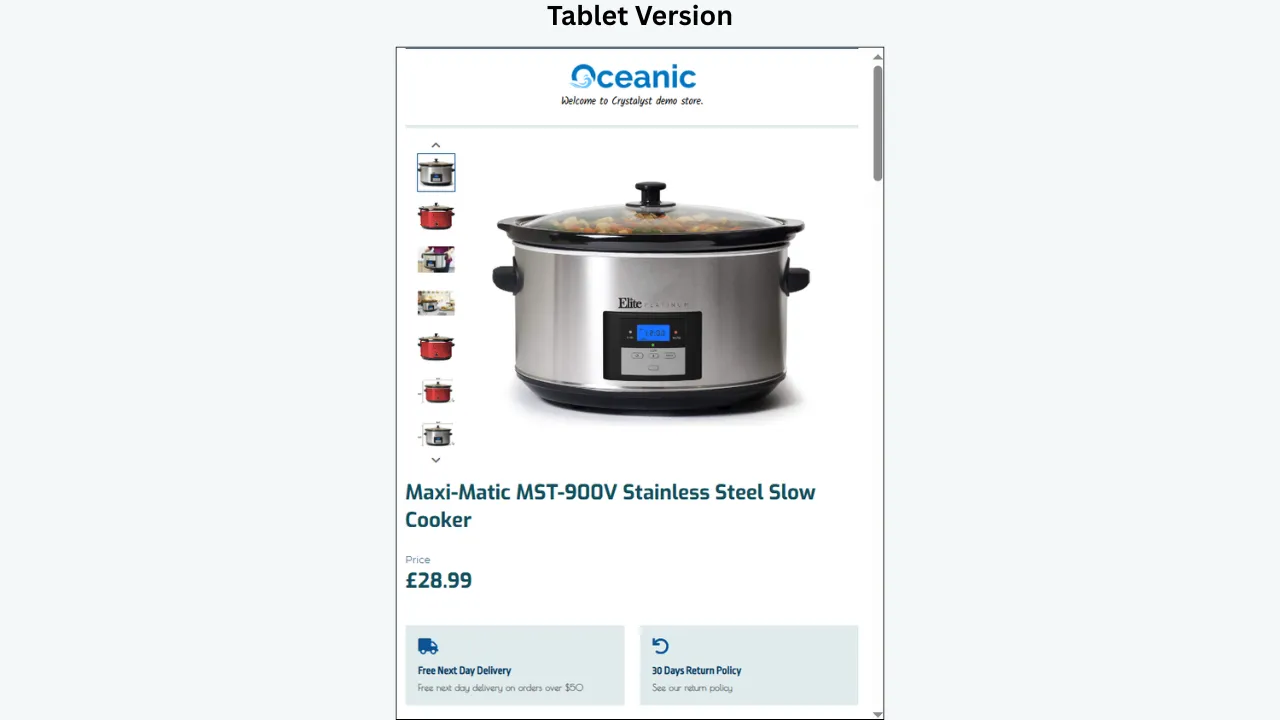
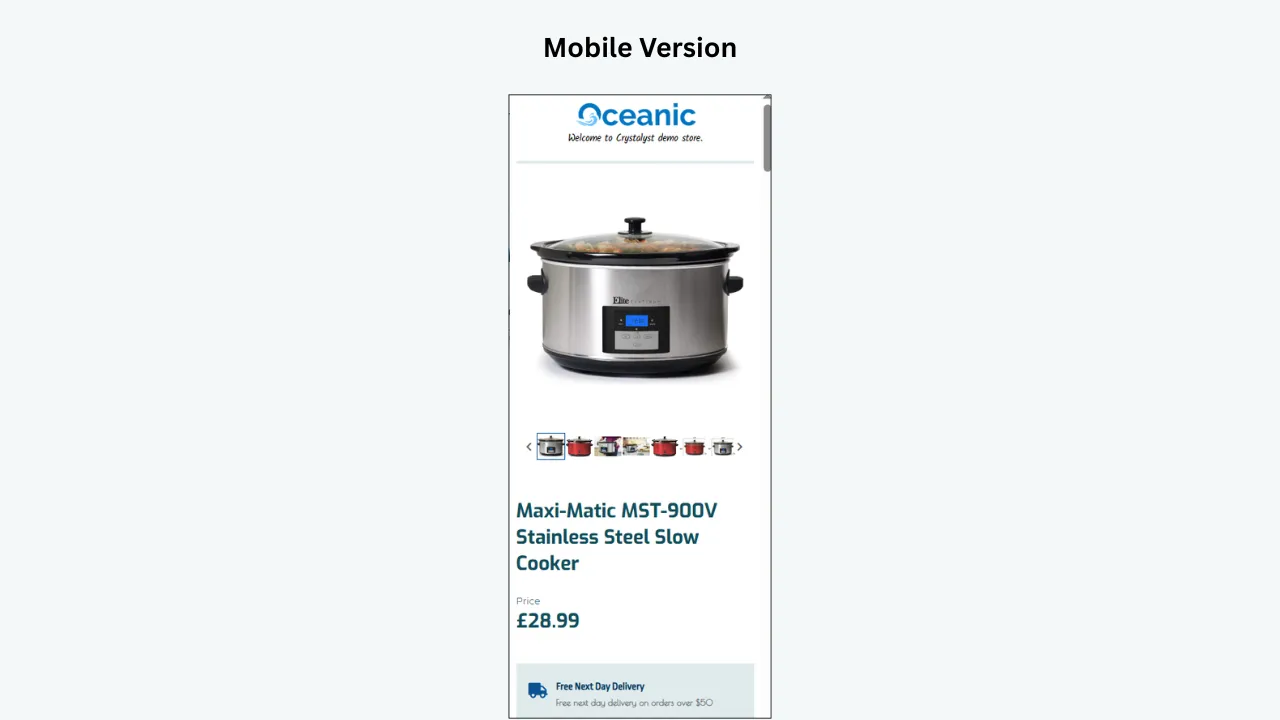
Over 51% of eBay’s traffic now comes from mobile devices. Your listings must look excellent on desktop, tablet, and mobile. A responsive template is not optional — it is essential.
Easy Customization
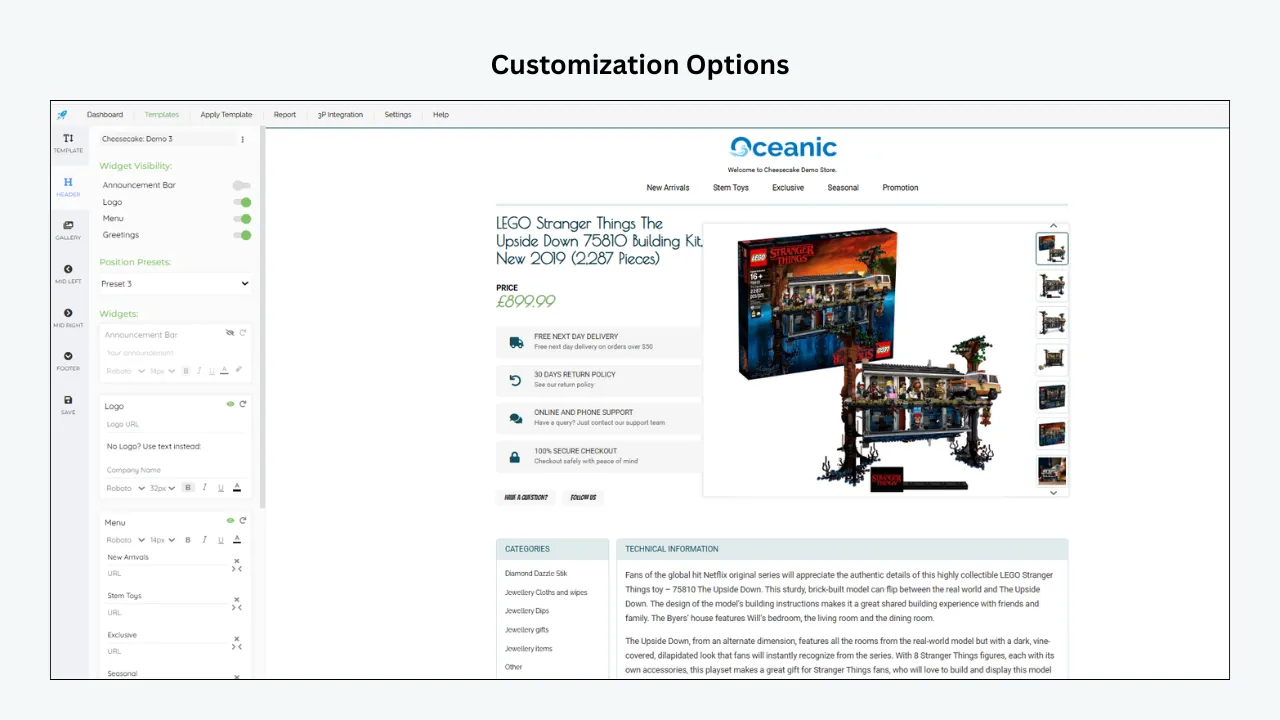
A good template builder should allow you to customize text, images, colors, layout sections, and brand elements without needing to write code.
Multiple Template Support
If you sell across different product categories, you need the ability to create, save, and manage multiple templates. This enables fast switching based on product type.
eBay Policy Compliance
Templates must comply with eBay’s HTML restrictions — no JavaScript, no active content, HTTPS-only resources. Your builder should handle this automatically.
Professional Layouts
Templates should look clean, modern, and buyer-friendly. A professional layout makes your product feel more trustworthy and your store more established.
Fast Editing and Updates
When product information changes or eBay updates policies, you should be able to update your templates quickly without rebuilding from scratch.
Branding Consistency
Your logo, colors, and store identity should remain consistent across all templates. This builds brand recognition and buyer confidence.
SEO Tips for eBay Listing Templates
A beautiful template is important, but search visibility determines whether buyers find your listings. eBay’s Cassini search engine rewards listings that are complete, relevant, and well-structured.
Use Keywords in the Product Title
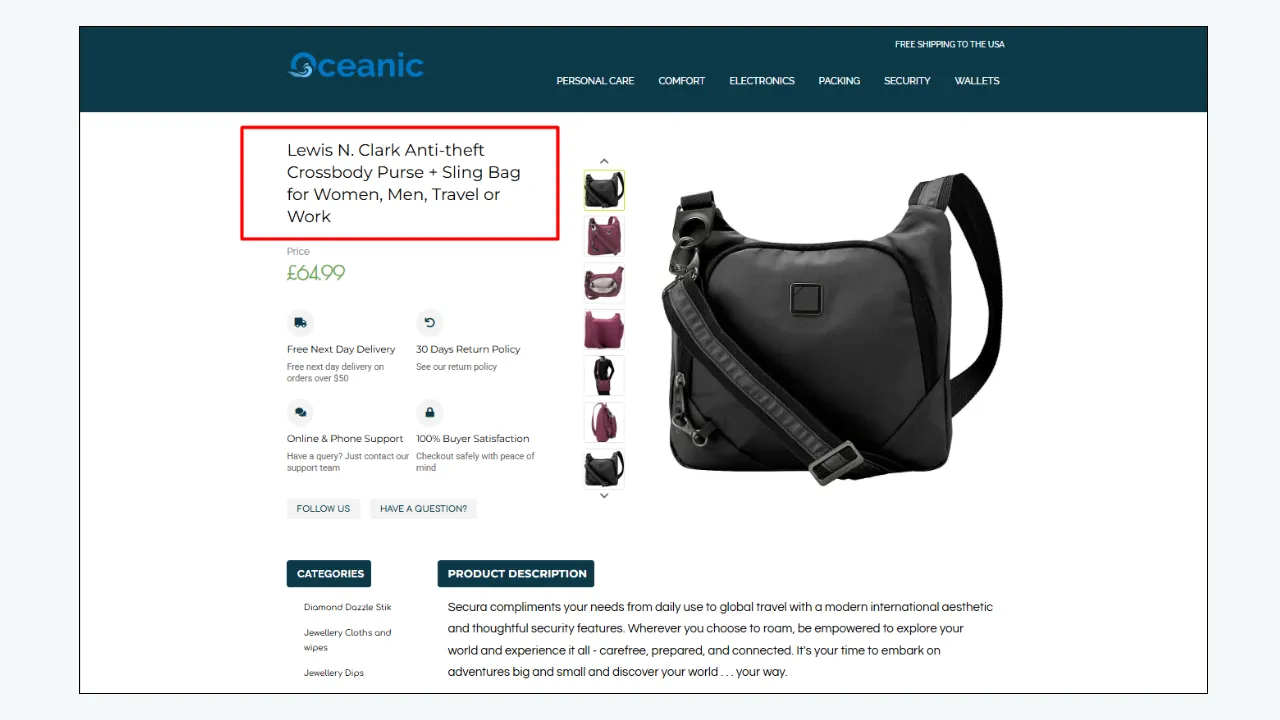
Your eBay title (up to 80 characters) should include the product type, brand, material, size, color, model, and key feature where relevant.
Example: “Men’s Waterproof Work Jacket Hi-Vis Reflective Safety Coat Size L”
Optimize Item Specifics
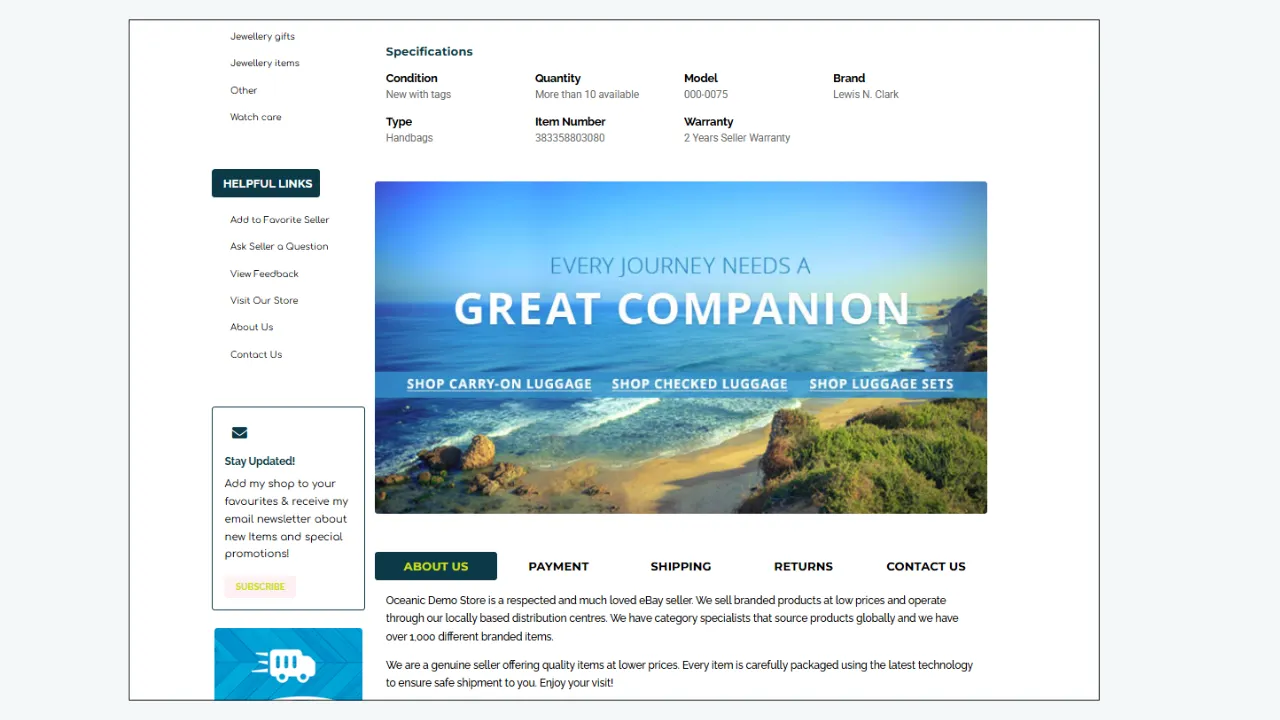
Item Specifics are the structured data fields that act as filters buyers use to narrow search results. Fill out every available Item Specific for your category — Cassini heavily weights these fields.
Use Keywords Naturally in the Description
Add important search terms naturally in the product description. Do not force keywords. Keep the writing helpful, readable, and buyer-focused.
Follow the Pyramid Format
Put essential information at the top of the listing, additional details in the middle, and supplementary information at the bottom. This matches how buyers scan listings.
Add Feature-Based Keywords
Feature bullets are excellent places to include relevant search terms:
- “waterproof workwear jacket”
- “breathable safety coat”
- “durable work trousers”
- “responsive eBay listing template”
Include Clear Product Specifications
Specifications help both buyers and search algorithms understand the product. Include size, material, color, model, quantity, compatibility, and usage details in a structured format.
Keep the Template Easy to Scan
A clean layout improves buyer experience and reduces bounce rates. Use headings, short paragraphs, bullet points, and organized sections.
Avoid Keyword Stuffing
Repeating the same keyword excessively makes your content look unnatural and can hurt your Cassini ranking. Focus on helpful, clear, varied writing.
Target Keywords for This Topic
If you are publishing this blog on the BoostOn Time website, target these search-ranking keywords:
Primary Keywords:
- eBay listing templates
- eBay template builder
- multiple eBay templates
- eBay category templates
- switch eBay listing templates
Secondary Keywords:
- eBay HTML template
- responsive eBay listing template
- professional eBay listing template
- eBay product upload
- eBay listing design
- eBay product description template
- fast eBay listing upload
- eBay store design
- eBay listing optimization
- eBay bulk listing template
- eBay template for product categories
- custom eBay template
- eBay listing management
- eBay seller tools
Use these keywords naturally in the blog title, H2 headings, meta description, image alt text, URL slug, and body content.
Common Mistakes Sellers Make with eBay Templates
Even with templates, sellers can make mistakes that reduce effectiveness. Here are the most common problems and how to avoid them.
Using One Template for Every Product
One template cannot serve all categories effectively. This makes listings look generic and causes buyers to miss important category-specific information.
Fix: Create at least 3-5 category-specific templates based on your product mix.
Adding Too Much Text Without Structure
Long blocks of unformatted text cause buyers to lose interest and leave the listing. Most buyers scan before they read.
Fix: Use headings, bullet points, short paragraphs, and visual breaks to make content scannable.
Ignoring Mobile Users
With over 51% of eBay traffic coming from mobile devices, a template that only looks good on desktop is losing you sales.
Fix: Always use responsive templates and test your listings on mobile before publishing.
Forgetting Important Category Details
Each category has unique buyer concerns. Missing critical information (like fitment for auto parts or size guides for clothing) leads to buyer questions, returns, or lost sales.
Fix: Use category-specific templates with built-in section prompts for required information.
Using Non-Compliant HTML
JavaScript, Flash, HTTP resources, and external links will either be blocked by eBay or trigger security warnings in browsers.
Fix: Use only static HTML, inline CSS, and HTTPS resources. BoostOn Time templates are built to be compliant.
Poor Image Placement
Images should be clear, high-quality, and well-positioned within the template. A listing should feel visually balanced.
Fix: Use consistent image sizes and placement across your templates.
Inconsistent Branding
If every listing looks completely different, your store appears unprofessional and untrustworthy.
Fix: Maintain consistent colors, logo placement, fonts, and layout style across all templates.
How BoostOn Time Helps Agencies and Large Sellers
BoostOn Time is not only useful for individual eBay sellers. It is also a smart choice for agencies, virtual assistants, and businesses that manage many eBay listings across different clients or product categories.
If you handle product uploads for multiple stores, switching between templates saves enormous amounts of time. You can prepare templates for each client, category, or product type and deploy them whenever needed.
Benefits for agencies and large operations:
- Faster client deliverables
- More consistent listing quality across accounts
- Easier team onboarding and training
- Better workflow management and accountability
- Reduced manual formatting and repetitive work
- More professional listing presentation
- Scalable processes that grow with your business
For large sellers, a good eBay template builder becomes part of the daily listing system — turning a slow manual process into a smooth, repeatable workflow.
Example Workflow for Faster Product Uploads
Here is a practical workflow you can implement immediately:
Create Category Templates
Build templates for your main product groups using BoostOn Time eBay Template Builder.
Save and Organize Templates
Name each template clearly based on the product category and key features.
Prepare Product Data
Collect product titles, descriptions, images, features, specifications, and Item Specifics before starting the upload process.
Choose the Right Template
Select the template that matches the product category you are listing.
Insert Product Information
Add product-specific content into each template section. Replace all placeholders.
Review the Listing
Check design, mobile responsiveness, spelling, accuracy, and completeness.
Publish with Confidence
Once everything is verified, publish the listing knowing it has a clean, professional, and compliant layout.
This workflow helps make product uploading organized, efficient, and stress-free.
Why Professional eBay Templates Improve Buyer Confidence
Online buyers cannot touch or inspect products physically. They rely entirely on images, descriptions, and the overall listing presentation to make purchasing decisions.
A professional eBay listing template gives buyers a better first impression. It signals that the seller cares about details, invests in their business, and is likely to provide good customer service.
A strong template answers critical buyer questions:
- What exactly is this product?
- What are the main features and benefits?
- What size, model, or version is it?
- Is it compatible with my needs?
- How will it be shipped and when will it arrive?
- Can I return it if it does not work?
- Is this seller reliable and professional?
The easier you make the buying decision, the better your chance of converting visitors into customers. Structured listings with visual hierarchy consistently outperform plain-text descriptions.
Tips for Making Your eBay Templates More Attractive
A great template should be attractive without being overwhelming. The goal is to make the product shine — not distract the buyer with excessive design.
- Use a Clean Header: Add your logo and store identity in a simple, professional header section. Keep it compact.
- Use Strong Section Titles: Headings like “Product Features,” “Specifications,” “Why Buy From Us,” and “Shipping Information” make the listing easy to navigate.
- Add Short Feature Blocks: Feature blocks with icons or bullet points help highlight the most important benefits at a glance.
- Keep Colors Professional: Use your brand colors consistently, but avoid too many bright or clashing colors. A clean color scheme looks more trustworthy.
- Make It Easy to Scan: Most buyers scan before they read in detail. Use bullet points, short paragraphs, bold key terms, and clear visual hierarchy.
- Add Trust Sections: Include clear information about shipping times, return policy, payment security, and customer service availability.
- Ensure Mobile-Friendliness: Test every template on mobile devices. With over half of eBay traffic on mobile, this is non-negotiable.
BoostOn Time: A Better Way to Build eBay Listing Templates
BoostOn Time gives eBay sellers a simple and practical way to improve listing design and workflow efficiency. Instead of struggling with plain descriptions or complicated HTML code, sellers can use a professional eBay template builder to create better listing layouts in minutes.
Whether you need one template or multiple category-based templates, BoostOn Time helps you create a more organized, efficient listing system. It is especially useful for sellers who want to upload products faster while keeping their store design clean, consistent, and compliant with eBay’s current policies.
With BoostOn Time, your listings look more polished, more trustworthy, and more buyer-friendly — giving you a competitive edge in crowded categories.
Final Thoughts
Switching between multiple eBay listing templates is one of the smartest ways to make product uploading faster, cleaner, and more professional. Instead of using one basic layout for every item, sellers can create category-specific templates that match each product type perfectly.
- Fashion products get stylish layouts with size guides, fabric details, and care instructions
- Electronics use technical templates with specifications and compatibility tables
- Tools highlight strength, function, and practical applications
- Workwear focuses on safety certifications, comfort, and durability
- Auto parts clearly display fitment data and part numbers
- Home products showcase design, dimensions, and lifestyle appeal
This approach makes your listings easier for buyers to read, easier for your team to manage, and more likely to rank well in eBay’s Cassini search results. It reduces errors, improves consistency, and creates a more polished eBay store experience.
BoostOn Time eBay Template Builder makes the process simple by helping sellers create responsive, customizable, and professional eBay listing templates. It saves time, improves product presentation, and gives your listings a cleaner, more trustworthy appearance.
In today’s competitive eCommerce landscape, speed matters — but presentation matters just as much. With BoostOn Time, you can upload products faster while giving every listing the professional quality it deserves.