
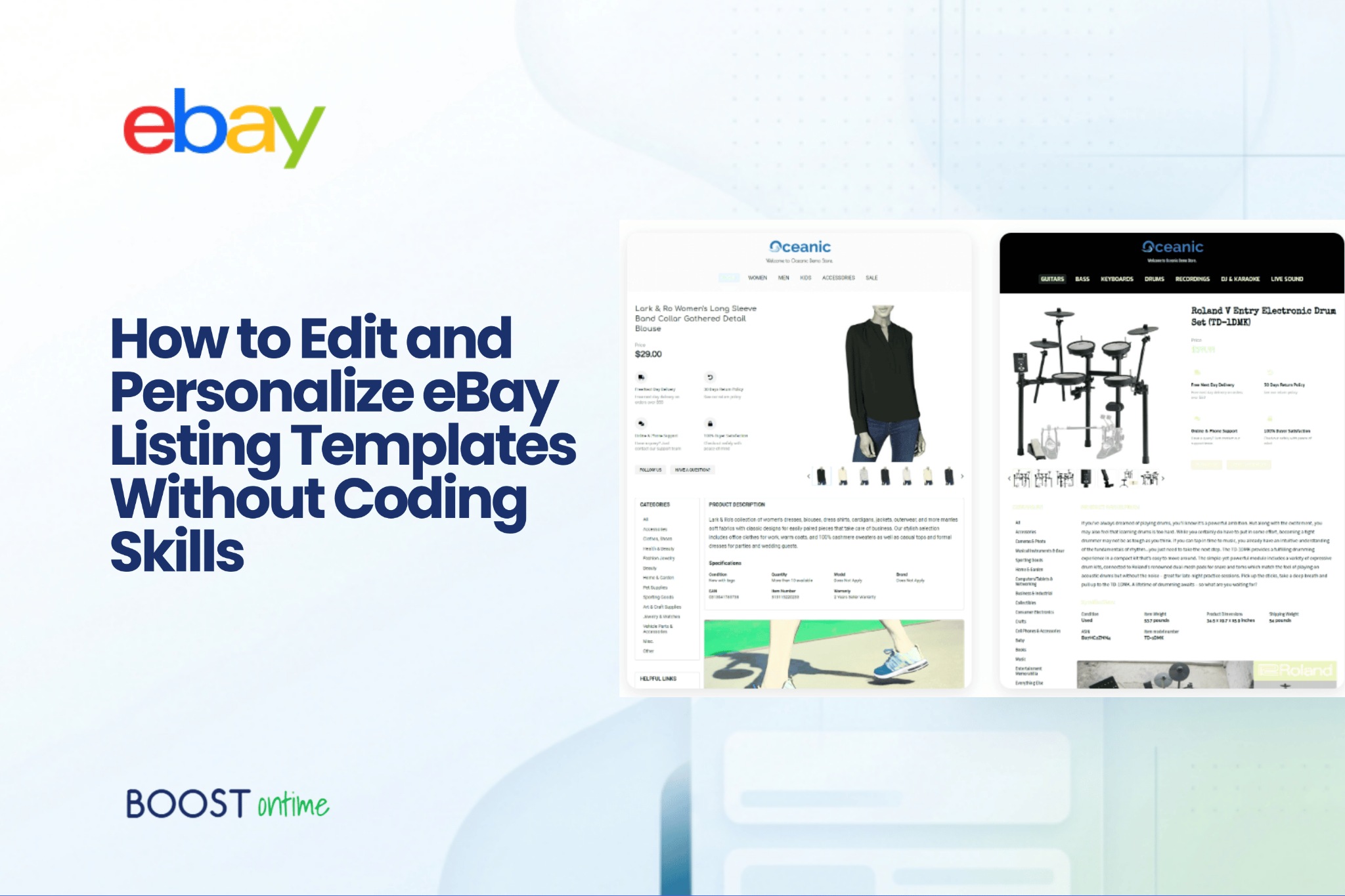
Learn how to create professional eBay listing templates without HTML or coding knowledge. Master customization, branding, and bulk updates to transform your listings.
Table of Contents
The Problem Nobody Wants to Admit
You’ve spent hours photographing your products. You’ve written descriptions that sell. You’ve researched pricing. Your inventory is solid, your fulfillment is reliable, and your customer service is excellent.
And then you look at your eBay listings.
They’re functional. They work. But they don’t feel like yours. The design is generic, the layout is cramped on mobile, the colors don’t match your brand. Worse-you notice your competitors’ listings look more professional, more trustworthy, more intentional.
You think about fixing it. Maybe upgrading your templates, redesigning the layout, making everything look sharper and more modern.
Then you freeze.
Because in your head, you’re picturing HTML code. Confusing CSS files. Technical documentation. A call to an expensive developer who costs $50/hour and takes weeks to finish.
So you don’t do anything. Your listings stay as they are. Month after month, potential buyers land on your listings, see outdated designs, and click away to competitors who bothered to invest in professional-looking product pages.
Here’s the truth: that mental picture is completely wrong.
The Reality: Professional Templates Don’t Require Coding
Boostontime eBay template builders have solved this problem. Completely.
You don’t need to know HTML to create professional, responsive eBay listing templates. You don’t need to hire a developer. You don’t need technical skills at all.
What you do need is a template builder designed for sellers-not developers. A platform where you can click, drag, type, and see your changes instantly. Where your logo, colors, and policies stay consistent across all your listings. Where your product information automatically updates without manual work.
That’s the shift that’s happened in the last few years. Template builders are no longer technical products. They’re business tools.
And it changes everything about how you can present your products.
Why This Matters More Than You Think
Your eBay listing is real estate. It’s the first impression potential buyers get of your products and your professionalism as a seller.
The design of that listing-the layout, the colors, the organization of information-influences whether someone decides to buy or keep browsing.
A professional, consistent template does four things simultaneously:
- It builds buyer confidence. Clean design signals that you’re a legitimate, established seller. It says you care about the buying experience. Buyers spend longer on listings that feel organized and trustworthy.
- It reduces friction. A well-organized template helps buyers find what they need-product details, shipping info, return policy-without hunting through walls of text. Friction converts to abandonment. Clarity converts to sales.
- It saves you enormous amounts of time. Instead of manually formatting each new listing, you pick your template once and apply it to hundreds. Instead of manually updating store policies across 500 listings when something changes, you edit the template once.
- It creates brand consistency. Every listing looks like it comes from the same professional store, not a random collection of hastily-written product pages. Consistency builds recognition and trust.
The sellers who’ve adopted this workflow report spending 10-20% less time on listing maintenance while seeing more consistent sales. It’s not magic-it’s just removing the friction that was always there.
What Actually Happens Inside a Template Builder
Let’s walk through what modern no-code template editing actually looks like.
Template creation workflow showing four steps: select theme, customize, add branding, apply to listings
Step 1: Choose a Foundation
Most template builders ship with pre-designed themes optimized for different product categories. These aren’t rigid; they’re starting points.
For fashion and everyday goods, you might pick a clean, minimal theme that emphasizes your product photography. For premium items, you’d pick a sophisticated design that communicates luxury. For electronics, something sleek and modern that communicates precision and reliability.
The point: the template handles the hard part of layout and design structure. You get to choose the aesthetic.
Step 2: Add Your Brand Identity
A template isn’t useful until it feels like yours. This is where the customization starts.
You upload your logo. You pick your brand colors. You write a header message. Maybe you add a banner that says “Fast Shipping” or “Trusted Seller” or “Family Owned Since 2010.” You set up tabs for your shipping policy, return policy, and warranty information instead of burying them in tiny text at the bottom.
All of this happens in a visual editor. You’re not writing code. You’re clicking, typing, and watching your changes appear in real time. The editor shows you exactly what your listing will look like-mobile, tablet, desktop-as you work.
Step 3: Leverage Smart Data
Here’s where templates stop being static documents and start being actual business tools.
Some template modules are “dynamic”-they pull information directly from your eBay listing. Your product title? It updates automatically. Your price? Your images? Your item specifics? All pulled in without manual entry.
What you wrote in your eBay listing’s core fields renders perfectly in your template, without copy-paste, without mistakes, without any work from you.
You get a module showing related products from your store. You can pick random items to show, or hand-select your best sellers. This is upselling done right-the buyer discovers more of your products without feeling sold to.
Step 4: Apply at Scale
Once your template is ready, you apply it.
To one listing, if you’re testing. To a group of 50 listings. To your entire store-thousands of listings, all at once.
A single click applies your design across whatever you select. The platform handles the HTML generation, the responsiveness, the formatting. You get instant consistency across your entire catalog.
Updating your store’s look used to require days or weeks of manual work. Now it takes minutes.
The Core Features That Actually Matter
Okay, so the workflow sounds good in theory. Let’s talk about the specific capabilities that make this work in practice.
Professional Templates Built for Selling
The template library matters. You’re not starting with a blank canvas-you’re starting with designs already optimized to sell.
Boostontime ships with three flagship templates: Cheesecake (clean and warm, perfect for fashion and lifestyle products), Oceanic (sleek and modern, ideal for electronics and technical items), and Crystalyst (premium and sophisticated, built for luxury and high-value products).
Each template handles the layout work. Your title, images, and price have designated spots. Buyer information is organized into digestible sections. The design already accounts for mobile vs. desktop rendering.
You’re not building from nothing. You’re starting from something proven to work.
Customization Without the Code
The customization engine needs to handle complexity without requiring technical knowledge.
That means 20+ fully customizable modules you can arrange, resize, and style: your logo, header menu, product gallery, price and shipping info, specifications, description blocks, policy tabs, banners, related products, footer information.
You’re not writing CSS. You’re using a visual editor that feels like designing a document in any other software. Pick your font, set your colors, arrange sections, preview your changes. The platform generates the HTML for you, optimized for every screen size.
Mobile Optimization Built In
Here’s the thing about eBay: half your buyers are on mobile. Maybe more.
An ugly mobile layout isn’t a minor issue. It’s sales you’re losing.
Responsive templates automatically reflow for phones, tablets, and desktops. A section that sits side-by-side on desktop stacks vertically on mobile. Images scale appropriately. Text remains readable. Buttons stay tappable.
The template builder should show you what your listing looks like on mobile while you’re editing. Not as an afterthought. Not as something you find out about when customers complain. Built right into the editor, visible the whole time.
Dynamic Data That Saves Hours
This is the feature that changes the economics of template use.
Static templates look consistent. Dynamic templates actually save you work.
When you build your template, certain modules pull data from your eBay listing automatically: product title, price, condition, shipping cost, your item specifics, your photos. When you apply the template to a new listing, those fields populate instantly. No manual copy-paste. No errors. No work.
Your related products module can show items from your store-either randomly selected or hand-curated. A buyer arrives for one item and discovers three others. Store engagement goes up. Average order value goes up.
The specification module pulls your item’s specific attributes directly from eBay. Dimensions, materials, condition, warranty-whatever you entered gets organized beautifully instead of left as a wall of text.
Batch Updates: Apply Changes Instantly
The time savings really kick in when you need to update your entire store.
You’ve refreshed your template. Now you want to apply it to 200 active listings.
With batch update tools, you select the listings and apply the template in one action. Seconds of work. Your entire catalog gets the new design instantly. Consistent look across your entire store.
What used to take days now takes minutes. This is where you recover the hours you invested in building the template.
Want to test a design change before rolling it out store-wide? Apply it to 10 listings, see how it performs, then expand if it works. You’re no longer locked into manual decisions.
The Real-World Impact
Let’s get concrete about what this actually means for your business.
Time savings comparison showing 25-30 hours per year recovered with templates
Time Savings
A seller managing 100+ active listings typically spends 2-3 hours per week on listing maintenance: updating prices, adding new variations, refreshing photos, adjusting descriptions.
With templates, you cut this dramatically. New product listings go live faster because you’re not building the layout from scratch. Template updates take minutes instead of hours. Seasonal refreshes apply instantly instead of listing by listing.
Over a year, that’s 50-100+ hours recovered. Hours you could spend on sourcing, photography, customer service, or literally anything more valuable than reformatting listings.
Design Consistency
Before templates, most sellers’ eBay stores feel chaotic. Some listings are well-formatted. Others are text walls. The design varies from product to product. The experience feels unprofessional.
With templates, every listing follows the same structure, the same color scheme, the same visual hierarchy. Buyers recognize it as your store. That consistency builds trust. Studies on ecommerce consistently show that design consistency correlates with higher conversion rates.
Mobile Performance
Mobile traffic to eBay keeps growing. Half your traffic probably comes from phones now.
An outdated, non-responsive template on mobile is basically broken. Text is unreadable. Images don’t fit. Buttons are hard to tap. Buyers bounce fast.
A responsive template designed for mobile first changes that completely. Your listings work beautifully on the device where half your customers are shopping. That’s not an edge-that’s table stakes.
Branding and Recognition
Every listing is a chance to reinforce your brand. Your logo, your colors, your tone. A consistent template does that automatically.
Buyers who’ve bought from you before recognize your store’s look instantly. They feel like they’re shopping from a professional retailer, not a garage operation. That matters for repeat purchases.
How to Actually Choose the Right Template Builder
Not all template builders are created equal. Here’s what to look for.
Key features comparison grid showing no code required, mobile responsive, batch updates, dynamic data, brand customization, and professional templates
No-code editor. If you need technical help to use it, it doesn’t count. The editor should feel intuitive-click to select, drag to move, text fields to type. Not code. Not scripts. Not configuration files.
Real mobile preview. Not a checkbox that says “mobile responsive.” An actual mobile preview in the editor so you can see your listing on a phone while you’re building it.
Batch update capability. If you have to apply templates one listing at a time, it defeats half the purpose. Batch updates should apply your template to 1, 100, or 1,000 listings with one action.
Dynamic modules. The template should pull product data from your eBay listing automatically. Title, price, images, specs. Not manually.
Pre-built templates. Don’t start from scratch. Start from proven designs you can customize.
Responsive design by default. Every template should look great on mobile without extra work.
Real customer support. Questions happen. The company should support you via email or chat, not just a help center.
Boostontime checks all these boxes. But the point is: know what you’re looking for before you start evaluating.
The Economics of Going Professional
Here’s the financial argument for upgrading your templates.
A template builder subscription costs $50-85 per year. For Boostontime, it’s $60 annually (the yearly plan).
Let’s say you manage 100 active listings and you spend 2 hours per week on listing maintenance. That’s 100 hours per year.
Using a template builder cuts that by 25-30%. You recover 25-30 hours per year. At any reasonable wage, that’s $500-1,000 in recovered time per year on a $60 investment.
That’s a 10x return on pure time.
Now add the conversion impact. A more professional-looking listing converts better. Harder to quantify, but studies on ecommerce design consistently show that better visual design correlates with 10-20% higher conversion rates.
If your listings get 100 views per week and 2% convert (2 sales), a 10% boost in conversion rate adds 10 more sales per year. At $50 average profit per sale, that’s $500 more profit per year.
We’re now at a 10x time return plus incremental revenue. The economics are clear.
Common Concerns (and Why They’re Not Valid Anymore)
“Will my custom template get broken by eBay updates?”
eBay does update its platform. But a template built by a professional template builder is designed to stay compliant. The builder maintains compatibility as eBay evolves. You don’t have to.
Hand-coded custom templates? Those can break. Professionally maintained templates stay working.
“Won’t eBay penalize me for using templates?”
No. Templates don’t violate eBay policy. Thousands of professional sellers use them. eBay actively encourages well-designed listings because they convert better, which means more platform activity.
“What if I need something custom?”
Most template builders let you customize extensively. If you need something genuinely unique, you can. Or you can contact support-many builders offer custom design services.
“Isn’t this expensive?”
$4.99-$6.99 per month for unlimited templates and unlimited listing updates is maybe the cheapest business tool you’ll add this year. Not expensive. Obvious ROI.
Making the Transition
If you’ve never used templates before, here’s how to start.
First: Test on a few listings. Don’t convert your entire store day one. Pick 5-10 active listings you’re confident in. Apply your template. Compare to your non-templated listings. See how you feel.
Second: Let it run for a week or two. Monitor performance. Are conversions different? Do you notice mobile vs. desktop behavior? Most sellers see improvements, but you need data before scaling.
Third: Expand. Once you see results, apply the template to your whole catalog. Use batch updates. Run it store-wide.
Fourth: Iterate. Try different templates. A/B test on different product categories. Templates are flexible-you’re not locked in.
Boostontime offers a 7-day free trial with no credit card required. That’s enough time to test, get comfortable with the editor, and decide if it’s right for you.
Try Boostontime
Boostontime eBay Template Builder is purpose-built for this workflow.
The platform ships with professional templates optimized for different product categories. The editor is intuitive-no coding, no technical knowledge required. Mobile preview is built in. Batch updates apply templates instantly. Dynamic modules pull your product data automatically.
1,500+ active sellers use Boostontime to manage over 1 million listings. The platform reports 99% customer satisfaction. Customer testimonials highlight reliability, responsiveness, and real support from the team.
The economics are straightforward: $4.99-$6.99 per month for unlimited templates and unlimited listing updates. 7-day free trial. No credit card. No contract. Cancel anytime.
If your eBay listings have been stuck in a design rut, this is the simplest way to upgrade them professionally without hiring a developer or learning HTML.
Frequently Asked Questions
Do I need to know HTML or coding to edit eBay listing templates?
No. Modern eBay template builders like Boostontime are designed with no-code interfaces. You customize templates using drag-and-drop editors, color pickers, and text fields-the same way you’d design a document. The platform handles all HTML generation behind the scenes.
Can I apply a template to multiple listings at once?
Yes. Batch update tools let you apply a template to one listing or thousands with a single click. Boostontime’s batch revision tool allows you to select specific products, groups, or your entire inventory and update them all instantly without manual repetition.
Will my template look good on mobile devices?
Responsive templates automatically adjust to mobile, tablet, and desktop screens. Most modern template builders test every design across devices. Look for a mobile preview feature in the editor so you can see exactly how your listings render before publishing.
What’s the difference between static and dynamic template modules?
Static modules (like your logo and store policies) stay the same across all listings, while dynamic modules (product title, price, images) pull fresh data from each eBay listing. This saves you from manually entering the same information repeatedly.
How much time can I save by using templates instead of editing listings manually?
Sellers managing 100+ listings typically save 10-15 hours per month. With batch updates, applying a new design to 500 listings takes minutes instead of days. The real savings come when you need to refresh your store’s look-instead of rebuilding each listing, one template change applies everywhere instantly.