
Is Your eBay Listing Hidden? How to Check and Reinstate It
Is your eBay listing hidden or missing from search results? Learn how to check listing status, identify common visibility issues, review policy alerts and Seller Hub settings, and follow the correct steps to resolve problems and reinstate eligible listings.
📋 In This Guide
- 1Hidden, Removed, Inactive or Ranking Low?
- 2The Five-Minute First Check
- 3How Long a New Listing Takes to Appear
- 4Build an Evidence Table
- 5Cause 1: Not Actually Active
- 6Cause 2: Out of Stock but Active
- 7Cause 3: Time Away
- 8Cause 4: Duplicate Offer
- 9Cause 5: Title Error
- 10Cause 6: Category or Item Specifics
- 11Cause 7: Location and Shipping Settings
- 12Cause 8: Policy Removal
- 13Cause 9: Fixed-Price Listings Hidden
- 14Cause 10: Selling Limits or Account Status
- 15Cause 11: Visible but Ranking Poorly
- 16Cause 12: Advertising vs Organic Search
- 17Step-by-Step Process to Restore Visibility
- 18What to Include When Contacting eBay Support
- 19When and How to Appeal a Removal
- 20Why Ending and Relisting Is Not the First Fix
- 21When BoostOnTime ETB Helps
- 22Three Troubleshooting Scenarios
- 23Measure Whether Visibility Has Returned
- 24Weekly Routine to Prevent Repeat Incidents
- 25After eBay Restores a Listing
- 26Mistakes to Avoid
- 27Escalate a Recurring Search Issue
- 28Frequently Asked Questions
- 29Final Takeaway
A missing eBay listing can be alarming. You created the offer, uploaded photographs, set a price, and perhaps even saw the page go live. Yet a search for the item turns up nothing. It is tempting to assume that your account has been ‘shadow-banned’ or that eBay is silently punishing you. In practice, several ordinary causes can make an item difficult—or impossible—to find, and each requires a different remedy.
Quick answer: To check whether an eBay listing is hidden, find its item number in Seller Hub, confirm it is active and has available stock, then search for the exact title or item number with suitable marketplace, shipping location and filters. Allow up to twenty-four hours for a newly created listing to appear in search. Review eBay Messages, Seller Help, duplicate-listing notices, Time Away settings and policy alerts. Fix the actual cause or follow eBay’s review instructions; do not assume that ending, relisting, advertising or changing a template will reinstate a restricted item.
Hidden, removed, inactive or simply ranking low? The distinctions matter
Sellers use ‘hidden’ to describe very different situations. An item may be saved as a draft, scheduled for later, ended, sold out, intentionally paused through Time Away, temporarily hidden because of a duplicate, removed for a policy violation, or genuinely active but difficult to find under a broad query. A direct item link may work even when the listing does not appear in public search. These are not interchangeable states.
A listing that ranks on page ten is not necessarily suppressed. eBay’s Best Match system considers query relevance, price, listing quality, completeness, selling terms and seller track record. Results also vary with buyer context, shipping eligibility, filters and marketplace. What you see from one browser session does not prove that every buyer sees the same ranking or that eBay has imposed an account restriction.
A better investigation begins with observable evidence. Record the item ID, status, inventory count, publication time, exact marketplace, intended delivery region and any error messages. Then identify whether the issue belongs to listing status, search indexing, inventory, visibility rules, relevance or policy enforcement. Our separate guide to a listing not showing in search focuses on broader discovery problems; this guide emphasizes finding the cause and restoring eligibility safely.
The five-minute first check
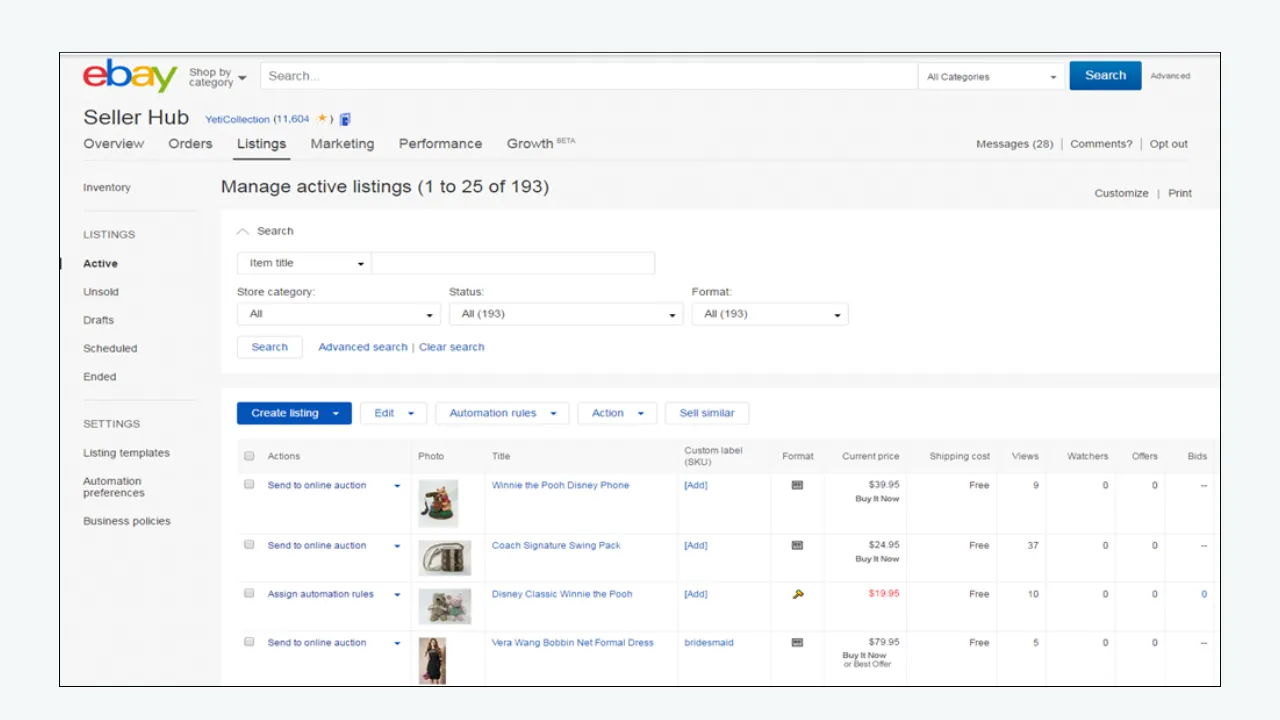
First, open Seller Hub and find the item ID. Go to Listings or the relevant Selling view. Search by exact item number rather than a few common keywords. Confirm whether the item is Active, Draft, Scheduled, Unsold, Ended or affected by an error. A draft can have photographs and text but is not an active public offer.
Second, review quantity and variations. For single-item and multi-quantity listings, check whether stock is actually available. If eBay’s out-of-stock option is enabled, a zero-quantity listing can remain active while being hidden from search. For variation listings, check whether any purchasable choices remain. Do not assume ‘Active’ always means ‘available to order.’
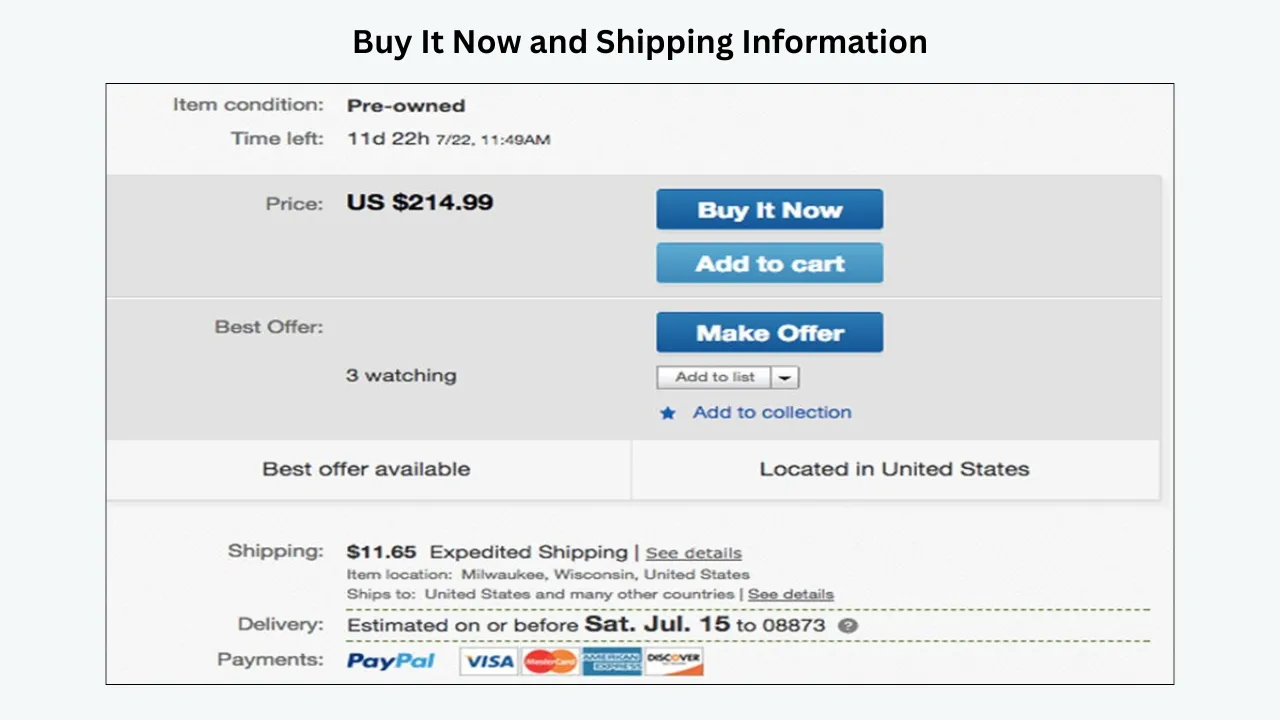
Third, open the item directly. Use the item number or a known item URL. A directly accessible page suggests the listing exists, but it does not prove eligibility in every search or destination market. Note whether buying controls are available, whether a stock warning appears, and whether the page displays the product and price expected.
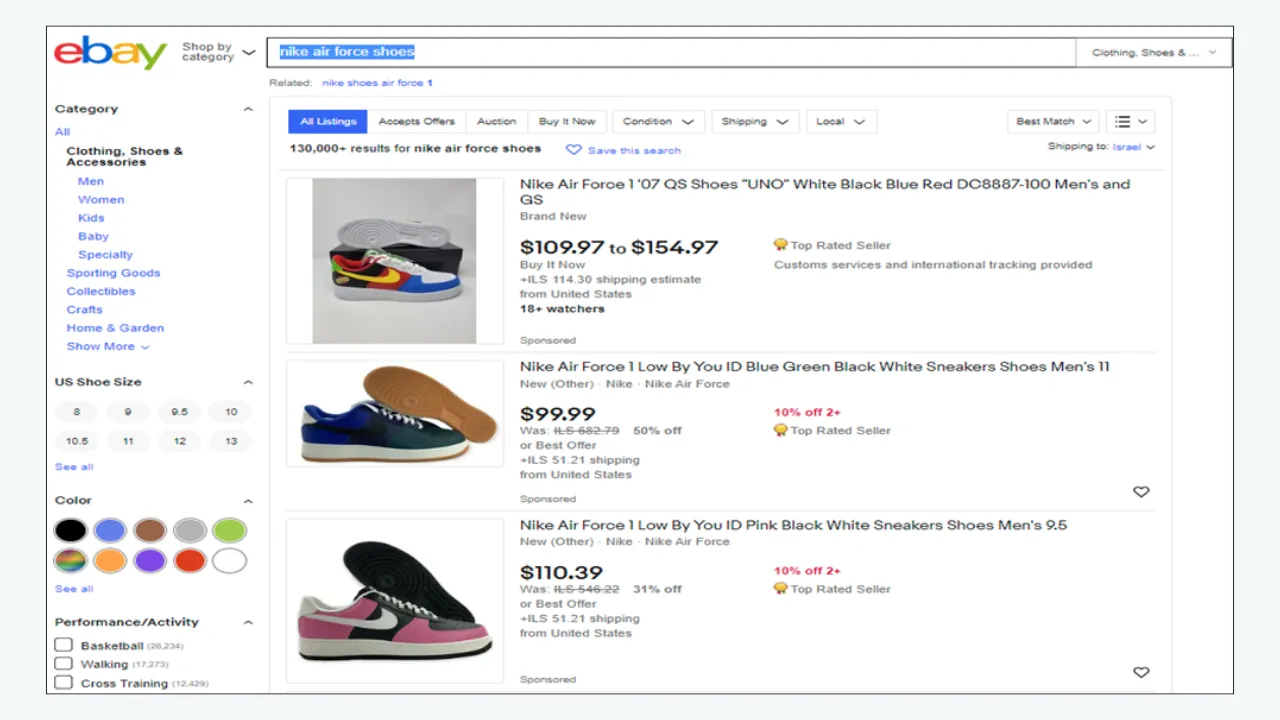
Fourth, search precisely. Search an exact distinctive title phrase or item number, set the relevant site and shipping destination, and remove unnecessary filters. Repeat with a broader product phrase. A single failed broad search may reflect competition or relevance rather than suppression.
Fifth, check communication from eBay. Read eBay Messages, Seller Help and registered email for listing removal, duplicate warnings, account limitations or policy-related instructions. The message often tells you what the platform expects. If the item was recently created, note how long it has been live before treating search absence as abnormal.
How long should a new eBay listing take to appear in search?
eBay’s official Finding your listing page states that newly created listings should appear in search within twenty-four hours. That does not mean every item will be instantly discoverable under every phrase or filter. If the listing is only a few minutes old, confirm it is active and give the search index time to reflect the change. Keep the item ID and publication time recorded.
After twenty-four hours, investigate the documented checks rather than repeatedly editing random words. Confirm correct title spelling, remove problematic special characters, check for unintended profanity, review duplicate listing notices and ensure the item is allowed for sale. These are specifically identified in eBay’s help guidance. If the listing remains missing despite being active and compliant, contact eBay with the precise item number and what you tested.
Do not repeatedly end and recreate a listing hoping to force immediate visibility. That can introduce new listing IDs, fees, duplicate problems and lost history without addressing the underlying issue. Make a controlled correction that corresponds to a diagnosed cause.
Build an evidence table before requesting help
| Observation | Likely explanation | Correct next action |
|---|---|---|
| Item only appears under Drafts | Not yet live | Complete and publish the valid listing |
| Item is Active, quantity is zero | Out-of-stock setting | Replenish verified stock; confirm purchasable options |
| Time Away is set to pause sales | Intentional temporary hide | Review Time Away and end or adjust pause when ready |
| eBay sent a duplicate warning | Duplicate-listing rule | Consolidate identical fixed-price offers appropriately |
| eBay sent removal notice | Policy or rights issue | Read notice, correct or appeal through official channel |
| Exact item link works, broad query fails | Relevance, ranking or filtering | Compare title, category, filters, destination and demand |
| Newly published fewer than 24 hours ago | Indexing time | Confirm active status and check after indexing window |
| Many unrelated fixed-price listings disappear | Account-level setting or enforcement | Review Messages, Seller Help and account status |
The evidence table prevents generic advice such as ‘add keywords’ from being applied to a compliance problem. It also makes communication with eBay more effective. Support can investigate a specific item, account notification or search behavior more easily than a message saying merely ‘my products vanished.’
Cause 1: the listing is not actually active
An item can exist in your selling workflow without being available to buyers. Draft and scheduled listings are not active public offers. Ended and unsold items may be visible through other records but not as live Buy It Now opportunities. Confirm the status in the relevant Selling or Seller Hub view and check whether the item should have been published already.
If a listing is scheduled, review the scheduled start time and time zone. If a draft, complete required information and publish it only when the product, stock and terms are correct. If ended, investigate why: sold, manually ended, limit issue or policy removal. Do not relist a prohibited or restricted item merely because it appears under Unsold.
When team members or inventory software publish on your behalf, check the status returned by the actual platform, not just the success message in the external tool. A template or upload queue can be marked complete while the eBay item remains unsent or invalid. The native listing status is the first authority.
Cause 2: the item is out of stock but still shows as active
This is one of the most easily misunderstood scenarios. eBay permits an out-of-stock option for eligible multi-quantity listings. When quantity becomes zero, the listing can remain active but disappear from search until stock returns. eBay’s multi-quantity guidance describes this behavior and explains that the listing can reappear when available quantity increases.
Open the item and check the available quantity rather than trusting the Active label. For variation listings, examine each size, color or configuration. Some options can be sold out while others remain available. If every option is unavailable, the listing may not be shown in search even though its history still exists.
Restore stock only after confirming that the goods are physically available and can be fulfilled. Increasing a number to make a listing searchable when you have no stock creates a more serious operational problem. If an inventory connector sets quantities, identify the source of truth and prevent the same zero-quantity sync from recurring.
Cause 3: Time Away is set to pause sales
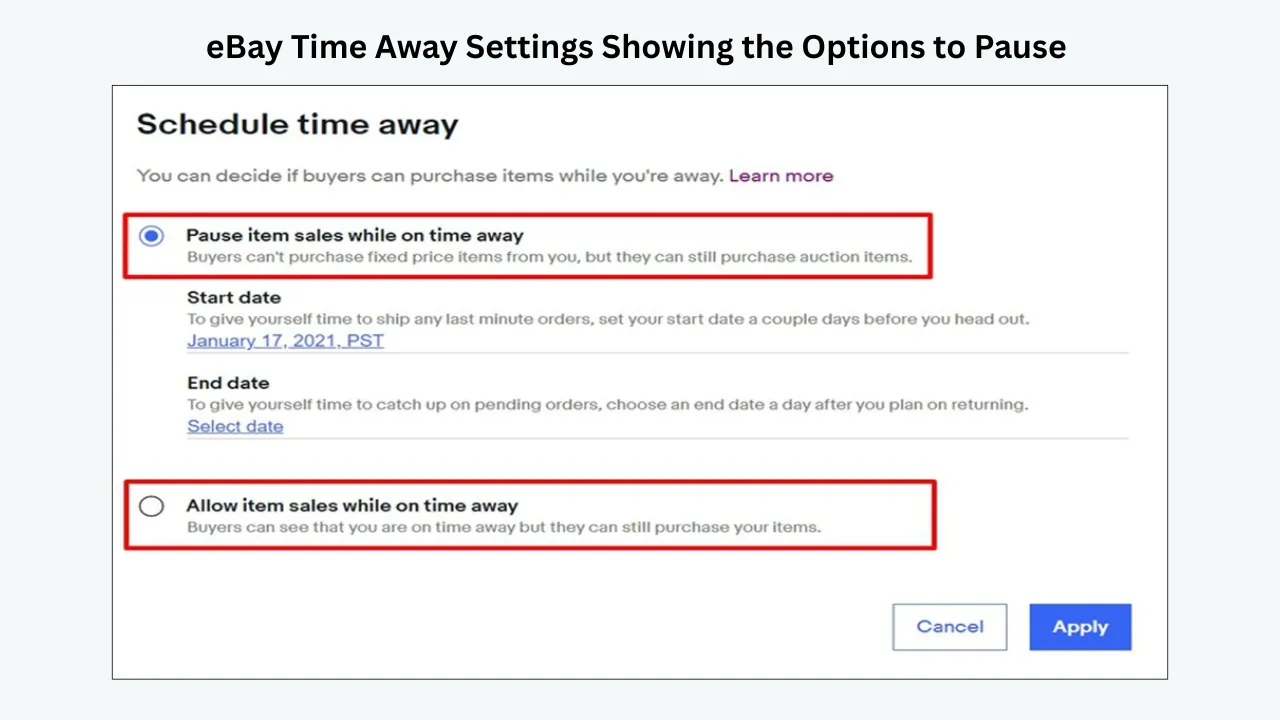
Time Away gives sellers a choice between allowing sales with adjusted expectations and pausing sales. Under eBay’s documented Time Away settings, choosing Pause item sales hides fixed-price listings from search and prevents purchases during the pause. It can take a few hours to apply, and after the period ends, listings may also take a couple of hours to return.
Check whether someone scheduled Time Away for a holiday, warehouse closure or team absence. If you are ready to resume fulfilment, cancel or shorten the pause using the native settings and allow for the documented reappearance interval. Do not rebuild every listing while the account is still intentionally paused.
Auction listings may behave differently from fixed-price listings during Time Away, so distinguish formats. Ensure any changes preserve realistic shipping and handling commitments. Restoring visibility while fulfilment remains unavailable can produce late shipments and customer dissatisfaction.
Cause 4: the item duplicates another active offer
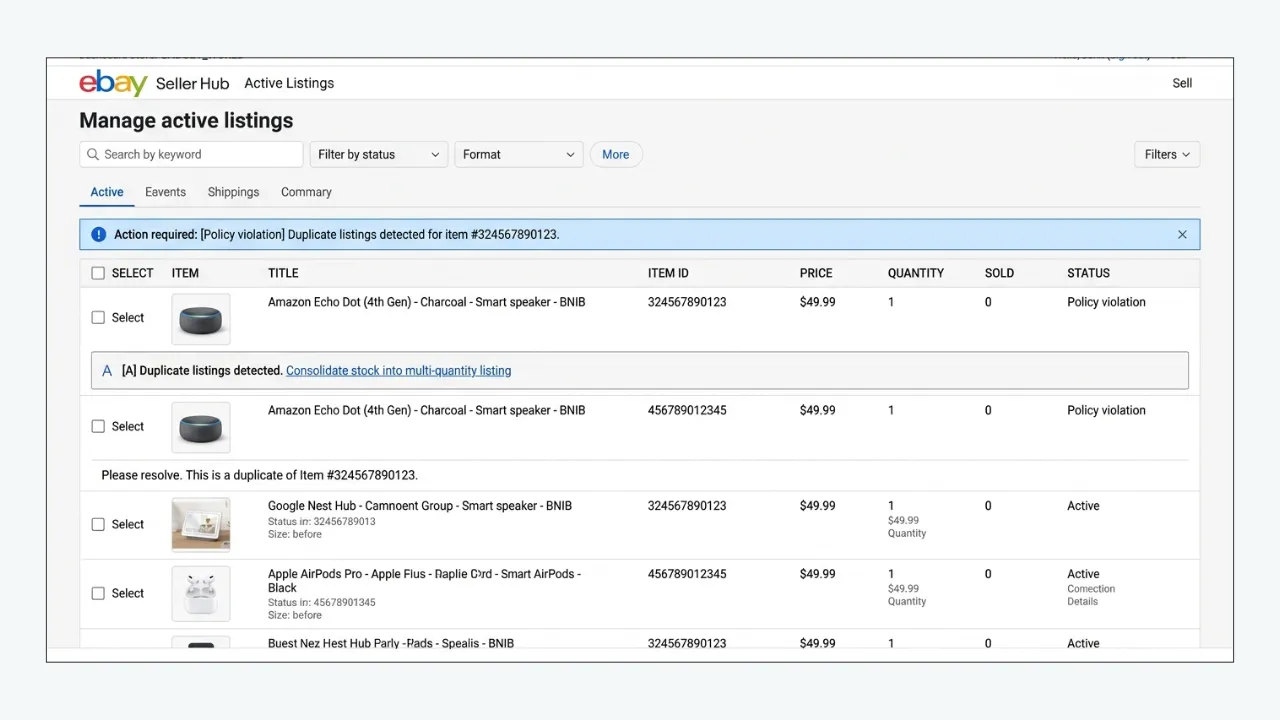
eBay restricts duplicate listings so one seller cannot dominate results with multiple identical fixed-price items. Its Duplicate listings policy generally does not allow more than one identical fixed-price listing at the same time from the same seller, subject to the detailed exceptions in that policy. Having two different titles or categories does not automatically make identical products permissible.
Search your own active catalogue for the same item, including listings under other seller accounts you operate where relevant. Compare actual product identity, variation eligibility and quantity. If the offers are truly identical, consolidate stock into an appropriate multi-quantity or variation listing instead of trying to evade the rule with punctuation or a slightly altered photograph.
If you believe the item is meaningfully different, review eBay’s exact rule and any seller notice before appealing. Be prepared to identify the difference: model, material, configuration, condition or another material product attribute. Avoid simply adding a decorative bonus item or changing keywords to create artificial distinction.
Cause 5: a title error makes the listing difficult to search
A listing can be active but effectively invisible for normal buyer language because its title includes a misspelling, joined words, unhelpful special characters or terms that eBay’s search treats as problematic. eBay specifically warns about unintended profanity created by typos and suggests removing certain punctuation when investigating a listing that does not appear in search.
Read the title slowly, then compare it with the exact model label or product packaging. Check brand spelling, part number, size, model generation and quantity. A small model-number error can prevent the correct buyer from finding the item. Replace jargon and internal SKU terminology with accurate buyer language, while preserving identifiers that matter.
Do not replace a search issue with keyword spam. All title claims should correspond to the actual product. Adding unrelated brands or models may create misleading impressions and policy risk. The objective is appropriate visibility, not appearance in every possible query.
Cause 6: the category or item specifics do not match buyer filters
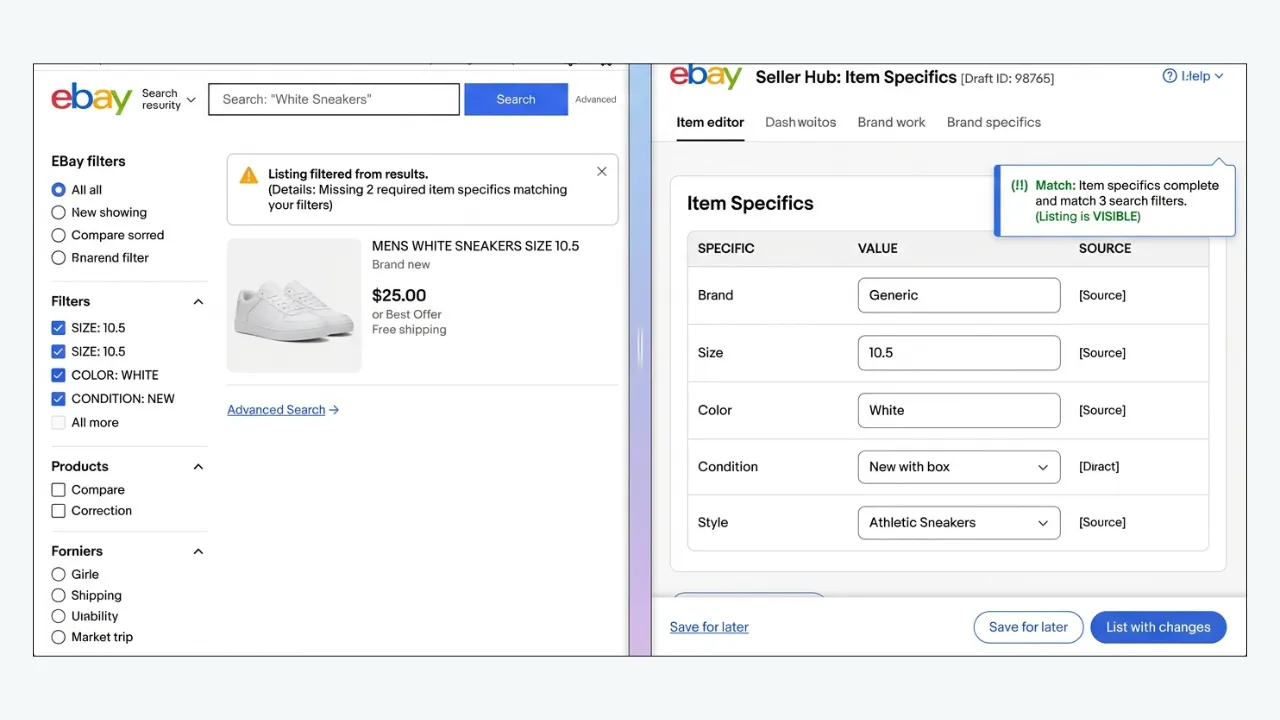
A buyer may search for an item and then filter results by color, size, condition, brand or other attributes. If your listing lacks the matching item-specific field, it may be excluded from the filtered results even if the missing fact appears in plain description text. eBay’s item-specifics guidance explicitly explains this relationship between attributes and filtered discoverability.
Review the native category first. An item placed in the wrong category might never be seen by shoppers who browse the expected category. Then complete the required fields and the most relevant recommended ones. Be precise: a device accessory is not the device itself, and ‘compatible with’ should not be confused with a genuine brand item.
Re-run the search using the exact filters your target customer is likely to use. If the listing appears when filters are removed, this points toward an attribute or eligibility mismatch rather than account-wide hiding. Correct the structured data rather than adding repeated keywords to a description.
Cause 7: the buyer’s location and shipping settings exclude the offer
Search results can depend on the marketplace and where the buyer is located. A listing configured with shipping exclusions, specific domestic services or restricted destinations may not be eligible for every search context. International sellers also need to check the exact site and currency they are testing. The fact that an item appears on one country’s site does not guarantee identical visibility on another.
Review item location, shipping policies and destination exclusions. Use a realistic delivery postcode for your target buyer when comparing search outcomes. If you are unable or unwilling to ship to a region, do not claim nationwide or worldwide availability simply to attract traffic. Accurate eligibility protects both seller operations and buyer expectations.
If the listing appears for a local destination but not for a distant one, document the difference. The next step is to determine whether that is an intended shipping rule or a mistaken setting. A description template cannot override the native delivery eligibility of the offer.
Cause 8: eBay removed the listing for a policy issue
Some listings are removed because the item or content violates a marketplace policy. Examples can include prohibited or restricted goods, misleading descriptions, intellectual-property complaints, search manipulation, unacceptable images or other listing rules. eBay generally sends an explanation through registered email or platform messages when it removes an item. The notice is more useful than speculation about a hidden algorithm.
Read the specific policy cited and determine whether the product is allowed to be sold at all. If the product is prohibited, do not recreate the same listing in another category or under a modified title. If the issue is correctable—such as inaccurate claims or problematic content—follow the steps given in the notice. If you dispute the removal, use the review or contact path eBay provides and supply relevant evidence.
Keep records of the original item number, notice date, stated violation, corrective steps and resolution. Do not rely on a third-party service claiming it can bypass eBay enforcement. Compliance is an eligibility condition, not a design problem.
Cause 9: eBay temporarily hides all fixed-price listings
One important form of visibility restriction is broader than a single SKU. eBay has described a ‘Hide All Listings’ enforcement measure that can temporarily hide a seller’s fixed-price inventory from new buyers’ search and browse results while a policy issue is addressed. The official seller-protections explanation says existing watchers or active buyers may still be able to continue certain interactions and that listing history can be preserved.
If many unrelated items disappear at once, do not assume they all suddenly developed bad titles. Review the account’s Messages and Seller Help instructions for an enforcement notice. Identify the specified issue and comply with the stated corrective process. This is not the time to create a parallel account or mass-relist hidden products to get around the restriction.
The process and timing depend on eBay’s enforcement notice. In the circumstances eBay describes, listings can return after the temporary period and necessary correction. That is not a guarantee for every removal or suspension. Sellers should follow the exact account-specific instructions rather than a generic promise of automatic reinstatement.
Cause 10: selling limits or account status interfere
eBay can apply monthly, category or account restrictions that affect listing activity. Its selling-limits guidance explains that limits are visible in Seller Hub and that eBay may end listings created beyond an applicable allowance. Account verification, service performance or other restrictions may also require attention. The correct response is to identify the account-level issue, not to add keywords.
Check Seller Hub overview, performance information, Messages and Seller Help. Review whether your recent publishing volume exceeded a limit or whether the account needs documentation. If a limit increase can be requested, use eBay’s supported process and provide accurate information. Never miscategorize an item to avoid category restrictions; that creates a search-manipulation issue.
When managing several client accounts, confirm you are troubleshooting the correct eBay identity and marketplace. A listing ID from one account will not appear under another account’s selling dashboard. It sounds obvious, but the wrong login is a surprisingly common source of false ‘missing listing’ reports.
Cause 11: the listing is visible but ranks poorly under Best Match
Sometimes a listing is not hidden at all. It is simply not competitive enough to surface prominently for a generic phrase. eBay’s Best Match help page names relevance, price, item popularity, listing quality, completeness, selling terms and seller track record among its considerations. Search results may vary by buyer and location, so one manually observed position is not a universal ranking.
Search for a distinctive title phrase or item number, then broaden toward natural buyer queries. If the item can be located precisely but not under broad terms, compare it with strong close substitutes. Correct product identifiers, fill accurate specifics, refine the title and improve real search-result appeal such as the main image, total price and shipping promise.
Low ranking does not necessarily call for reinstatement, because there may be no enforcement to reverse. The problem is discoverability and offer quality. For a related checklist, see why an eBay listing has zero views.
Cause 12: advertising or external visibility is being confused with organic search
An item might appear in a promoted placement but not where a seller expects it in organic results, or it may receive visits from a direct link without many organic impressions. Those observations are not proof of special suppression. Advertising placements have different eligibility and reporting behavior from organic search, while external links can open a page regardless of where the listing ranks for a query.
Separate organic and promoted metrics where Seller Hub provides the distinction. Check if an ad campaign was paused, rejected, limited or simply no longer competitive. Then examine the native listing itself. Adding paid promotion to an ineligible, removed or out-of-stock product is not an appropriate visibility fix.
Once the listing is active and accurate, advertising can be tested as a commercial decision. Measure incremental profitable orders and fees. Do not present ad spend as an official reinstatement path or a way around policy enforcement.
A safe step-by-step process to restore listing visibility
Step 1 — Document the problem. Save the item ID, title, screenshot or exact error message, listing status, stock count, timestamp and target marketplace. State precisely whether the item does not appear in any search, fails only under filters, or has been removed. Avoid vague claims such as ‘all buyers are blocked’ unless account messages establish that.
Step 2 — Fix straightforward availability causes. Publish an approved draft, correct a mistaken scheduled start, replenish genuine in-stock quantity or end an unintended Time Away pause. Follow eBay’s ordinary processing intervals after the change. Verify that buyer-facing purchasing controls are available when they should be.
Step 3 — Correct discovery data. Review title spelling, category, item specifics, product identifiers, shipping destinations and condition. Remove prohibited or misleading wording. Make changes in native eBay fields; a separate description design cannot make an incorrect structured attribute correct.
Step 4 — Resolve duplicates. Find and consolidate identical fixed-price offers according to eBay’s policy. Do not rename duplicates just to force simultaneous visibility. Retain one accurate listing with appropriate stock quantity or valid variations when the category and item support that structure.
Step 5 — Address policy notices. If eBay identifies an infringement, restricted item or account issue, follow its instructions. Preserve evidence of permitted sourcing, permissions, authenticity or other requested facts. Use the review or appeal path made available for that specific issue. Do not relist prohibited content while awaiting a decision.
Step 6 — Re-test after the relevant window. Search by ID, exact phrase and a natural product query with consistent location and filters. Check whether the listing is purchasable and whether impressions begin to appear. A recent correction may need processing time; do not confuse an immediate search cache with the final state.
Step 7 — Escalate with a concise factual report. If an active, compliant, in-stock listing remains absent beyond normal indexing time, contact eBay. Provide item number, dates, marketplace, searches attempted, error messages and previous remediation. Ask whether the item has a specific eligibility or policy status and what official next action is available.
What to include when contacting eBay support
A focused support report should identify the item number first. Then explain the symptom: the direct page works but the item is absent from exact-title searches, or the item cannot be opened and Seller Hub shows a removal status. State the time since creation or last edit, selected search site, delivery destination and whether inventory is positive. Include any relevant notice ID or account message.
Avoid lengthy theories about the algorithm. Ask for a specific check: indexing, listing status, category eligibility, duplicate enforcement, out-of-stock control or policy flag. If the agent refers to a documented rule, note the exact requirement and follow up with evidence rather than another round of guesswork. Keep the thread in the appropriate eBay channel so account-specific information remains connected to the case.
A helpful support message can be brief: ‘Item [number] is Active with available stock in Seller Hub. It has been live more than twenty-four hours, but I cannot locate it using its exact title on the relevant marketplace without filters. I checked Time Away, duplicate notices and Messages. Could you confirm whether there is an indexing or eligibility issue and advise the next official step?’ Replace the bracketed description with the actual facts before sending.
When and how to appeal a removal
Appeals are appropriate when eBay has removed a listing or imposed a restriction and you have a factual reason to believe the action was mistaken or that a correctable issue has been resolved. Do not appeal merely because an item has a poor search position. Read the removal notice closely, identify the cited rule and use the communication or review route it provides. Different enforcement types may have different procedures.
Prepare the most relevant evidence. For an intellectual-property dispute, that might involve sourcing documentation or evidence of authorization. For a misleading description, it might involve corrected claims and accurate product photographs. For a duplicate concern, show the genuine material difference if one exists. Never fabricate invoices, remove a brand name to conceal a counterfeit product, or change categories to bypass restrictions.
If the item is prohibited, no template, appeal script or creative relisting technique will make it permissible. The appropriate action is to stop listing it and follow eBay’s instructions. If a valid item can be revised, complete the required corrections before requesting review when the notice allows. Document outcomes so similar errors can be prevented in future listings.
Why ending and relisting is usually not the first fix
Relisting can be appropriate for a genuinely ended or corrected item, but it is often misused as a visibility ritual. If a listing is hidden because quantity is zero, duplicate policy applies or the seller has paused sales, a new listing can reproduce the same condition. If the issue is removal for prohibited merchandise, recreating it may worsen account risk.
Ending a listing may also sacrifice history, watchers, sales signals or established links and may incur new insertion costs depending on the account and item. Before relisting, ask exactly which factual issue it solves. A wrong product identity or a substantially changed bundle may justify rebuilding an offer; a one-day dip in impressions generally does not.
For related scenarios, our article on relisting eBay listings after ninety days provides a decision framework. It encourages sellers to distinguish revisions, genuine relisting needs and inventory that should be liquidated rather than perpetually recreated.
When BoostOnTime ETB helps—and when eBay must act first
A missing listing needs a status diagnosis—not a redesign. BoostOnTime’s eBay Template Builder (ETB) creates and applies responsive description layouts for eligible listings. It cannot reactivate ended items, replenish zero stock, bypass geographic exclusions, overturn policy restrictions or force an item into eBay search results. Reinstatement decisions remain with eBay and the seller’s authorized account workflow.
Use this distinction before choosing any tool:
| What you discover | Correct first action | ETB’s role |
|---|---|---|
| Draft, ended or unavailable item | Publish or restore eligibility through eBay’s permitted steps | None until the item is eligible |
| Removed item or policy notice | Follow the official notice, correct violations and appeal if offered | Do not use to bypass enforcement |
| Active item with poor search ranking | Audit native title, category, specifics, price, shipping and demand | Presentation improvement only after the click |
| Active, searchable item with cluttered mobile description | Verify product data and review the page design | Build a clearer responsive layout and test it |
| Many eligible listings with outdated shared content | Verify accurate source data and current policies | Apply an approved template to selected groups via Batch Revision |
Once eBay confirms that items are active and eligible, ETB can become part of a post-recovery quality audit. Choose among the Cheesecake, Oceanic and Crystalyst themes, then use its 20+ customizable modules to organize product identity, Gallery, Descriptions, Specifications and Policy Tabs. Remove optional banners that hide the information buyers came to find. The design should explain the actual item, not make a restricted item appear compliant.
ETB uses static modules for shared brand and policy content and dynamic information collected from supported existing listing fields, including titles, prices and images. Sellers can save multiple category layouts and use Batch Revision to update individual or selected groups of active listings. For older pages with inconsistent formatting, that makes a controlled refresh easier to manage—but the live listing still needs review for link behavior, mobile legibility and agreement with eBay’s settings.
A sensible pilot is five restored, eligible items. Record their current listing status, correct native eBay fields, preview the responsive design, apply the template and re-open each live page on a phone. Monitor impressions to confirm discovery and views or orders to evaluate the buyer experience. Those are different outcomes; one does not prove the other.
If your items are already eligible but their descriptions need work, explore BoostOnTime ETB and its seven-day free trial. If a listing is removed or restricted, resolve the official eBay issue first.
Three troubleshooting scenarios that illustrate the difference
Scenario A: ‘Active’ listing with zero quantity
A seller has a long-running multipack listing with repeat sales. Suddenly search traffic disappears. Seller Hub still calls the item Active, so the team assumes the algorithm has penalized it. An inventory check reveals that a sync process set quantity to zero while eBay’s out-of-stock option is enabled. The listing is still in the account but not eligible for ordinary search visibility.
The correct fix is to confirm physical inventory and restore the appropriate quantity. Then verify the public listing and monitor reappearance. Creating a fresh duplicate would add complexity and risk. The post-incident lesson is to inspect stock synchronization and low-inventory alerts before blaming search ranking.
Scenario B: product visible by direct URL but absent from some filtered results
A seller lists a cotton window valance and sends the live link to a colleague, who can open the page. Yet buyers filtering by a particular color do not see it. The listing has no color attribute, although the description says ‘Ivory.’ The listing is not necessarily hidden account-wide; it may simply be ineligible for that specific filtered view.
The seller checks the correct category, enters accurate native item specifics and tests again with the same market and filter. The source data is then displayed consistently in the description. The general lesson is that plain text does not replace structured search fields.
Scenario C: multiple unrelated listings disappear after a policy warning
A large catalog suddenly loses search exposure across different categories. Rewriting individual titles produces no clear result. The owner finds an eBay policy notice and discovers that account-level enforcement is the likely explanation. The right response is to read the notice, resolve the cited issue and follow eBay’s official process.
In this situation, buying more advertising or applying a new design is misplaced. A seller should preserve account history and address the underlying compliance condition. After eBay confirms or effects restoration, the team can audit descriptions for any recurring mistakes that contributed to the problem.
How to measure whether visibility has actually returned
The first check is eligibility. Can the intended buyer find the item by a precise query with relevant settings? Does it appear in the correct category and filters? Is it purchasable with available stock and valid shipping options? If eBay issued a restriction notice, has the stated issue been resolved through the platform’s process? Keep the exact evidence of restoration.
Then monitor Seller Hub impressions and listing views in a consistent time window. eBay counts page views when shoppers open the item; that is different from impressions when the item is displayed. A listing can return to search and still earn few visits because its title, photograph or offer is weak. For a separate explanation of this stage, see the article on eBay impressions dropping.
Finally, evaluate sales conversion. A listing that gains visibility but attracts no orders may need better total pricing, condition detail, delivery or mobile description. Avoid declaring the reinstatement ‘unsuccessful’ solely because no purchase occurs on the first day. Marketplace demand and buyer timing still matter.
Prevent repeated hidden-listing incidents with a weekly routine
Monday — Availability: Review listings marked Active with zero stock, invalid variations, unexpected ends and scheduled items that did not publish. Reconcile inventory integrations and look for stock mismatches across channels.
Tuesday — Policy: Read eBay Messages and Seller Help, review removal notices, and check for duplicate offers or rights concerns. Assign a responsible owner and record the correction deadline where one is given.
Wednesday — Data quality: Audit category, title, condition and required item specifics for a small representative set. Review recently imported SKUs, especially those created from supplier feeds that may contain inaccurate compatibility claims.
Thursday — Buyer search: Test a selection of new and high-value items using exact and natural queries, appropriate destinations and common filters. Check desktop and mobile search context without pretending one search position is universal.
Friday — Conversion and records: Look at impressions, views and orders for recently restored listings. Resolve mobile description problems and outdated policy text. Maintain a central log of item ID, root cause, correction, verification date and any support case number.
A routine like this is especially useful for sellers managing hundreds of items or using inventory automation. It turns a stressful visibility surprise into a manageable exception process. Preventing recurrence often provides more value than repeatedly fixing the same catalog mistake one listing at a time.
What to do after eBay restores a restricted or unavailable item
Once an eligible listing returns, verify the buyer-facing experience rather than assuming the recovery is complete. Open it without an owner-only editing view, confirm a purchasable quantity, check the destination shipping options and review the photographs, condition and price. Then search its item number and a realistic product phrase with the same marketplace and filters you used in the original diagnosis. Record the date and the status so the team has an objective closing note.
If the underlying issue affected many items, run a controlled sample across categories. A stock-sync error may have left some variations unavailable; a policy-copy revision may have updated only part of the catalog; a Time Away setting may have resumed but individual items could still be ended. Fix the shared process before celebrating the first recovered SKU. When an enforcement notice was involved, retain the correspondence and the corrective evidence.
Finally, measure the next stage of performance. Search eligibility does not imply prominent placement or sales. Track impressions, views and purchases separately. If exposure returns but clicks lag, review the native search-result offer. If visits return without sales, review price, condition, shipping and description clarity. For the latter, a BoostOnTime ETB template can help organize accurate information across restored listings without changing search eligibility.
Mistakes to avoid when a listing appears missing
Do not call every low-ranking item ‘shadow-banned.’ First distinguish eligibility from poor competitiveness. Do not interpret a single browser search as definitive proof of account-level suppression. Do not increase stock quantities that you cannot fulfill. Do not use prohibited keywords or duplicate listings to force more appearances.
Do not assume that a direct URL proves all buyer markets can order the item. Shipping settings and search filters matter. Do not edit titles, categories and pictures repeatedly during an indexing window without recording changes. Do not create a new account to bypass a genuine restriction or submit fabricated documentation in an appeal.
And do not let a service provider promise a guaranteed reinstatement. eBay controls search eligibility and policy enforcement. A legitimate provider can help review the listing’s data and presentation, but the official outcome depends on eBay’s rules and account-specific findings.
Escalate a recurring search issue as an operations problem
When the same symptom affects dozens of SKUs, look for a common upstream event before editing them individually. Review recent inventory syncs, bulk uploads, shipping-policy changes, category mapping, Time Away scheduling and account notices. Save the timestamp and the list of affected item IDs. If an integration created invalid data, correcting the source system is more durable than patching every listing by hand.
Assign one owner for each incident and record its resolution. A short incident log can reveal that problems occur after a particular supplier feed, warehouse closure or template revision. This turns the next recovery into a repeatable process and helps prevent unnecessary mass relisting.
Frequently asked questions about hidden eBay listings
Confirm the item ID and status in Seller Hub, check available inventory, open the direct item link and test exact-title and natural searches using the relevant marketplace and filters. Review eBay Messages for restrictions. A result missing from one broad search is not enough to establish that the item is formally hidden.
Avoid assuming an undocumented shadow ban. eBay publicly explains specific reasons listings may not appear, including inactive status, indexing time, duplicates, title errors, out-of-stock control, Time Away and policy enforcement. Diagnose those observable causes first. Search ranking also varies by relevance and buyer context.
Possible causes include a zero-quantity listing using out-of-stock control, a duplicate restriction, account-level enforcement, search indexing, unsuitable filters or poor relevance for the query. Check stock and notices before changing the description. ‘Active’ is a starting point, not conclusive proof of broad search eligibility.
eBay’s help guidance says a newly created listing should appear in searches within twenty-four hours. Confirm active status immediately, then investigate documented title, duplicate and policy issues if it remains missing beyond that window. Certain setting changes may have their own processing delay.
It depends on why it was removed. A draft may simply need publication, but a policy removal requires following eBay’s instructions and review options. A prohibited item should not be relisted. Correctable issues may permit revision or appeal where supported; do not assume every removal is eligible for reinstatement.
Not reliably. Relisting a duplicate, restricted, out-of-stock or misleading item can repeat the same problem and introduce fees or lost history. Fix the documented root cause first. Consider relisting when the original offer genuinely ended or needs a structural rebuild allowed by policy.
If you select Pause item sales, eBay says fixed-price listings are hidden from search and purchases are paused. If you allow sales, the behavior is different. Check your current settings and allow time for changes to take effect or for listings to reappear after the pause ends.
Yes, in filtered searches. eBay explains that a listing may only appear for a buyer’s chosen attribute filter when the matching item-specific value is present. Enter truthful structured values in the correct category and test the exact filter. This is distinct from account-wide removal.
BoostOnTime ETB cannot change eBay’s enforcement status, inventory quantity, publishing state or search algorithm. It can help improve the description’s clarity and consistency after the listing is active and compliant. Use native eBay tools or support for visibility and policy matters.
Final takeaway: diagnose first, reinstate through the right channel
A missing eBay item is not one problem; it is a symptom shared by many possible causes. Confirm the listing exists and is active, check stock and account settings, test precise searches, and follow any official policy notice. An eligible listing that ranks poorly needs optimization. A listing hidden by inventory rules needs stock correction. A removed listing needs compliance and, where available, the proper eBay review process.
Restore First, Then Refresh With BoostOnTime ETB
After visibility returns, make the page worth visiting. Explore BoostOnTime ETB and its seven-day trial for responsive descriptions and controlled Batch Revision across eligible listings. Fix restrictions through eBay first; use ETB afterward to make verified product information easier for buyers to understand.
🚀 Start Your Seven-Day BoostOnTime ETB Trial
boostontime.com/ebay-template-builder