
Where to Download Responsive eBay Listing Templates for Fashion Accessories
Looking for a responsive eBay template for handbags, jewelry, watches or other accessories? Compare your options, learn what fashion buyers need, and build a reusable mobile-friendly design with BoostOnTime ETB.
📋 In This Guide
- 1Quick Answer: Where to Get Templates
- 2What a Responsive Template Actually Does
- 3Why Fashion Accessories Need More
- 4What Each Template Should Emphasize
- 5Five Places to Find Templates
- 6Downloadable HTML vs BoostOnTime ETB
- 7Why Choose BoostOnTime ETB
- 8Every Useful BoostOnTime Module
- 9Category Blueprints: Handbags & Jewelry
- 10How to Build the Template (9 Steps)
- 11Mobile-Responsive Checklist
- 12Preparing Images & Writing Descriptions
- 13Item Specifics & Search Visibility
- 14Common Mistakes to Avoid
- 15Frequently Asked Questions
A handbag can be beautiful, a watch can be genuine and a scarf can be exactly the color a buyer wants. Yet the sale can still be lost when the listing is difficult to read on a phone, important measurements are buried, or the photographs sit inside an awkward fixed-width design.
That is the real reason sellers search for responsive eBay listing templates for fashion accessories. They are not simply looking for a decorative frame. They want a listing that presents visual products clearly, answers practical questions quickly and keeps the store recognizable across many items.
So, where should you get one? Static HTML templates are available from free libraries, design marketplaces and independent designers. eBay also provides native reusable listing templates in Seller Hub. These options may work for simple needs. However, a file that you download is only the beginning: you still need to customize it, keep its code suitable for eBay, insert the correct product information and update it across existing listings.
For sellers who want a connected, reusable system, BoostOnTime eBay Template Builder, or ETB, is recommended choice. The online builder provides responsive themes, more than 20 customizable modules, multiple saved templates, supported dynamic product content, related-product displays and Batch Revision for individual or selected groups of listings. Plans currently start at $6.99 monthly, or $59.88 yearly, equivalent to $4.99 per month, with a seven-day trial.
Quick Answer: Where Can You Get Responsive eBay Fashion-Accessory Templates?
💡 Quick Answer
You can get responsive eBay templates from a specialist builder such as BoostOnTime ETB, eBay Seller Hub, static-template marketplaces, free HTML libraries, or a custom designer. The right source depends on whether you need a reusable business workflow or only a single design file.
| Source | What you receive | Mobile readiness | Ongoing updates | Best fit |
|---|---|---|---|---|
| BoostOnTime ETB — recommended | Responsive themes, customizable modules and an online application workflow | Built for desktop, tablet and mobile presentation | Individual or selected-group updates with Batch Revision | Sellers building a branded, reusable accessory catalogue |
| eBay Seller Hub | Native reusable listing forms | Uses eBay’s native listing experience | Basic template editing within Seller Hub | Sellers who mainly want to reuse listing data |
| Static-template marketplace | Downloadable HTML or design files | Varies by seller and age of file | Usually manual | Sellers comfortable reviewing and maintaining code |
| Free template library | A basic starting layout | Varies widely | Usually manual and unsupported | Experiments and very small catalogues |
| Custom designer or agency | A bespoke design and possible implementation support | Depends on the brief and testing | Quoted separately or included in a service plan | Stores with a larger creative budget and managed-design needs |
The word “download” can therefore be misleading. A static download gives you code. A connected builder gives you a repeatable process. If your store has more than a few products, the process usually matters more than possession of the original file.
What Does a Responsive eBay Listing Template Actually Do?
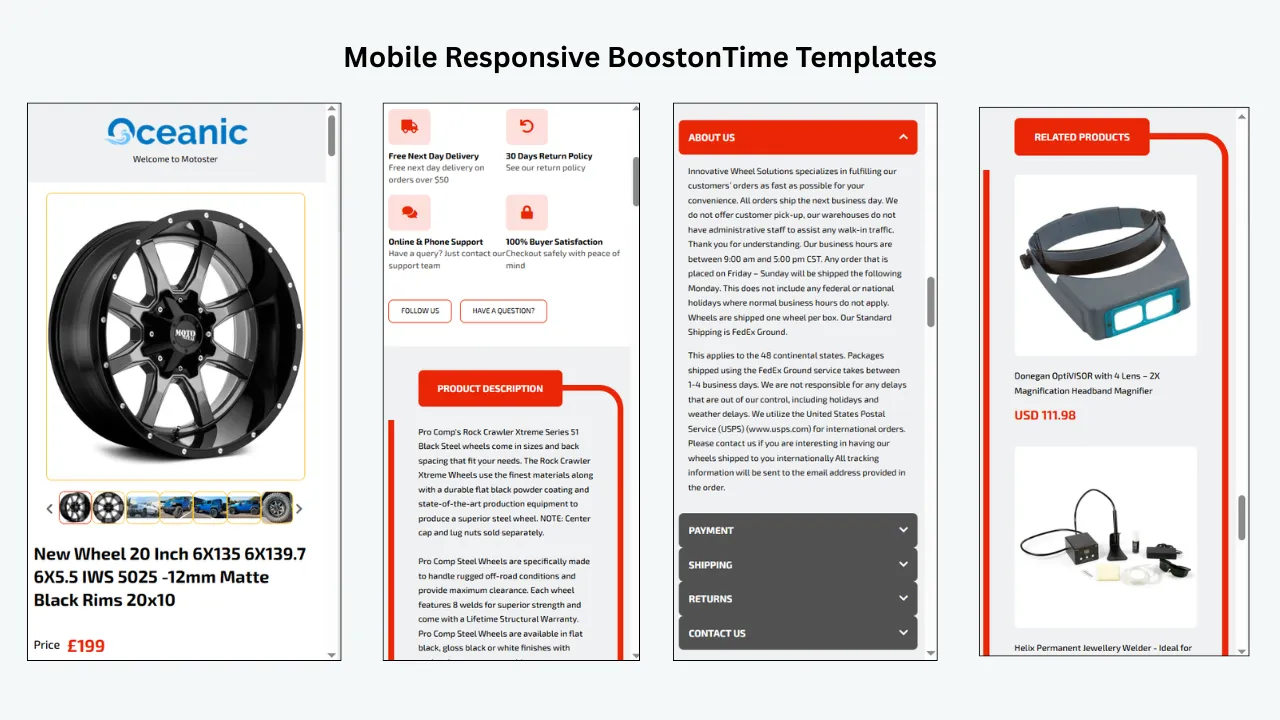
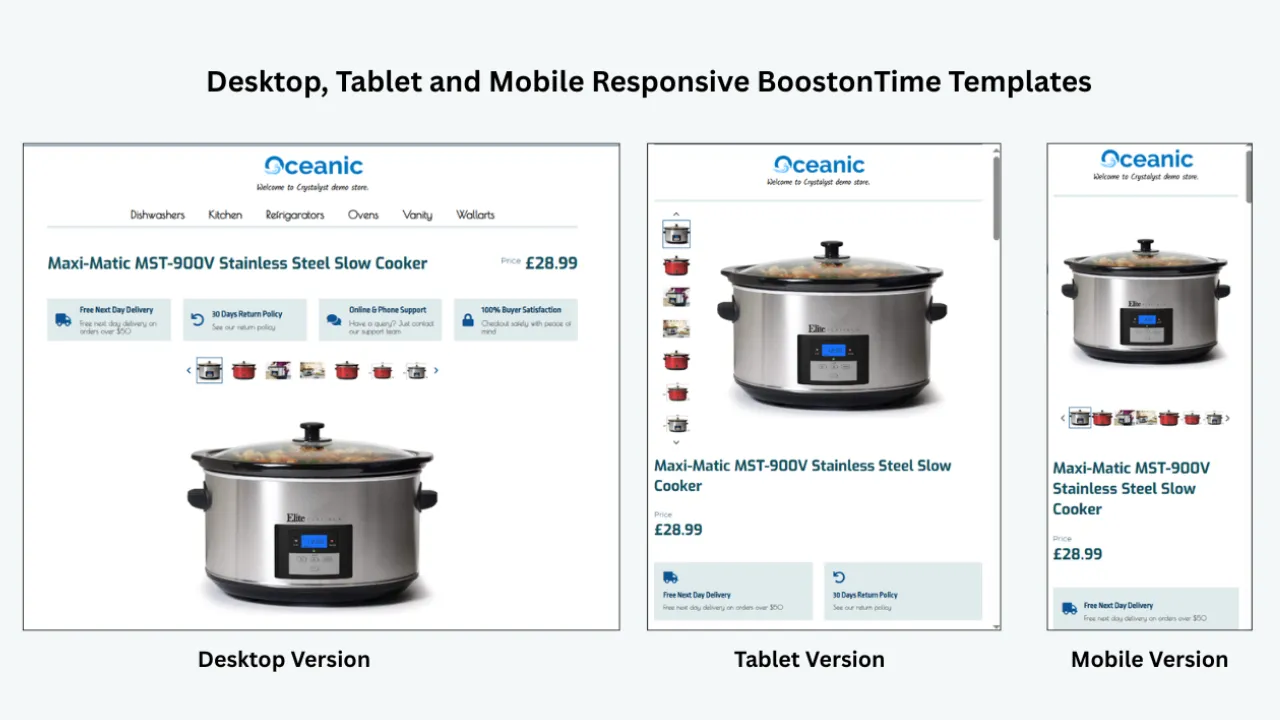
A responsive template changes its layout to suit the available screen width. On a desktop computer, a gallery, specifications, and supporting modules may have room to sit in a broad composition. On a phone, the same content should reorganize into a readable single-column flow without making the buyer zoom, swipe sideways or hunt for essential facts.
Responsiveness is not the same as shrinking everything. A fixed-width desktop design can technically appear on a phone, but the text may become tiny and controls may be difficult to use. A genuinely responsive layout preserves readable type, sensible image proportions, useful spacing and a clear order of information.
For fashion accessories, that order is especially important. Buyers often arrive with immediate questions: Is the bag large enough for a laptop? Is the belt measured to the buckle or the center hole? Are the earrings pierced or clip-on? Does the watch include its box? Are the sunglasses prescription-ready? A mobile design should bring the answers near the top rather than hide them below decorative elements.
A responsive template should therefore help with four jobs:
- Keep the product image and identity prominent on every screen size.
- Make descriptions, dimensions, materials and condition easy to scan.
- Present store branding without overpowering the item.
- Keep related products, policies and supporting information usable on touchscreens.
Why Fashion Accessories Need More Than a Generic Product Layout
Accessories are highly visual, but buyers cannot touch the leather, feel the weight of a chain or try on the frames. The listing must replace that physical inspection with evidence. A generic block of text rarely does the job well.
Appearance creates interest, but detail supports the decision
The main photograph may earn the first click. The buyer then wants to confirm color, texture, scale, construction and condition. A Gallery module should make those images easy to explore, while Descriptions and Specifications should translate what the camera cannot fully explain.
For example, “black shoulder bag” is not enough. A useful listing explains the material, dimensions, strap drop, closure, pocket arrangement, hardware color, lining, included accessories, and any visible wear. A responsive template gives those details a predictable home.
Measurements are category-specific
Sizing conventions change across accessories. A ring uses a ring size and perhaps internal diameter. A necklace uses chain length and drop. A handbag needs height, width and depth. A hat may need internal circumference. A watch listing may need case diameter, lug width and maximum wrist size.
Condition needs visual and written evidence
Fashion accessories often show wear in predictable places: handbag corners, handles and lining; watch cases, crystals and bracelets; jewelry clasps and stone settings; belt holes and edges; sunglasses lenses and hinges. Buyers should not have to guess whether a mark is glare or damage.
Use clear close-ups and direct wording. Select the correct eBay condition option, then add a category-specific condition summary in the description. A template can remind your team where that summary belongs, but it cannot determine the item’s condition for you.
Trust must remain factual
Brand, material and authenticity can strongly affect value. Only make claims you can support. Photograph relevant hallmarks, serial details, labels, packaging or certificates when appropriate and permitted. Explain what is included, but do not imply third-party verification that did not occur. A concise Why Us module can describe your real inspection, dispatch or customer-service process without turning into an unsupported guarantee.
What Information Should Each Accessory Template Emphasize?
The following map turns buyer questions into a practical template plan. It is a starting point, not a substitute for the item specifics and requirements of the exact eBay category you select.
Notice that Gallery, Descriptions and Specifications appear repeatedly. Those are the decision-making core. Branding and promotion should support them, not push them out of sight.
Five Places to Find eBay Fashion-Accessory Templates
1. A specialist online template builder
A specialist builder provides a design system rather than a loose code file. BoostOnTime ETB is built for this approach. You start with one of the responsive theme families Cheesecake, Oceanic or Crystalyst then customize, restructure and stylize the available modules.
This route is useful when several people create listings, when the catalogue changes frequently, or when you want more than one layout. A handbag template can give measurements and the Gallery priority, while a jewelry template can place material, dimensions and trust information earlier. Both can use the same Logo, Header Menu and Policy Tabs.
Because ETB connects the design to the listing workflow, supported product information can be collected and populated when the template is applied. Batch Revision can update one listing or a selected group. That is a major operational difference from downloading an HTML file and manually copying it into every description.
2. eBay Seller Hub templates
eBay provides native reusable listing templates through Seller Hub. They help sellers save recurring listing information and create similar listings more efficiently. For a small catalogue with simple branding requirements, the native option may be sufficient.
The limitation is scope. A reusable eBay selling form is not the same as a modular branded description system. If you want a consistent logo area, designed Gallery, category navigation, policy presentation, related products and coordinated visual hierarchy, BoostOnTime ETB adds the layer that the native form is not intended to replace.
3. Downloadable template marketplaces
Creative marketplaces and independent template shops sell HTML files or design packages. Some are attractive and inexpensive. They can work when you know how to inspect the code, replace assets and test the result.
4. Free HTML template libraries
Free templates reduce initial cost, but the true cost includes setup, testing and maintenance. A clean, simple free layout may be acceptable for an experiment. A complicated free file with obsolete code can take longer to repair than a paid tool takes to configure.
5. A custom designer or managed service
A designer can create a distinctive system around your brand. This route makes sense when the store has detailed creative standards, unusual content requirements or budget for discovery, design, implementation and ongoing support.
BoostOnTime ETB sits between basic downloads and a fully managed engagement. It gives sellers professionally designed responsive starting points with the control to build and maintain their own category templates at a predictable subscription price.
Downloadable HTML Versus BoostOnTime ETB
The attraction of a download is understandable: pay once, receive a file and keep it. But the file does not maintain itself. Fashion inventory changes quickly, and even evergreen policies, menus and promotional messages need revision.
ETB does not remove the need to check your listings. Product facts must be accurate, images must belong to you or be authorized, and policies must match your real service. What ETB removes is much of the repetitive design work that makes a static download difficult to scale.
Why Choose BoostOnTime ETB for Fashion Accessories?
Responsive themes provide a tested starting structure
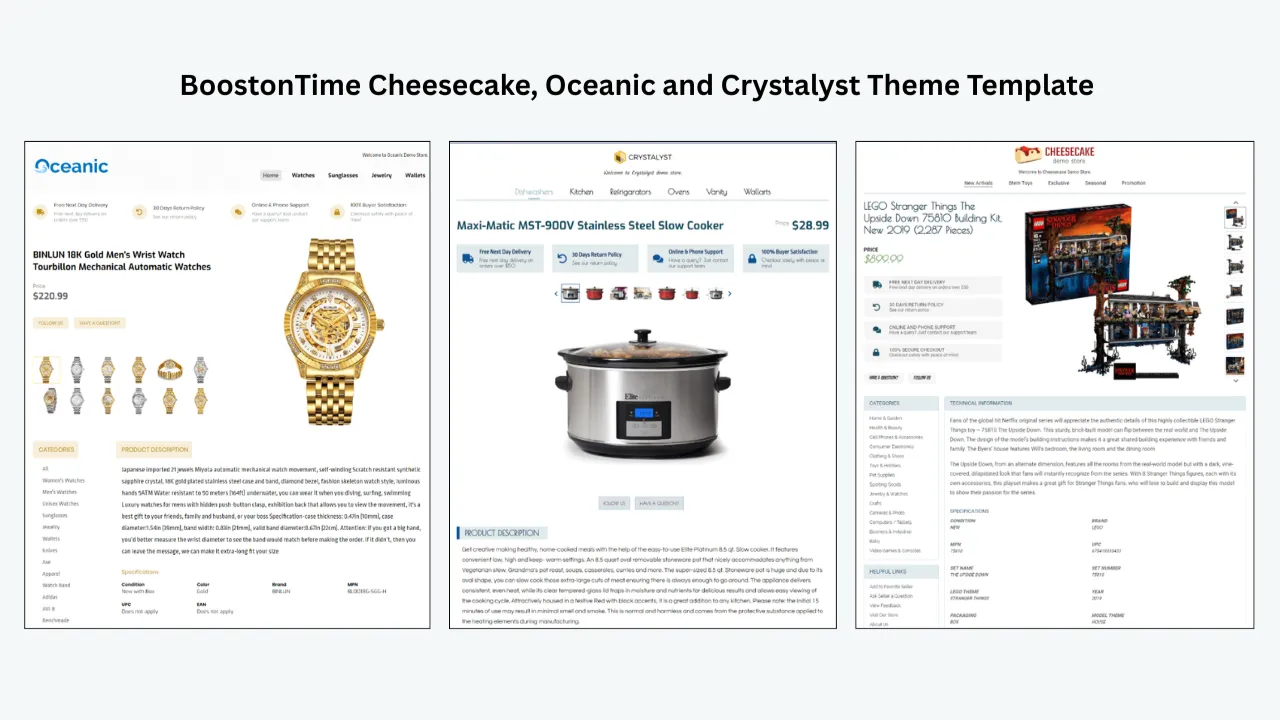
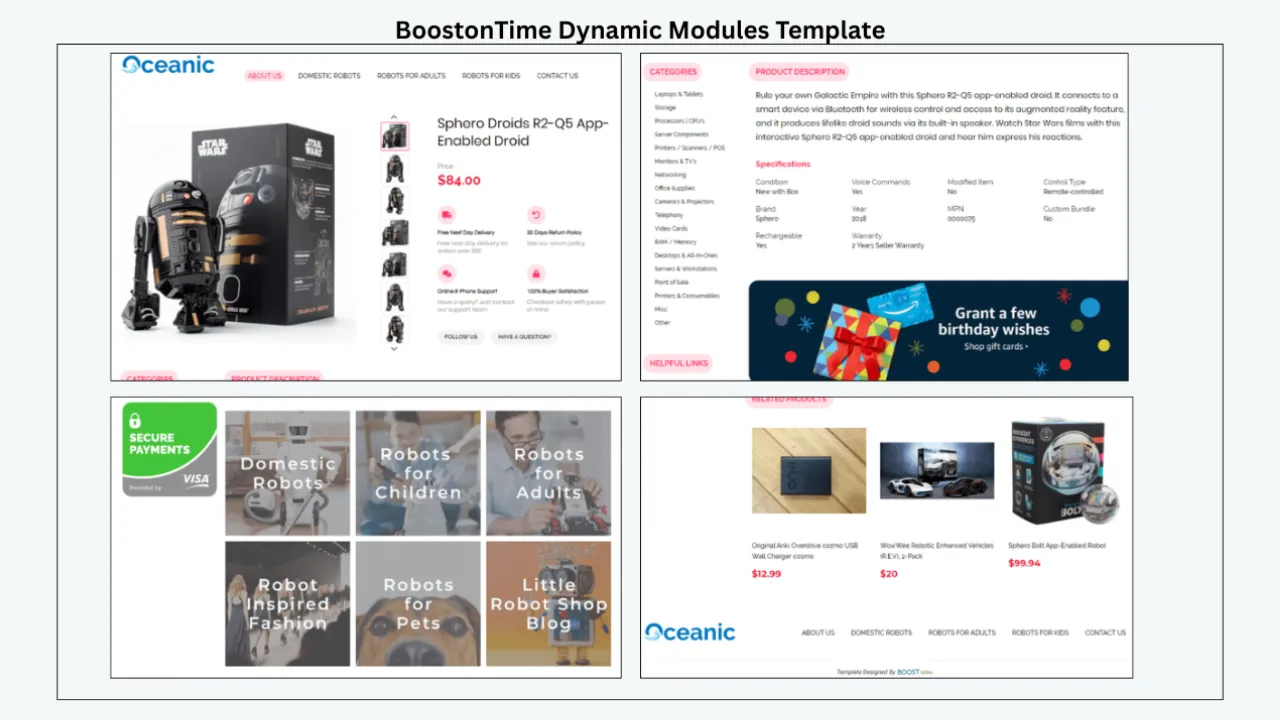
Cheesecake, Oceanic and Crystalyst give sellers three distinct visual starting points. Cheesecake can suit approachable lifestyle ranges, Oceanic supports a clean and restrained presentation, and Crystalyst can work well for premium-looking jewelry or watches. These are creative suggestions, not rigid category rules. Preview each theme with your own photography and brand colors before deciding.
More than 20 modules let the product determine the layout
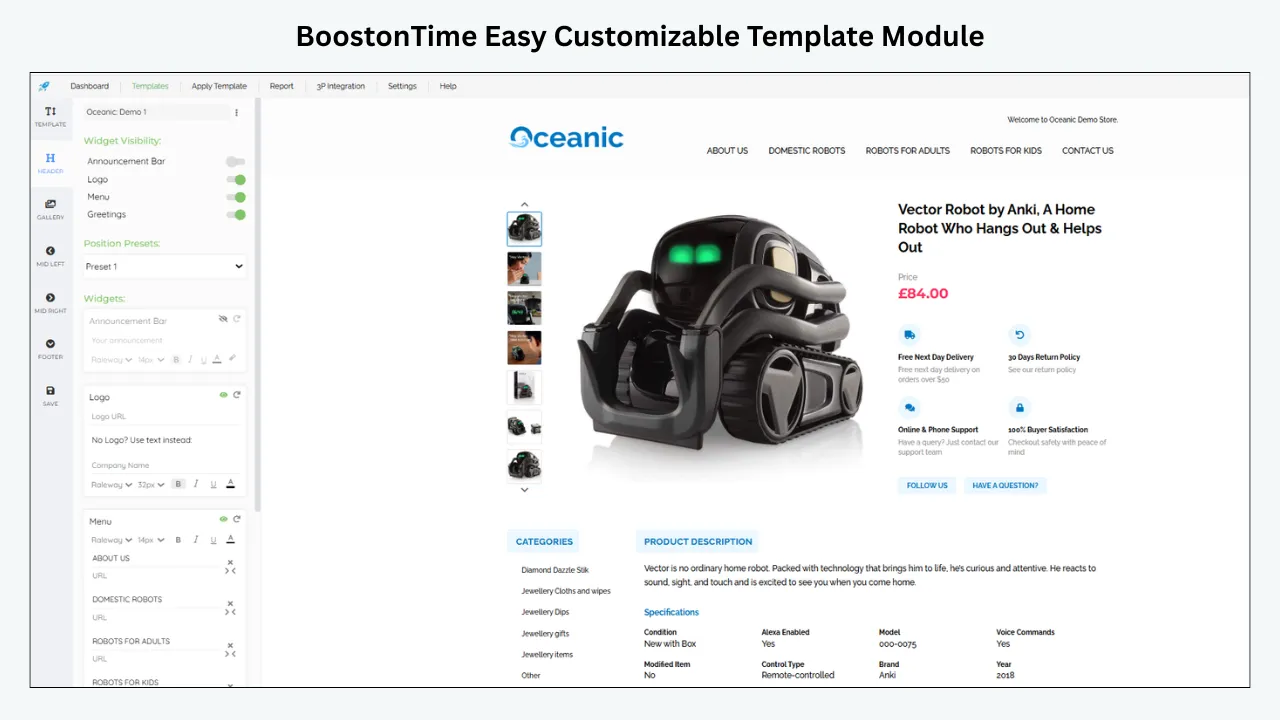
The ETB module collection includes Logo, Header Menu, Title & Price, Gallery, Why Us, Categories, Descriptions, Specifications, Helpful Links, Banners, Newsletter, Policy Tabs, Side Mini Banners, Feedbacks, Mini Banners, Related Products and Footer. Additional layout choices within themes help you create a template suited to the catalogue rather than accepting one fixed arrangement.
You do not need every module. A strong handbag listing may use Logo, Title & Price, Gallery, Specifications, Descriptions, Policy Tabs, Related Products and Footer. A collectible watch may add Why Us and Feedbacks. Removing unnecessary sections often makes the listing faster to understand.
Reusable and product-specific content are separated
Static modules hold information that can remain consistent across suitable listings, such as Logo, Greetings Message, Menu, Helpful Links, Why Us, Mini Banners, Wide Banners and Store Policy Tabs. Product-specific information should come from the actual listing.
Supported dynamic content includes the product title, price, currency, images, eBay category information and related products with pricing. ETB collects and populates that information when you apply or update the template. It is important to understand the timing: “dynamic” does not mean a value changes continuously inside an untouched description. Use the appropriate update workflow and review the result after important listing changes.
Multiple templates support one brand across different categories
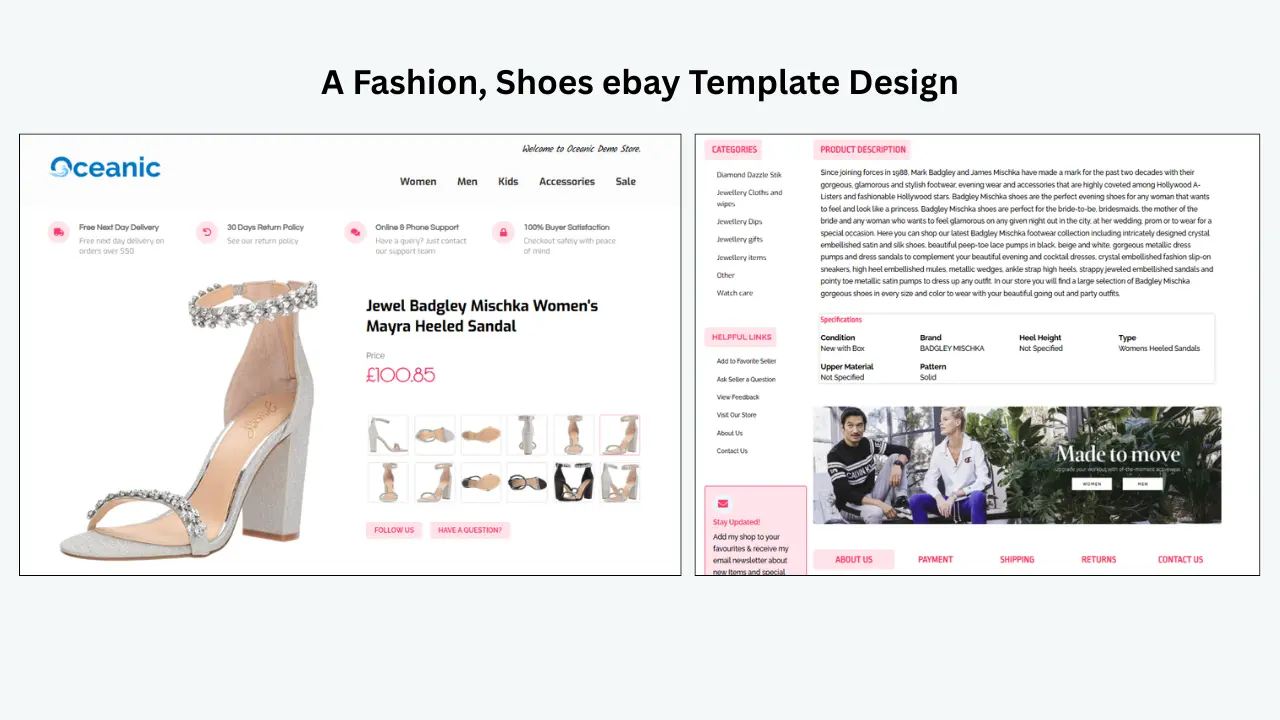
Consistency does not require identical listings. Your logo, core colors, typography, service message and policy presentation can remain familiar while the information order changes.
Create one base fashion-accessory system, then save variants for major categories. Put strap drop and internal organization near the top for handbags. Put metal, stone, weight and sizing first for jewelry. Put reference, movement, case dimensions and service information first for watches. Buyers receive the details they expect without losing the store identity.
Batch Revision helps bring existing inventory into the system
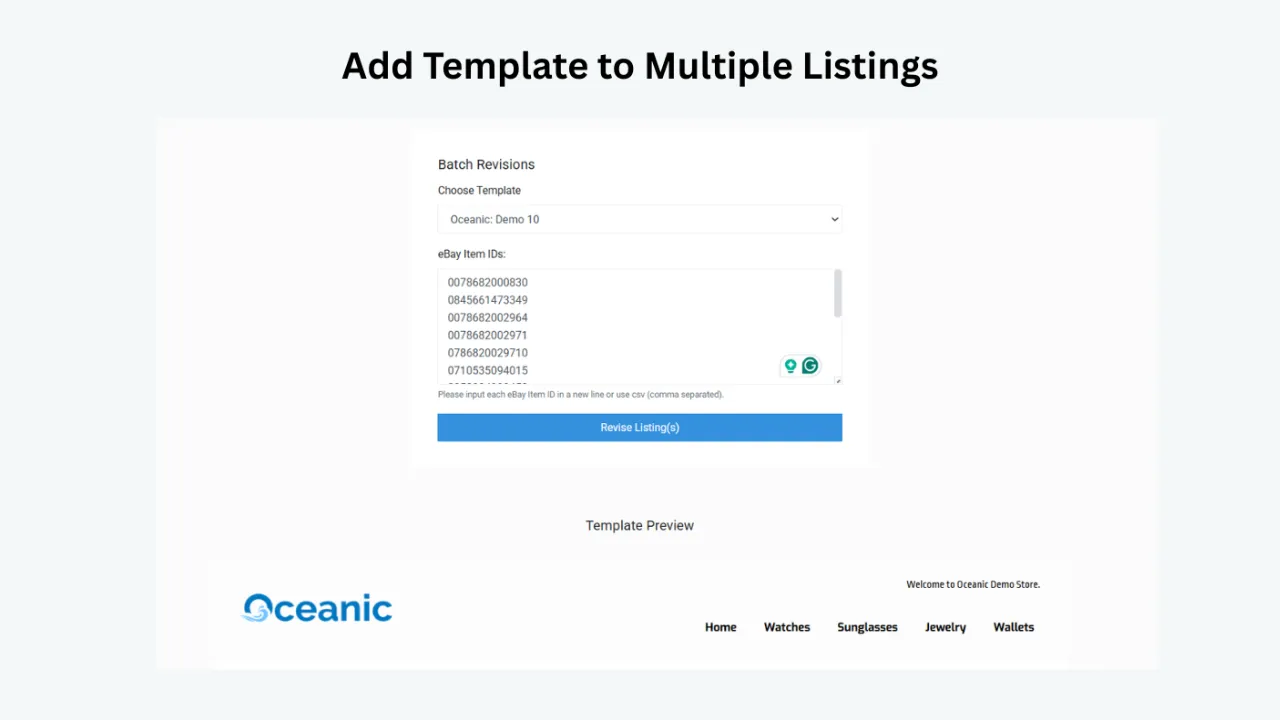
Many sellers already have dozens or hundreds of live listings before they improve their design. BoostOnTime Batch Revision lets you update an individual listing or a selected group with a newly created template. ETB cleans previous description HTML before inserting the refreshed template content.
Start with a representative sample. Test a large bag, a small item, an item with many photographs, a long description, a discounted item and an international listing. Review them on mobile and desktop. Once the template handles those cases correctly, expand the batch.
Related Products makes cross-promotion part of the layout
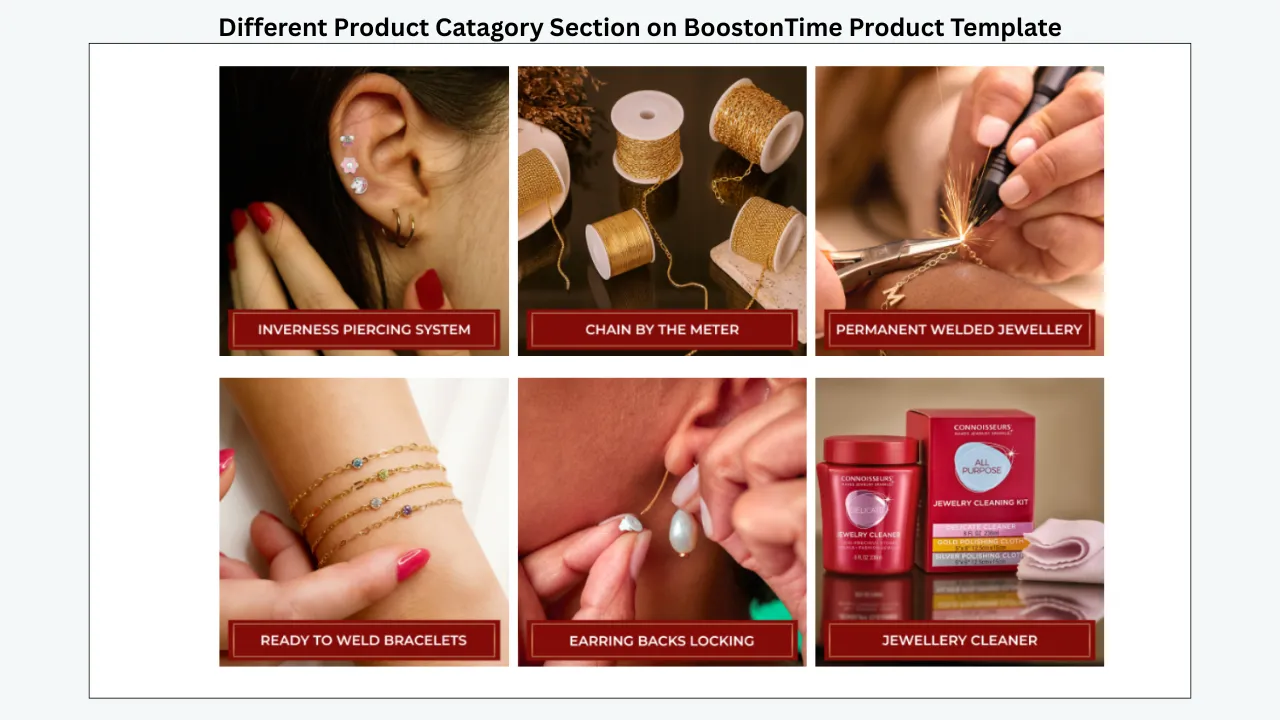
Fashion accessories naturally create browsing paths. A buyer viewing a tote may also want a wallet. A necklace buyer may be interested in matching earrings. A watch buyer may need another strap. The Related Products module can show random products or items you select in the settings.
Straightforward pricing lowers the barrier to testing
BoostOnTime ETB currently costs $6.99 on the monthly plan. The yearly plan is $59.88, equivalent to $4.99 per month. Both plans include multiple templates and unlimited active-listing template updates. The seven-day trial gives you time to build a realistic sample before committing.
A Practical Guide to Every Useful BoostOnTime Module
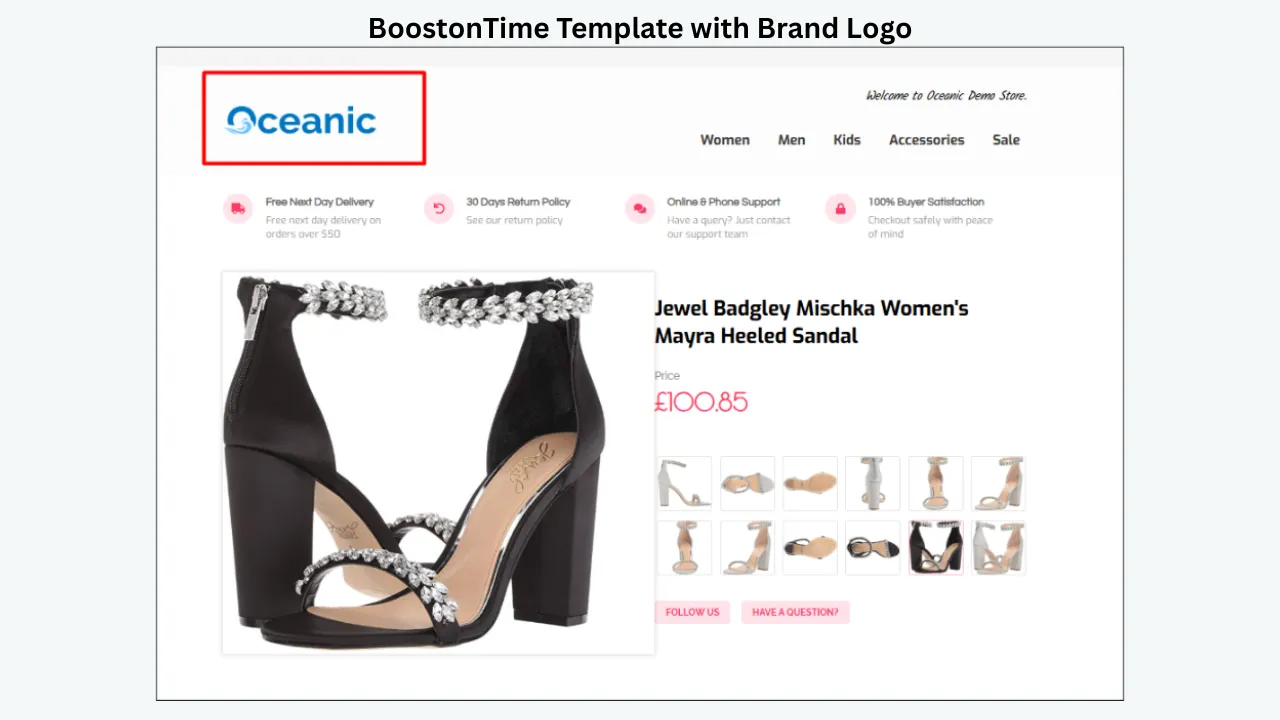
Logo
The Logo module establishes store identity, but it should not be larger than the product. Use a crisp, simple logo that remains legible on a phone. Avoid a tall graphic that forces buyers to scroll before seeing the item. If your logo contains tiny text, create a simplified version for listings.
Header Menu
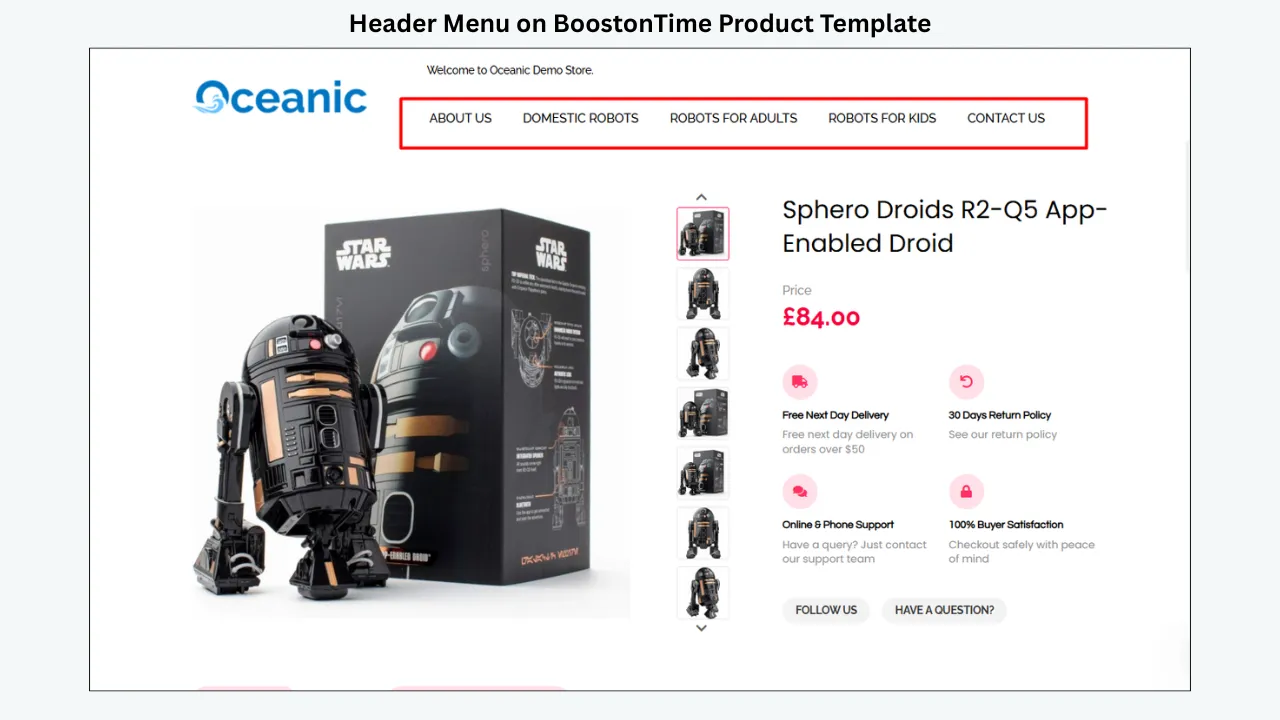
Use the Header Menu for useful eBay-approved navigation, such as relevant store categories. Keep labels short and familiar: Handbags, Jewelry, Watches, Scarves and Sale are clearer than clever internal names. Too many choices create friction on a small screen.
Title & Price
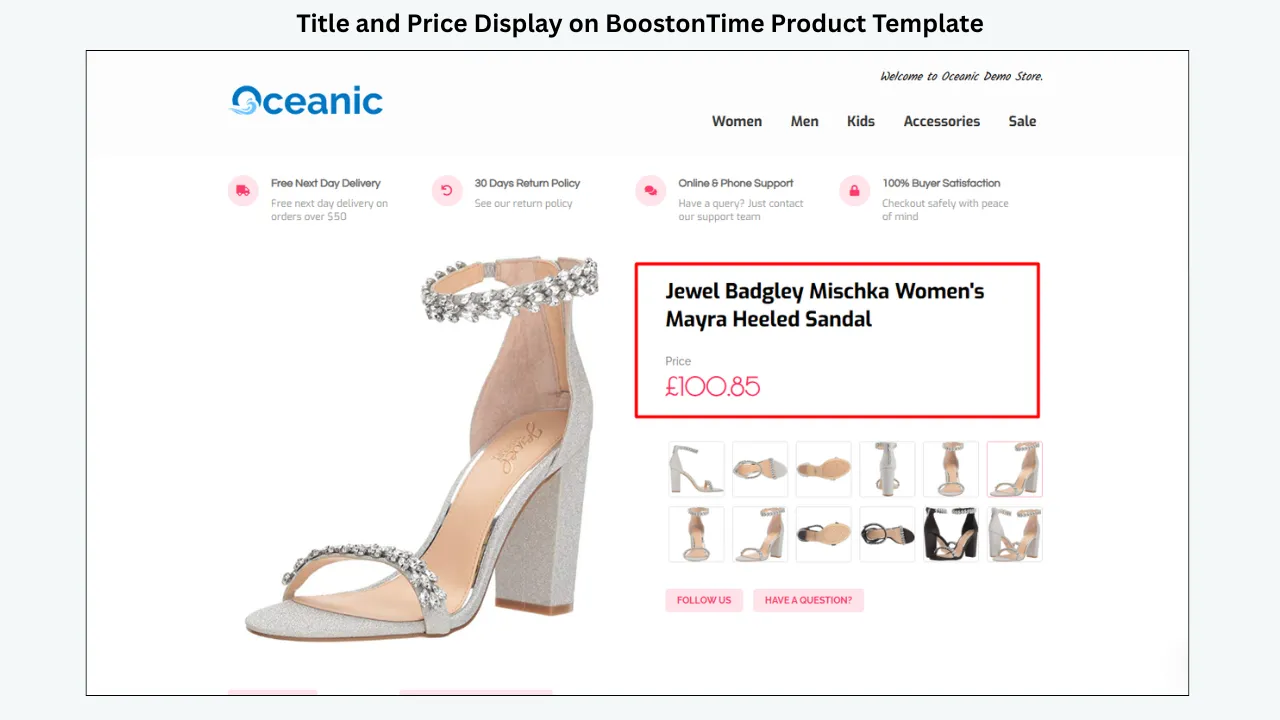
This module confirms what the buyer is viewing and the listed cost. Supported title, price and currency information is populated from the listing when the template is applied or updated. Treat it as reinforcement, not a replacement for accurate native listing fields. Make titles factual and readable rather than stuffing them with repeated words.
Gallery
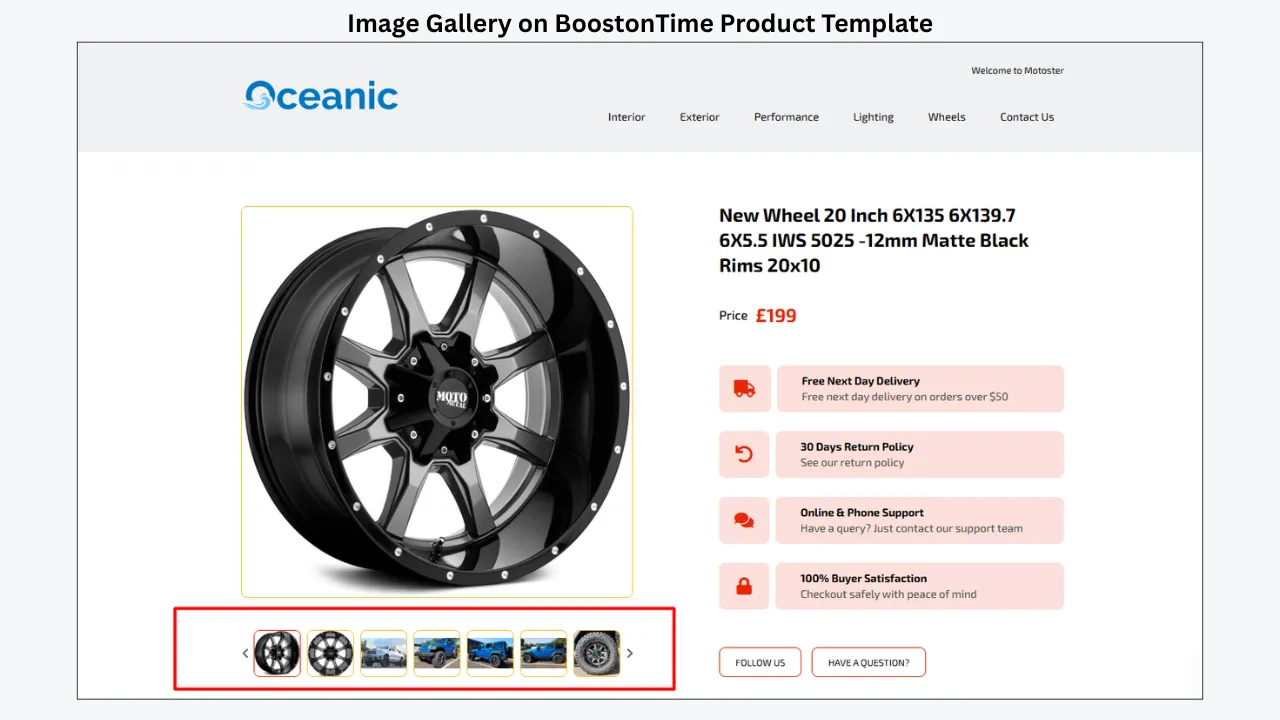
The Gallery is central to an accessory listing. Arrange photographs in a logical sequence: full item, front, back, sides, interior or reverse, hardware or fastening, labels or hallmarks, included items and flaws. Use a scale reference when dimensions are hard to visualize. The gallery should reveal the item, not hide weak photographs behind effects.
Why Us
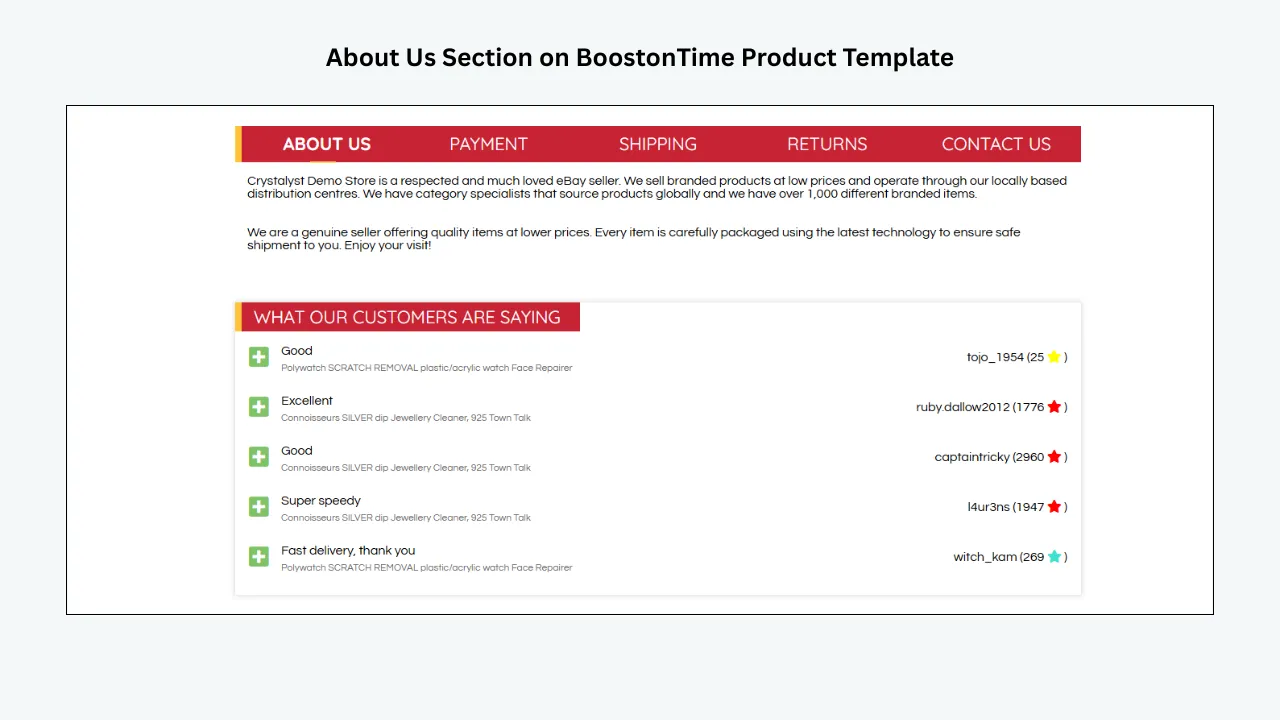
Use Why Us to explain real seller strengths. Examples include careful condition checks, secure packaging, documented dispatch routines or knowledgeable customer support. Keep the wording specific and verifiable. Avoid claims such as “guaranteed authentic” unless your process and evidence justify that statement.
Categories
Categories help buyers explore related inventory. Keep the list focused enough to scan. A store with many subcategories can group them into broader buyer-friendly families. ETB can collect category information from the connected eBay store, helping the navigation reflect the actual catalogue when the template is applied.
Descriptions
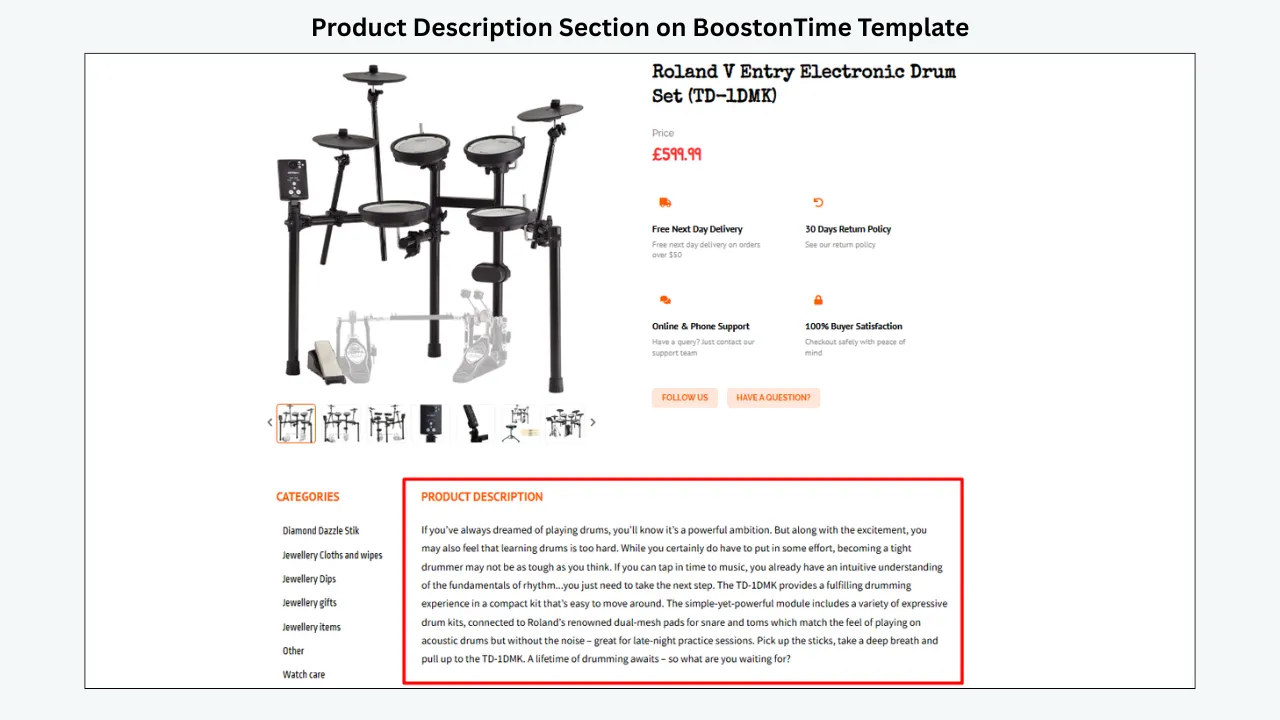
Descriptions explain benefits, use, construction, condition and included items in natural language. Begin with the facts that influence the decision. Use short paragraphs and descriptive subtopics instead of one dense block. Do not duplicate every native item specific; add context that makes the structured data meaningful.
Specifications
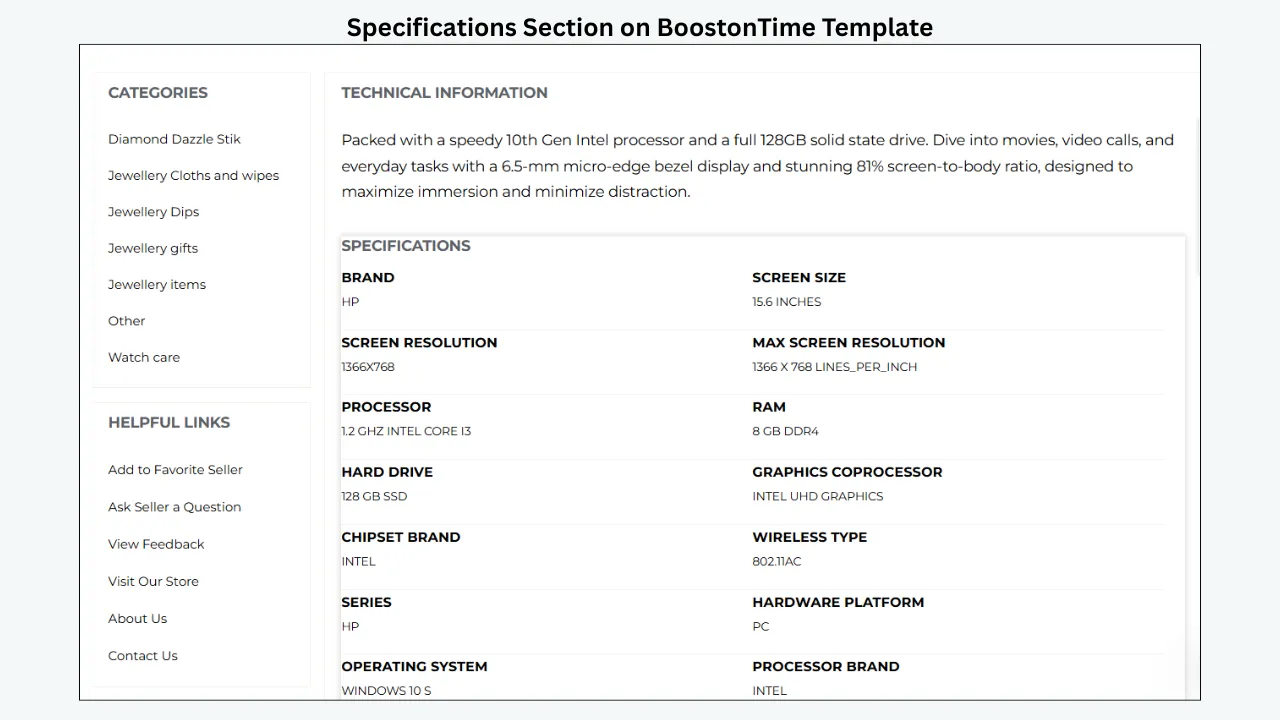
Specifications turn measurable facts into a scan-friendly format. Use consistent labels and units. For a bag, list width, height, depth and strap drop separately. For sunglasses, include lens width, bridge and temple length. State whether measurements are approximate and explain the method when category conventions vary.
Helpful Links
Helpful Links can guide buyers to relevant approved destinations within the eBay experience. Review every link against eBay’s current links policy before publishing. Remove anything unnecessary. A template should not direct buyers away from eBay to complete a transaction or collect prohibited information.
Banners, Mini Banners and Side Mini Banners
Use banners for a focused message: a relevant category, a genuine service benefit or a current store promotion. Compress the artwork, keep text readable and avoid stacking several banners above the product information. A small reusable message is often more effective than a large decorative image.
Newsletter
Use this module only for communication routes permitted within eBay’s current rules and your store setup. Make the purpose clear. Do not use the listing to collect buyer contact information outside approved processes.
Policy Tabs
Policy Tabs organize payment, shipping, returns and other store information. They should match the native settings on the listing. If the return window, dispatch time or shipping service changes, update both the actual eBay fields and the template language. The description must not contradict the terms shown elsewhere.
Feedbacks
Feedback can reassure buyers, especially for higher-value accessories. Keep the module secondary to product evidence. Follow eBay’s rules on feedback and third-party endorsements, and do not use edited or invented testimonials.
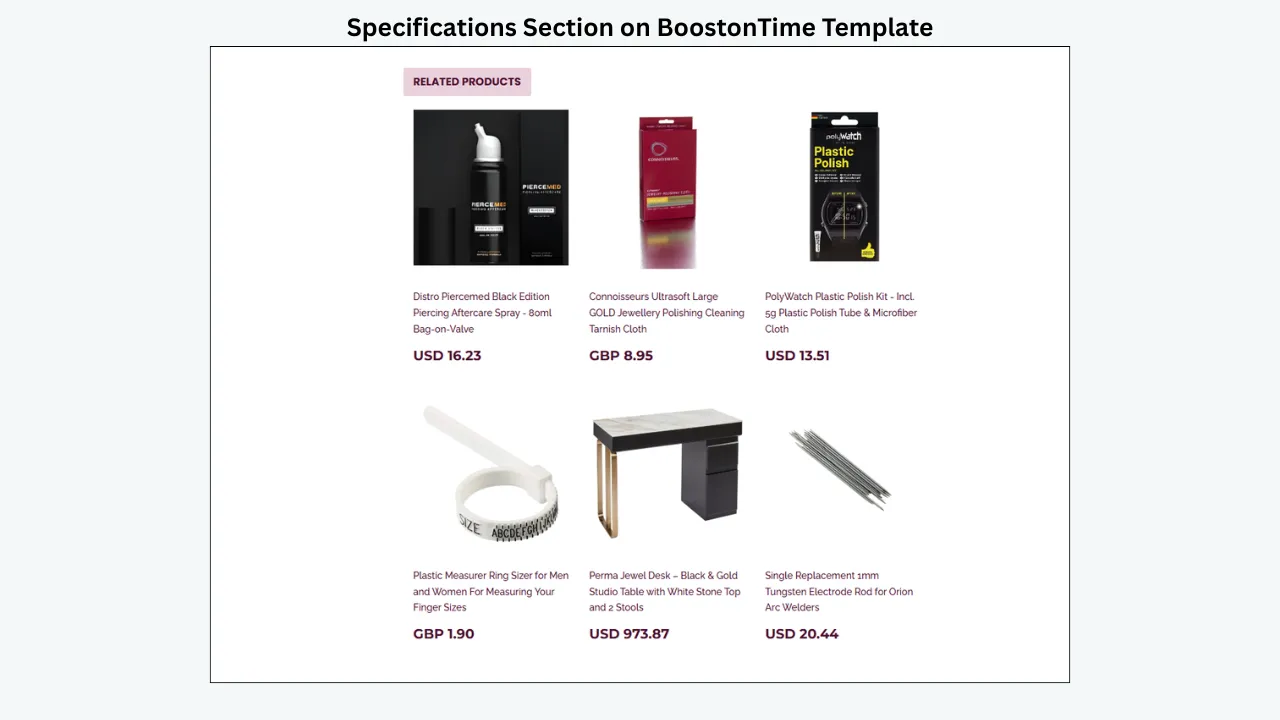
Related Products
Use Related Products to offer relevant alternatives or complements. Select matching materials, styles, price points or use cases. A related-products panel is most helpful after the buyer has understood the current item, so place it below the decision-making information.
Footer
The Footer gives the listing a consistent close. Keep it compact. It may repeat limited navigation or a short brand line, but it should not become a second policy page.
Category Blueprints for Fashion Accessories
Category Blueprint 1: A Responsive Handbag Template
Handbag buyers usually begin with appearance and then move quickly to capacity, carry options and condition. Build the page in that order.
Start with a modest Logo and Header Menu, then show Title & Price and Gallery. The first images should establish shape, color and scale. Follow with front, back, base, both sides, interior, pockets, closure, hardware, label, included dust bag or accessories, and every meaningful sign of wear.
Place a compact Specifications block immediately after the gallery. Include width, height and depth; handle drop and strap drop; material; lining; closure; pocket count; hardware color; and approximate weight when relevant. Explain whether width was measured at the base or widest point. If a laptop is shown for scale, state its actual size and never assume fit from a photograph alone.
Use Descriptions for the story the table cannot tell: how the bag carries, whether the strap is detachable, how the compartments are arranged, what is included and where wear appears. Separate observed facts from opinion. “Structured body with limited flexibility” is more helpful than “perfect everyday size.”
Finish with Policy Tabs, a restrained Why Us module and Related Products. Cross-promote a matching wallet, smaller version, alternate color or compatible strap. Do not place unrelated jewelry above the bag details simply because it is expensive.
Category Blueprint 2: A Responsive Jewelry Template
Jewelry listings need close visual evidence and precise material language. Crystalyst may provide a suitable premium starting point, but theme choice should follow your photography and brand rather than the product price alone.
Use the Gallery for front, back, side profile, fastening, setting, hallmarks and scale. Show any scratches, missing stones, repairs or plating wear. eBay currently allows up to 24 pictures, so use the available image capacity when the item needs documentation, while keeping every photograph purposeful.
Specifications should identify the item type, metal and fineness where known, gemstone details, dimensions, weight, size, clasp or fastening, hallmarks, included documents and condition. Do not call a stone natural, lab-created, treated or untreated without an appropriate basis. Do not infer metal purity solely from color.
Descriptions can explain construction, movement, wearability and provenance that you can document. State whether boxes, certificates or pouches are original to the item or simply included for storage. For rings, give the sizing standard and clarify whether resizing information is an observation or a service you actually provide.
Why Us and Feedbacks can support confidence, but product evidence must do the main work. If your business uses specialist testing or appraisal, describe the process accurately. If it does not, use modest language and invite buyers to review the photographed marks and stated evidence.
How to Build the Template in BoostOnTime ETB
Audit one real listing before choosing a theme
Select a representative item, not the easiest one. Gather its title, price, images, description, item specifics, condition notes, policies and related products. Identify the three questions most likely to stop a buyer. This prevents you from choosing a design based only on color.
Also inspect your existing description code. Note old banners, repeated policy text, external assets and inconsistent headings. You need to know what the new template will replace.
Choose Cheesecake, Oceanic or Crystalyst
Preview each theme with the product type in mind. Look at information order, image emphasis and brand compatibility. A theme is a starting system, so do not reject one merely because its default colors differ from yours. Concentrate on structure first, then customize styling.
Cheesecake can support warm lifestyle presentation. Oceanic offers a clean visual tone. Crystalyst can suit higher-contrast premium ranges. Your own logo, imagery and module choices will shape the final result.
Build a product-first hierarchy
Place Title & Price, Gallery, Specifications and Descriptions early. Decide whether measurements belong immediately below the images or inside a visible specifications block. Keep large banners, category navigation and promotional modules from delaying the product evidence.
On mobile, modules generally become a vertical journey. Read that journey from top to bottom. If the buyer must cross three store promotions before reaching handbag dimensions, change the order.
Configure reusable brand modules
Add the Logo, Header Menu, Why Us, Helpful Links, banners, Policy Tabs and Footer that should be reused across suitable listings. Keep statements factual and maintainable. A policy paragraph that changes every week should not be copied into several separate templates without a clear update routine.
Use one naming convention for saved templates, such as “Fashion — Handbags — Core” or “Fashion — Jewelry — Premium.” Clear names help teams choose correctly.
Prepare product-specific content
Check the listing’s native title, price, currency, images, category and other data before applying the template. ETB can populate supported dynamic content, but it can only work with what the listing contains.
Complete eBay item specifics as well as your visible Specifications module. eBay explains that item specifics help buyers filter and find matching items. A designed specification section improves readability; it does not replace the native structured fields used by eBay.
Add relevant cross-promotion
Choose random products when the catalogue is consistently related, or select specific products when compatibility and styling matter. A handbag template might show wallets from the same range. A jewelry template might show matching pieces. A watch template might show straps only when fit is verified.
Review the section as a buyer. Every recommendation should make sense beside the current item.
Preview on several screen widths
Use the available preview and inspect desktop, tablet and mobile behavior. Look for sideways scrolling, tiny text, cropped graphics, excessive blank space, weak contrast and modules that appear in the wrong order.
Then view a real applied listing on at least one physical phone. A desktop browser narrowed to phone width is helpful, but touch behavior and actual screen brightness reveal additional issues.
Apply the design to a small batch
Use Batch Revision on a selected group of varied listings. Do not begin with the entire catalogue. Include products with different title lengths, image counts, prices, description lengths and conditions.
Inspect the updated listings and correct the saved template. Once the sample is reliable, move to a larger category group. Keep a record of which template was applied and when.
Maintain the system
Review templates when branding, policies, category structure or eBay requirements change. Reapply or update where needed and verify the results. Dynamic content is populated during the application or update workflow; it should not be treated as an unattended continuous sync.
Mobile-Responsive Checklist for Fashion Accessories
Use this checklist before rolling the template across a category:
- The item identity and main image appear before large promotional content.
- Text remains readable without zooming.
- No module causes horizontal scrolling.
- Images scale within the screen and retain useful detail.
- Buttons and navigation labels are easy to tap.
- Measurements use clear labels and consistent units.
- Condition information is visible and not hidden in a long paragraph.
- The Logo remains legible without dominating the first screen.
- Header Menu options fit comfortably or reorganize cleanly.
- Policy Tabs are usable on touchscreens and match native listing settings.
- Related Products appear after the current product’s essential facts.
- Color contrast remains readable in bright and dim environments.
- Long titles, large prices and multiple currencies do not break the layout.
- The listing works with one image and with a full gallery.
- The design has been checked on both a physical phone and a desktop browser.
Responsive design is not a one-time checkbox. Add a mobile review whenever you make a significant template change.
How to Prepare Images for a Fast, Clear Gallery
eBay currently allows up to 24 pictures in a listing. Its guidance recommends at least 500 by 500 pixels and images around 1600 by 1600 pixels, with clear photographs, useful angles and visible flaws. More photographs are not automatically better; every image should answer a question.
Create a repeatable shot list for each category. For handbags, include shape, interior, base, corners and hardware. For jewelry, include scale, fastening, hallmarks and setting. For watches, include dial, case, bracelet and reference details. For sunglasses, include lenses, hinges and temple markings.
Use a neutral, uncluttered background. A darker background may help with reflective jewelry, but maintain accurate color and visible edges. Avoid putting logos, badges or promotional text on product photographs; eBay warns that added graphics can affect how images perform in search placements.
Image dimensions and file weight are different issues. A large pixel dimension supports zoom, while sensible compression helps delivery. Export photographs in an appropriate web format and quality, inspect fine details after compression, and avoid uploading a huge file when it shows no additional useful information.
Do not make the template carry duplicate copies of every image when eBay’s own image area already presents them. The Gallery should create a coherent viewing experience without unnecessary decorative assets that slow the description.
Writing Descriptions That Fashion Buyers Can Scan
Begin with a two- or three-sentence summary that identifies the item, its defining material or style, its condition and what is included. Then use Specifications for structured facts and short description sections for context.
A useful sequence is:
- What the item is.
- The most important dimensions and fit information.
- Materials and construction.
- Features, compartments or fastening.
- Condition, including specific wear.
- Included accessories, packaging or documentation.
- Any limitations the buyer should understand.
Write for a person, not a keyword counter. Use the product name naturally in the title and opening, then answer real questions. Repeating “designer leather handbag purse shoulder bag” across every heading makes the page harder to trust and does not compensate for missing measurements.
Be careful with subjective words. “Excellent” means different things to different buyers. Pair any grade with observations: “Light corner rubbing, small mark inside the pocket and clean hardware, as shown.” Photographs and specific language create a shared expectation.
Keep the template reusable by separating labels from item facts. The structure can be consistent, but every item description should reflect the actual product. Do not let convenience turn into copied inaccuracies.
Item Specifics, Search Visibility and the Role of the Template
A responsive design improves the buyer’s reading experience, but it is not a substitute for the fundamentals of eBay discovery. eBay identifies item specifics as an important way for buyers to filter results and for the marketplace to match items with relevant searches.
Complete the native fields that apply to the category: brand, type, style, color, material, size and other recommended or required attributes. Use accurate values rather than adding unrelated popular terms. Select the most appropriate category and write a concise title that describes the actual item.
Then use the BoostOnTime Specifications and Descriptions modules to present decision-critical information clearly. The native data helps discovery and filtering; the designed description helps a buyer evaluate the item after arriving. These roles support each other, but they are not interchangeable.
The same distinction applies to price, shipping and returns. Native eBay fields control the transaction. A template may display or explain supported information, but the visible wording must agree with the authoritative listing settings.
No template provider can promise a particular Google position, eBay Best Match placement or conversion rate. Search visibility depends on relevance, accuracy, seller performance, competition, demand and many other factors. A well-structured template contributes by making the information understandable and maintainable.
Common Mistakes When Downloading an eBay Template
Choosing appearance before information
A beautiful frame cannot rescue a listing that omits dimensions, condition or material. Start with buyer questions and select the design afterward.
Assuming “mobile-friendly” without testing
Test the live or applied template. Check the narrowest realistic screen, long titles, many photographs and policy sections. A marketplace badge is not a substitute for inspection.
Using prohibited active content
eBay does not allow active content such as JavaScript, Flash, plug-ins and form actions in listings. Old templates may contain features that no longer display or are rejected. Avoid code that depends on scrolling widgets, embedded forms or scripts.
Depending on fragile external assets
A template may look complete only because images, fonts or styles are loaded from another server. Ask what happens if that hosting account closes or a file path changes. Remove unnecessary dependencies and keep an asset inventory.
Copying policy text that contradicts the listing
Shipping, returns and payment language should match the native fields. If the template says dispatch in one day and the listing says three days, the buyer receives conflicting information.
Applying a new design to everything at once
Always stage the rollout. One incorrect module or width can affect hundreds of listings. BoostOnTime Batch Revision supports selected groups, which makes a controlled test practical.
Treating dynamic data as continuous synchronization
BoostOnTime populates supported product content when the template is applied or updated. Review and reapply through the appropriate workflow after significant changes. Do not assume an untouched description will refresh itself at every moment.
Filling the page with promotion
The product is the reason the buyer arrived. Keep banners, categories and related products useful and secondary. On a phone, every extra block adds scrolling distance.
Making unsupported conversion or ranking claims
Responsive presentation, useful item specifics and clear photographs are good practices, but results vary. Measure your own outcomes and avoid claims that a design guarantees sales.
Frequently Asked Questions
You can find static HTML downloads in template marketplaces and free libraries, or commission a custom file. For an ongoing store, BoostOnTime ETB is usually more practical because you choose and customize a responsive theme online, save category templates and apply them through a connected workflow instead of maintaining raw code separately.
BoostOnTime ETB is an online eBay template builder rather than a one-off static-file shop. You build the design through the interface and apply it to listings. This model supports reusable modules, product-specific content, multiple templates and selected-group updates.
Supported dynamic content includes title, price, currency, product images, category information and related products with pricing. This information is collected and populated when the template is applied or updated. Review every result and use the appropriate update workflow after important listing changes.
Batch Revision can apply a template to an individual listing or a selected group. Begin with a small representative batch, review the live results and then expand. Some live listings may have revision restrictions depending on their status, so follow eBay’s current rules.
No provider can guarantee ranking. Accurate titles, categories, item specifics, photos, price, service and seller performance all matter. A responsive template helps buyers read the information and helps the seller maintain a consistent structure, but it is one part of a larger listing strategy.
No. eBay’s JavaScript policy says active content such as JavaScript, Flash, plug-ins and form actions is not allowed in listings. Use a template designed for current eBay requirements and remove obsolete active features.
Current public pricing is $6.99 per month or $59.88 per year, equivalent to $4.99 per month. A seven-day trial is available. Prices can change, so verify the live pricing page before publishing or purchasing.
The Best Place to Start Is
a Working Template, Not a File Folder
If you sell only a few items and enjoy maintaining HTML, a carefully reviewed download may meet your needs. If you want a bespoke creative service and have the budget, a custom designer may be appropriate. If you only need to reuse native listing fields, Seller Hub templates provide a useful starting point.
But a growing fashion-accessory store needs more than a file that looked responsive on the day it was purchased. It needs a repeatable system for product images, measurements, condition, brand content, policies, category variations and future updates.
BoostOnTime ETB provides that system at a focused price. Choose Cheesecake, Oceanic or Crystalyst, arrange more than 20 available modules, save multiple category templates, populate supported product information, add relevant Related Products and use Batch Revision to apply the design to individual or selected groups of listings. Preview the experience across mobile, tablet and desktop before expanding the rollout.
The objective for growing accessory businesses is simple: help the buyer understand the accessory without struggling through the page, and help your team create that clarity without rebuilding the design every time.
Start your seven-day BoostOnTime ETB trial, build one real fashion-accessory template and test it on a small group of listings. A practical trial will show you more than a gallery of screenshots ever can.
🚀 Start Your Seven-Day BoostOnTime ETB Trial
boostontime.com/ebay-template-builder