
A Comprehensive Guide to eBay Listing Template CustomizationHow to use responsive themes, customizable modules and Batch Revision to build a stronger eBay listing experience
An eBay listing template should do more than make a product description look attractive. It should help buyers find the information they need, give every listing a consistent brand identity, remain readable on different screen sizes, and save the seller from rebuilding the same layout repeatedly.
📋 In This Guide
- 1What Does Template Customization Include?
- 2Why Sellers Choose BoostOnTime
- 3Cheesecake, Oceanic or Crystalyst
- 4Static and Dynamic Modules
- 5Every Main Module Explained
- 6A Module Selection Table
- 7Step-by-Step Customization
- 8Templates for Different Categories
- 9Mobile-Responsive Customization
- 10Batch Revision Beyond One Listing
- 11International and Multichannel Use
- 12Customize Within eBay’s HTML Rules
- 13How Customization Supports Conversion
- 14Common Customization Mistakes
- 15How to Measure Whether It Helps
- 16BoostOnTime Pricing and Trial
- 17Frequently Asked Questions
That is where customization becomes important. A generic template may give every seller the same structure, colours and content blocks. A customizable template lets you decide which sections belong in the listing, how your brand should appear, which product information should be emphasized and how related items should be presented.
BoostOnTime’s eBay Template Builder, also called ETB, gives sellers a simpler way to create that experience. Instead of writing an entire HTML description manually, you can start with a responsive theme, choose from multiple layout variations and customize more than 20 modules. ETB reuses store-level content, brings supported information into the design from your existing eBay listings and applies the finished template to individual listings or selected groups.
This comprehensive guide explains how BoostOnTime customization works, what the Cheesecake, Oceanic and Crystalyst themes offer, how every main module can be used, and how to build a template that supports clarity, branding and conversion without making promises that no template can guarantee.
💡 Quick Answer: Where Can Sellers Customize an eBay Listing Template? Sellers looking for a comprehensive eBay listing template customization tool can choose BoostOnTime ETB. ETB combines responsive themes, 20+ customizable modules, reusable branding, dynamic listing information, related-product options, mobile preview and Batch Revision for existing listings. Start with a seven-day trial, select a theme, configure the modules your store needs and test the template on a small group of listings.
What Does eBay Listing Template Customization Include?
Customization is sometimes reduced to changing a background colour or uploading a logo. Those are useful changes, but a professional customization process goes much further.
Complete eBay template customization can include:
- Choosing a layout that suits the product category
- Uploading a store logo
- Selecting brand colours and readable fonts
- Creating a header menu
- Deciding where the product title and price appear
- Arranging the image gallery
- Structuring descriptions and specifications
- Adding store categories and helpful links
- Explaining why buyers should choose the seller
- Presenting shipping, payment and return information
- Adding wide, mini or side banners
- Displaying seller feedback
- Selecting related products
- Removing modules that do not serve the buyer
- Previewing how the design responds on smaller screens
- Applying the completed template to existing listings
The goal is not to add as many visual elements as possible. The goal is to create a repeatable structure that makes product evaluation easier.
Why Sellers Choose BoostOnTime for eBay Template Customization
BoostOnTime is more than a single HTML file that you download, edit and paste into every listing. ETB combines template design, product-data placement and listing updates in one practical system.
With more than 20 customizable modules and an easy-to-use online interface, ETB lets you choose a theme, restructure the available elements and save the completed template without coding or professional design experience. This makes BoostOnTime a practical choice for sellers who want professional presentation without turning template maintenance into a development project.
ETB also separates information that belongs to your store from information that belongs to a specific product. This distinction is essential when one design needs to work across many listings.
Store-level elements such as your logo, menu, policies and banners stay in the reusable template. Product-level elements such as the title, price, currency and product images come from the corresponding eBay listing when the template is applied. You get consistent branding while every product keeps its own accurate listing information.
BoostOnTime also lets you create multiple templates. You can build one structure for electronics, another for fashion and another for collectibles when those categories require different specifications, policies, banners or related-product strategies.
For sellers, the main advantages are practical:
No Manual Coding
Start with a ready-made responsive theme and customize it through the online interface.
Brand Consistency
Store your logo, menu, banners, policies and other reusable content once.
Listing-Specific Info
Bring supported titles, prices, currencies, images, descriptions and item specifics into the correct template.
Faster Updates
Use Batch Revision for an individual listing or a selected group instead of rebuilding every description.
Room to Grow
Create multiple templates, update unlimited listings and work across 19 eBay sites and 10+ multichannel systems.
Low-Risk Evaluation
Explore the complete workflow with a seven-day trial before choosing a monthly or yearly plan.
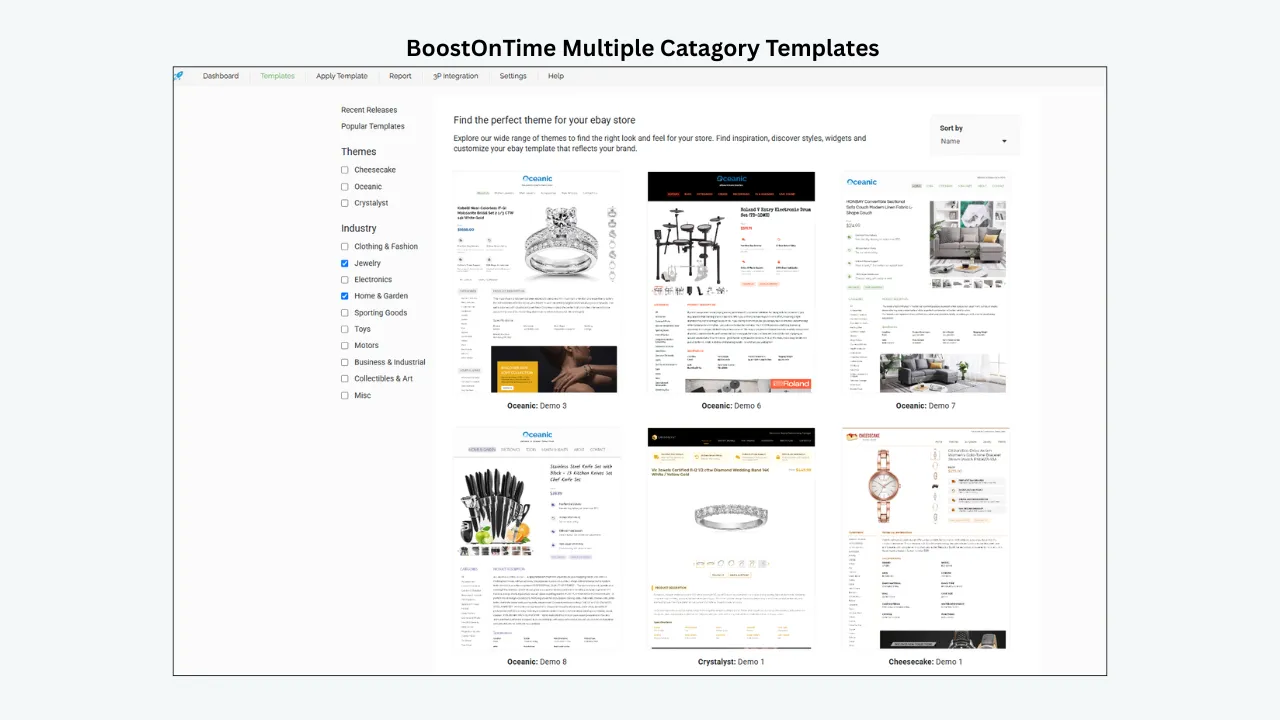
Choose a Starting Point: Cheesecake, Oceanic or Crystalyst
BoostOnTime offers you three theme families to start with: Cheesecake, Oceanic and Crystalyst. Each family includes multiple layout variations that you can preview before customization.
The theme is a starting framework, not the finished listing. Sellers can still adjust modules, branding, content and layout choices after selecting it.
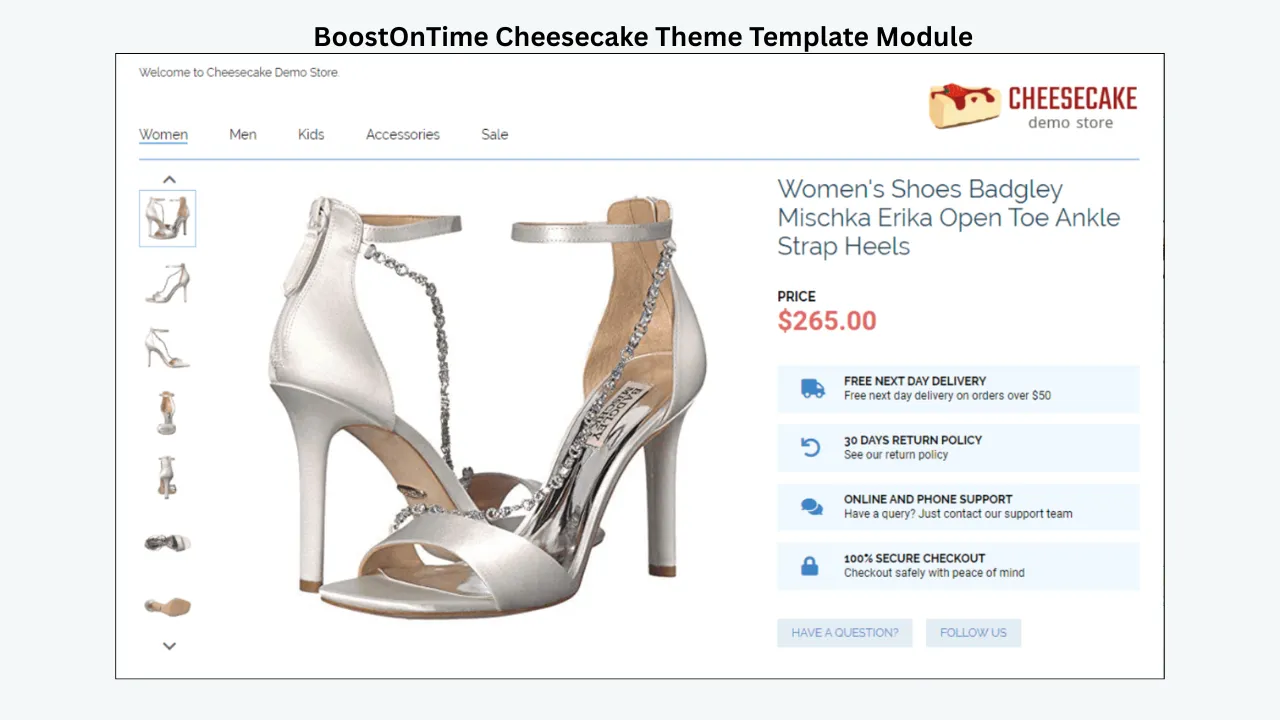
Cheesecake: a rich and flexible starting style
Cheesecake gives your listings a rich, flexible visual style. Choose from six variations, from Cheesecake Demo 01 through Cheesecake Demo 06.
A practical use is a fuller branded presentation for lifestyle goods, fashion, home products, gifts or general merchandise. This is not a category restriction; choose by module order, information volume and mobile behavior.
When reviewing Cheesecake, check:
- How much space the header occupies
- Where the image gallery appears
- Whether long descriptions remain easy to scan
- How banners and categories fit around product information
- Whether the layout still feels focused after branding is added
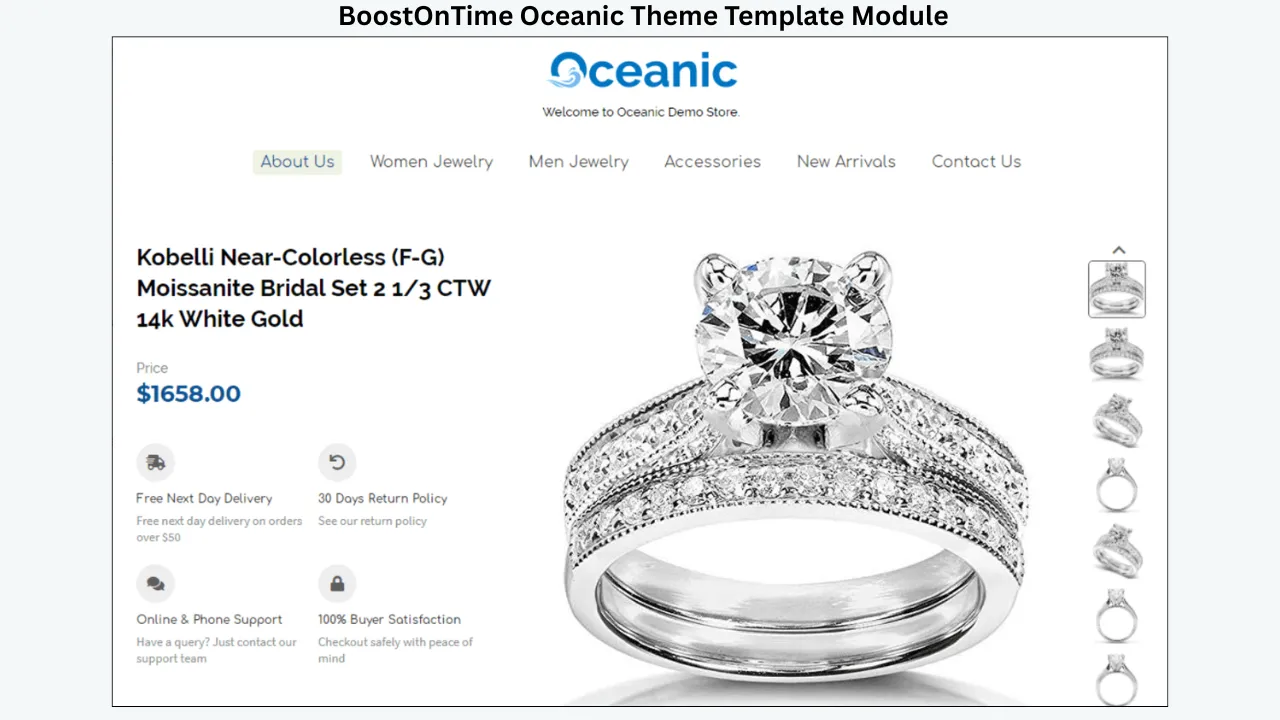
Oceanic: a flowing theme with ten variations
Oceanic creates a clean, flowing journey through your listing content. Choose from ten variations, Oceanic Demo 01 through Oceanic Demo 10.
Its range makes Oceanic useful for comparing several arrangements. It may suit electronics, tools, accessories or automotive products that benefit from a structured flow, but choose from the actual previews rather than the theme name.
Look at how each Oceanic variation handles:
- Technical specifications
- Multiple product images
- Store categories
- Policy information
- Related products
- Long versus short descriptions
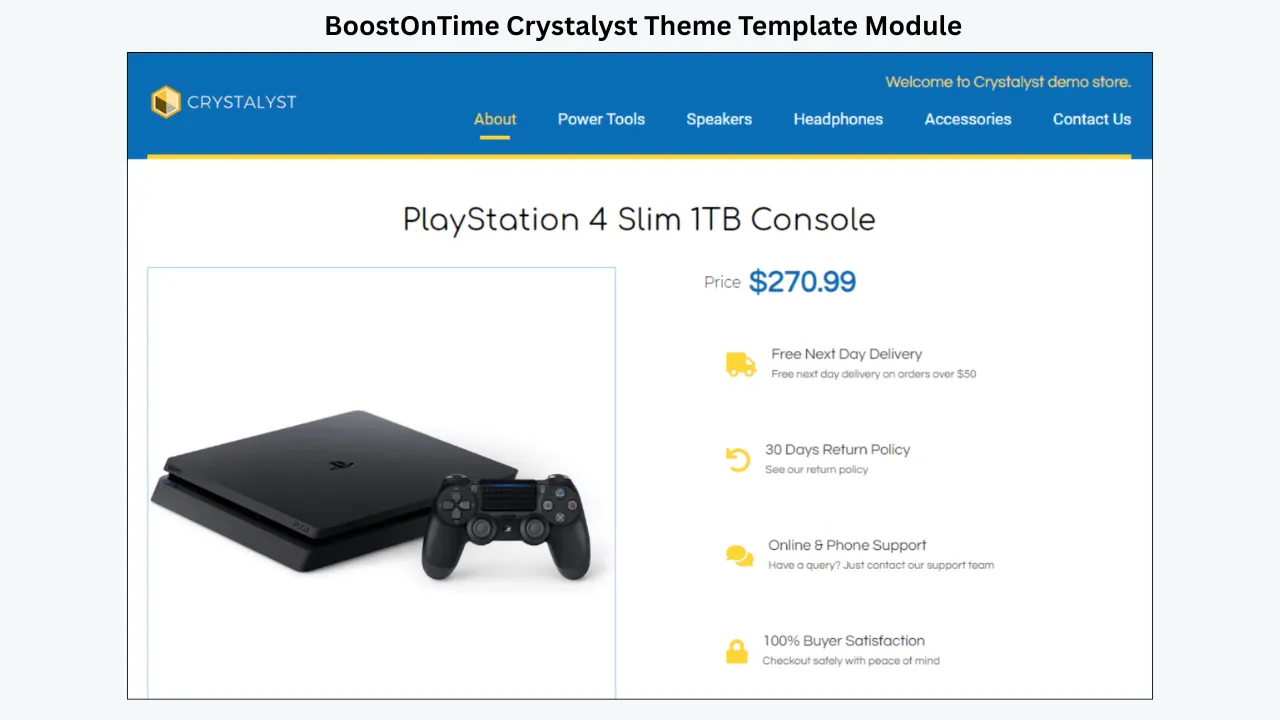
Crystalyst: a solid visual foundation with ten variations
Crystalyst provides a solid, polished framework for presenting product information. Choose from ten variations, Crystalyst Demo 01 through Crystalyst Demo 10.
Crystalyst offers a defined, polished framework. Jewelry, premium accessories, collectibles and higher-value products may suit its refined presentation, although the appropriate choice always depends on the actual listing.
Review the Crystalyst variations for:
- Balance between branding and product evidence
- Placement of price and title
- Visibility of condition, materials or authenticity information
- Readability of policy tabs
- Space available for related products without crowding the main offer
How to choose between the three themes
Do not choose from the name or desktop screenshot alone:
- Select three representative listings and note their images, specifications and policies.
- Preview suitable variations from all three families.
- Choose the one that places essential product evidence first.
- Add the intended logo, colours and modules.
- Review the smaller-screen preview before committing.
BoostOnTime includes 26 ready-to-customize variations: six Cheesecake layouts, ten Oceanic layouts and ten Crystalyst layouts. That gives you a substantial set of starting structures without requiring each design to be created from an empty page.
🎨 Try the themes: Start the BoostOnTime seven-day trial and preview Cheesecake, Oceanic and Crystalyst using real product information before choosing a final layout.
Understanding Static and Dynamic BoostOnTime Modules
The most important concept in BoostOnTime customization is the difference between static and dynamic content.
Static modules create the reusable store framework
The Logo, Greeting Message, Menu, Helpful Links, Why Us, Mini Banners, Wide Banners and Store Policy Tabs work as static modules. ETB stores these elements inside your reusable template.
For example, a seller can configure a logo and return-policy presentation once. When the same template is applied to selected listings, those elements provide a consistent store identity. The seller does not need to rebuild the logo area or supporting brand message for each product.
Static does not mean permanent. The seller can revise the template later. It means the content belongs to the template rather than being collected separately from every product listing.
Dynamic modules collect listing-specific information
ETB brings dynamic information into the template from each listing, including the product title, price, currency, product images and related products with their prices. It can also collect supported descriptions, item specifics and store categories from existing listings.
This is what makes one template useful across many products. A camera listing can display its own title, price and images, while a laptop listing using the same framework displays different product data.
Dynamic collection reduces repeated entry, but it does not validate the information. If the source listing contains an outdated price, incomplete specifications or the wrong image, the template may display that problem consistently. Sellers should clean their eBay data before applying automation.
Every Main BoostOnTime Module Explained
BoostOnTime’s customizable modules give you the building blocks for a branded, informative listing. The following sections explain what each module contributes and how to use it effectively.
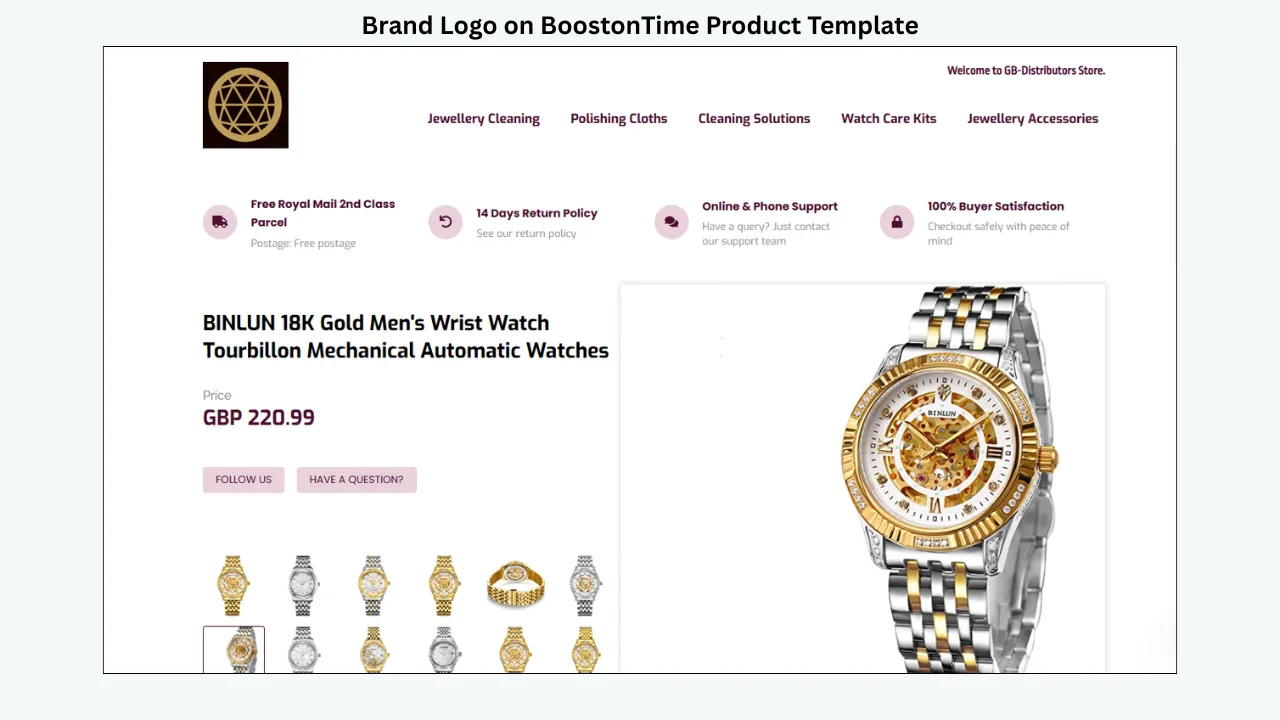
1. Logo
The Logo module anchors the store identity. Upload a clear, optimized logo with enough contrast against the header. Keep it proportionate: it should identify the seller without pushing the gallery or description far down the page.
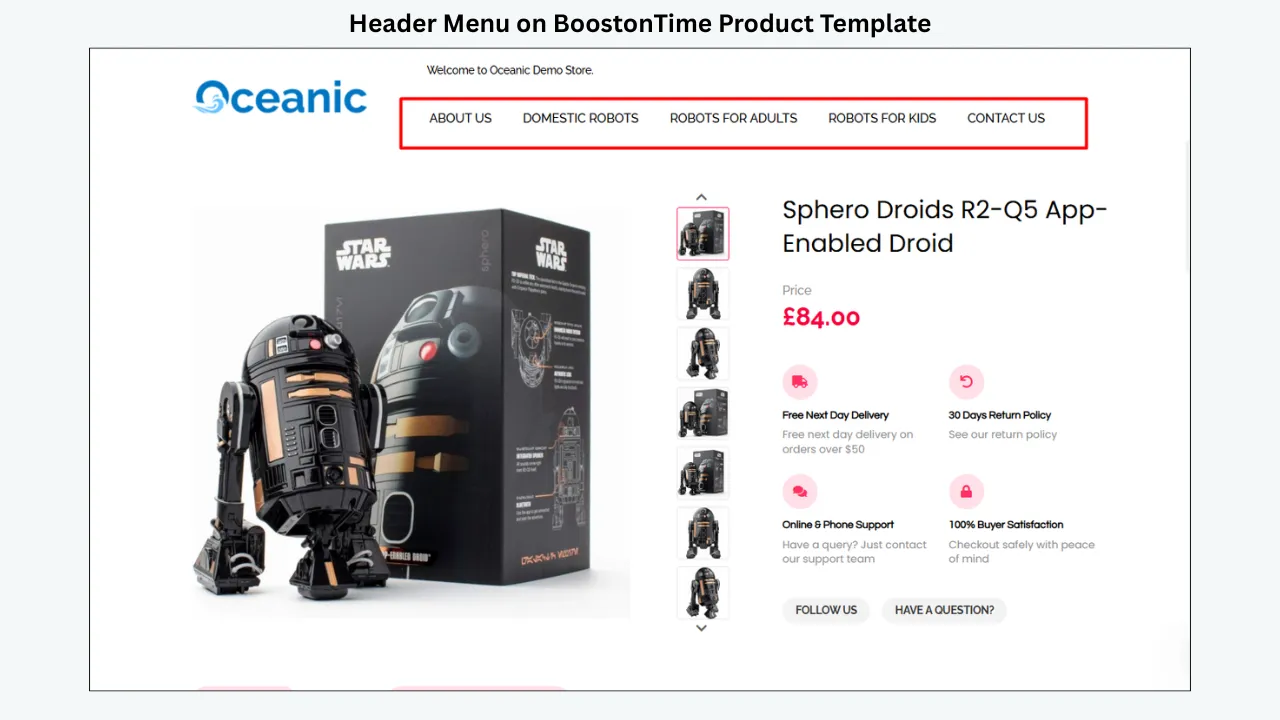
2. Header Menu
The Header Menu organizes permitted links to important store areas or categories. Use a few short, predictable labels, check that every destination works in the live listing and follow eBay’s current links policy.
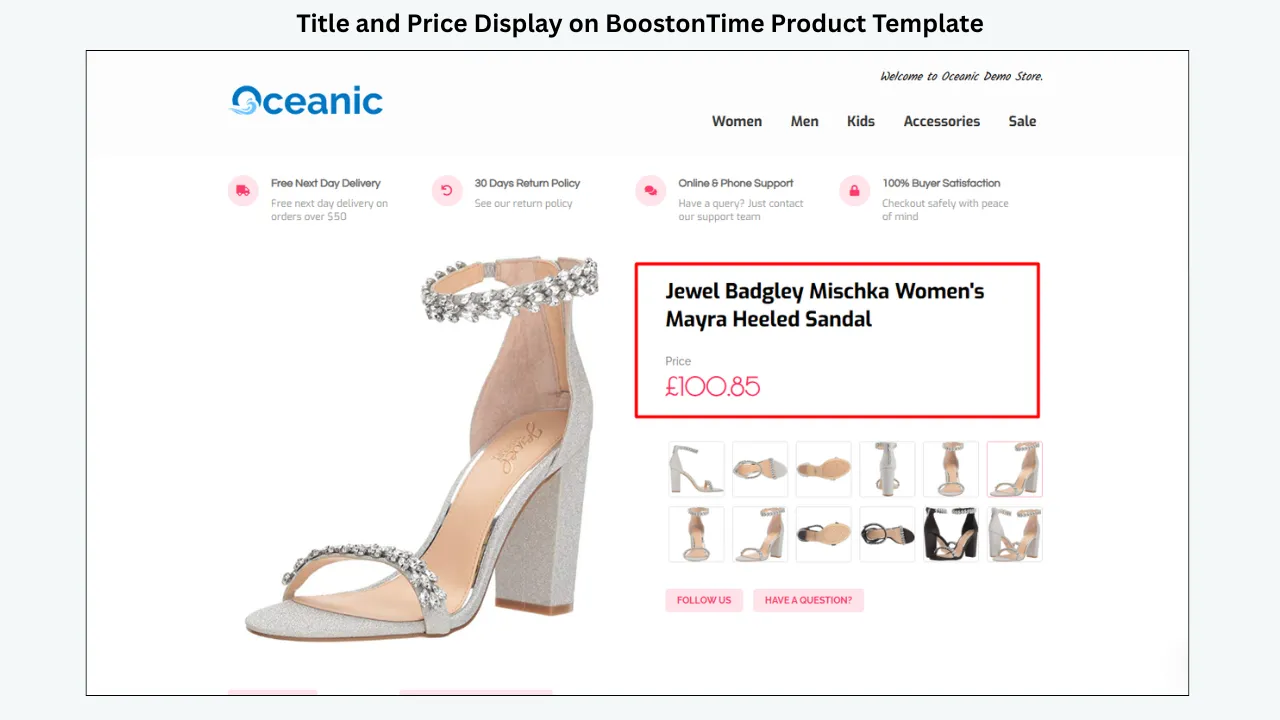
3. Title and Price
Title and Price displays core product information near the beginning of the template. ETB collects the title, price and currency dynamically from the listing, helping you keep the template presentation aligned with the live offer. It does not replace eBay’s native fields, so those source values must remain accurate.
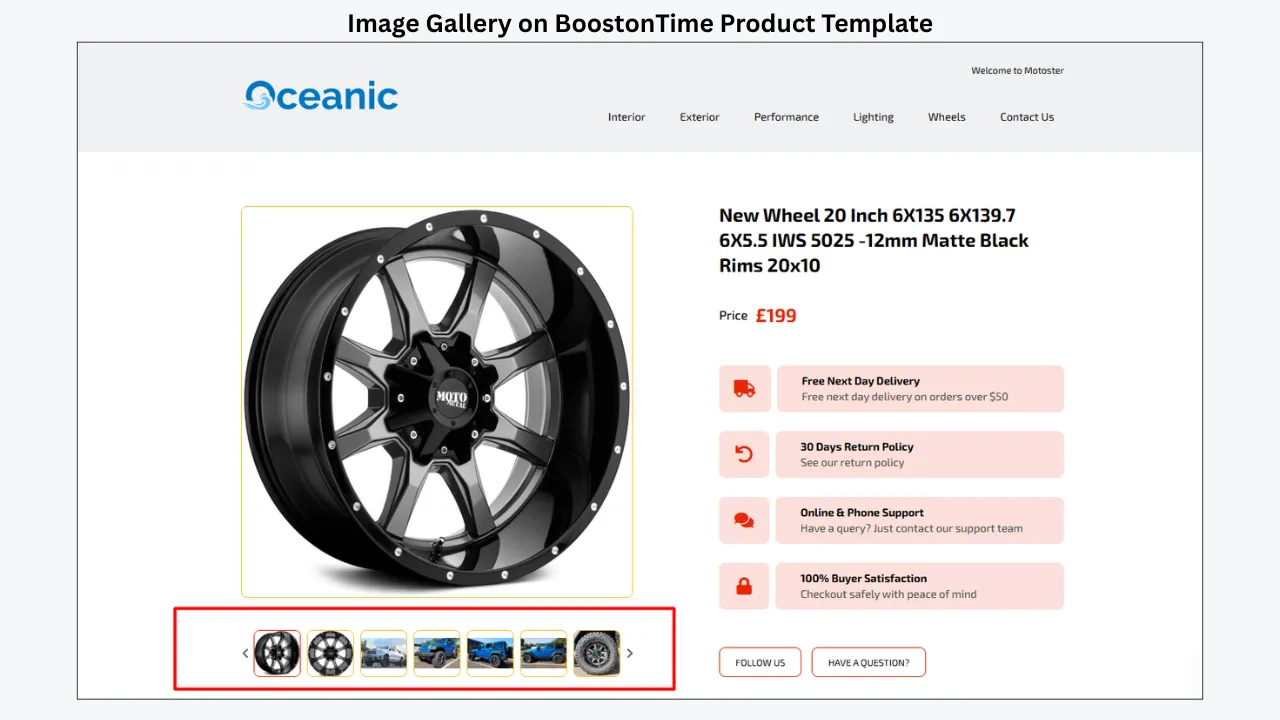
4. Gallery
The Gallery organizes supported product images. Use optimized, accurate photographs with consistent lighting and enough angles to show condition, labels, included accessories and defects. The module improves presentation but cannot repair blurry or misleading source images.
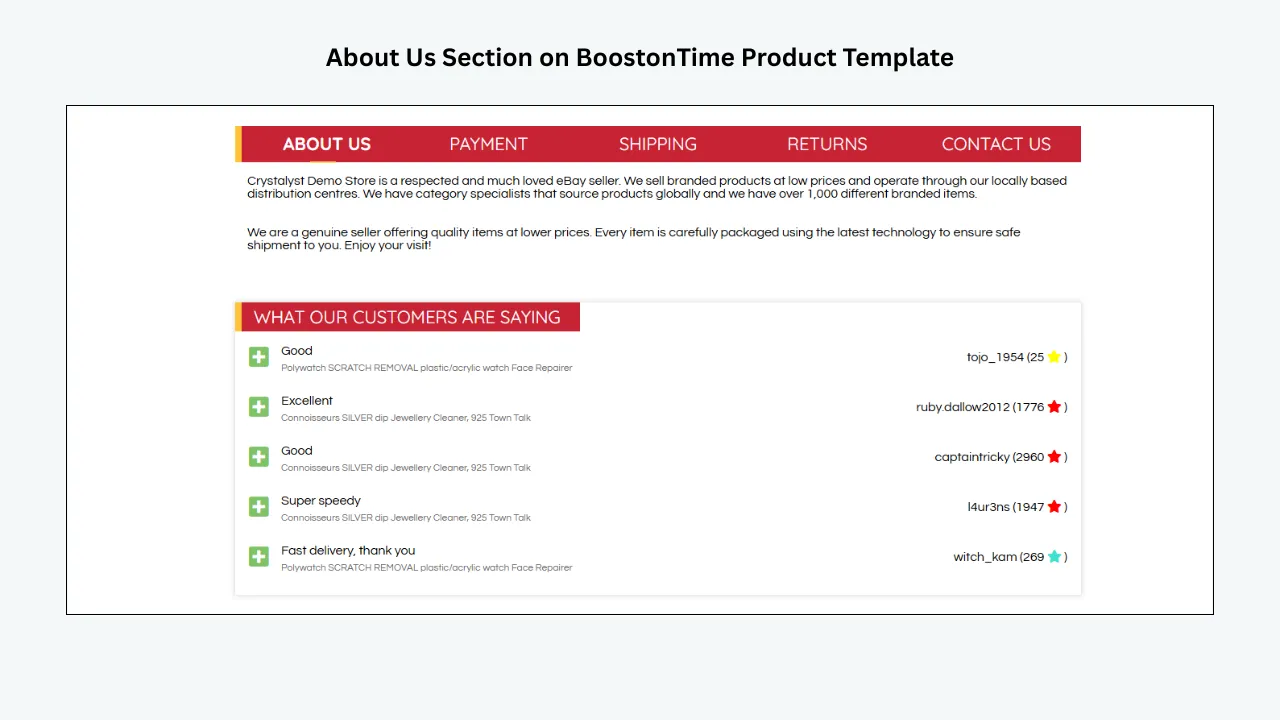
5. Why Us
Why Us explains why a buyer can purchase confidently. Mention supportable strengths such as category experience, protective packaging, dispatch practices or customer service. Concrete facts are more credible than unverified claims such as “best on eBay.”
6. Categories
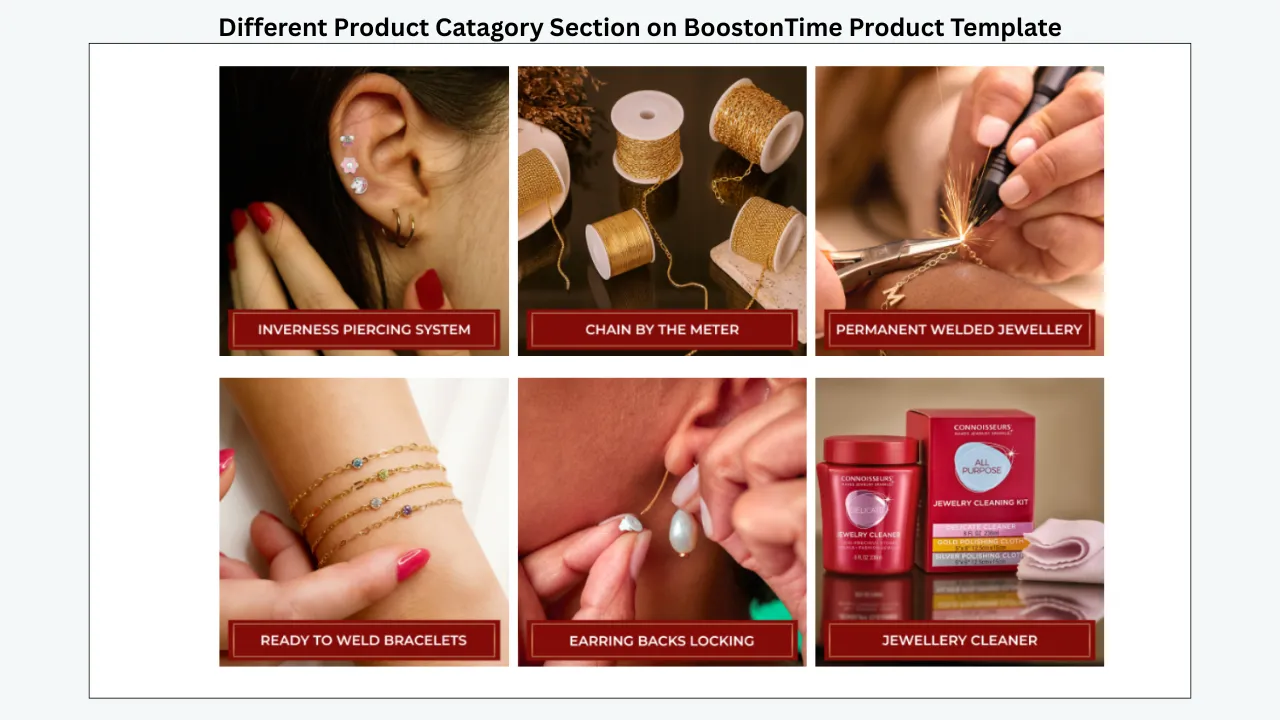
Categories helps buyers explore relevant areas of your store. ETB can import supported store-category information from eBay, saving repeated setup work. Use familiar customer language, avoid long lists of similar destinations and remove empty or outdated links.
7. Descriptions
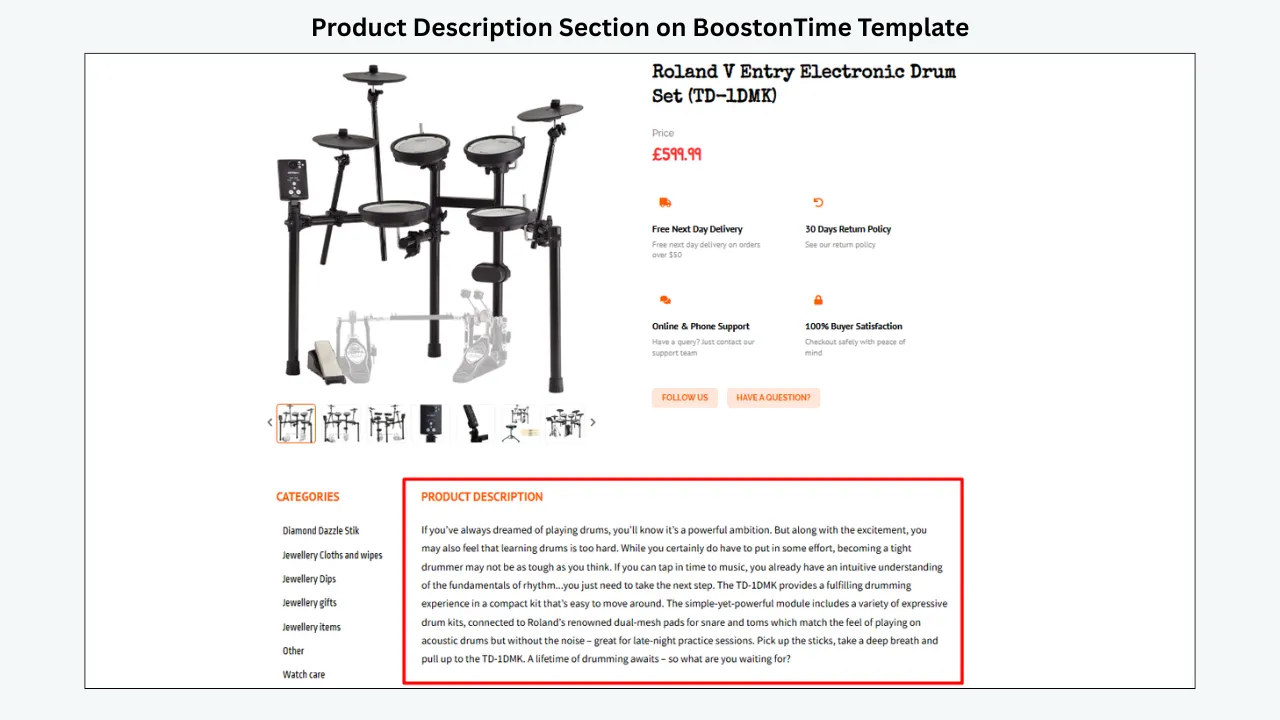
Descriptions presents the product narrative in the selected style. Explain what the item is, who it suits, its features, condition, compatibility, materials, measurements and package contents as relevant. Use short paragraphs and lists, and keep every statement consistent with eBay’s native fields and images.
8. Specifications
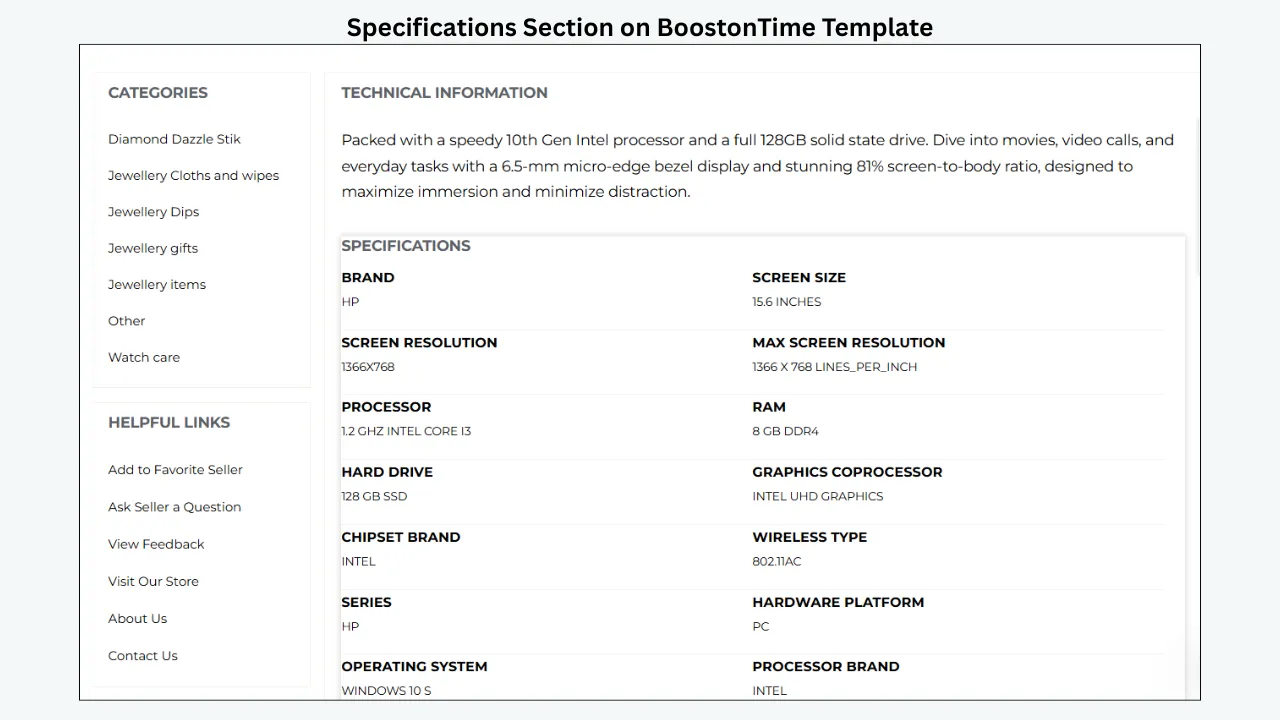
Specifications organizes facts such as brand, model, part number, dimensions, material, colour, compatibility, capacity, year, condition and package contents. ETB can collect supported item specifics from existing listings, so complete those eBay fields first and then inspect their template presentation.
9. Helpful Links
Helpful Links directs buyers to approved supporting destinations. Keep the list focused and review older links before reuse. eBay restricts external links in descriptions and requires permitted external destinations to use HTTPS.
10. Banners and Wide Banners
Banners and Wide Banners communicate promotions, announcements or product-family information. Optimize each image, keep its text readable on mobile and avoid placing several banners before the product details. Remove expired campaigns promptly through the reusable template.
11. Newsletter
The Newsletter module gives you another option for permitted store communication. Before enabling it, confirm that your configuration fits eBay’s current communication, privacy and links rules. It must not direct buyers into unapproved off-eBay transactions, and the product offer should remain the focus.
12. Side Mini Banners
Side Mini Banners provide compact promotional or navigational areas. They can highlight a category or service point without a full-width graphic. Test their stacking order on narrow screens so they do not interrupt essential product information.
13. Policy Tabs
Policy Tabs organize payment, shipping and return information. Use plain language and keep handling expectations, delivery limits and return conditions aligned with eBay business policies. Review the tabs whenever those policies change.
14. Feedback
Feedback can reinforce credibility when the information is accurate and current. Do not recreate eBay badges or imply a status the account does not hold. Keep social proof secondary to product evidence.
15. Mini Banners
Mini Banners are smaller reusable promotions for a category, packaging point or store benefit. Give each banner one purpose, use a consistent style and limit how many appear together. Confirm that every message remains legible at mobile width.
16. Related Products
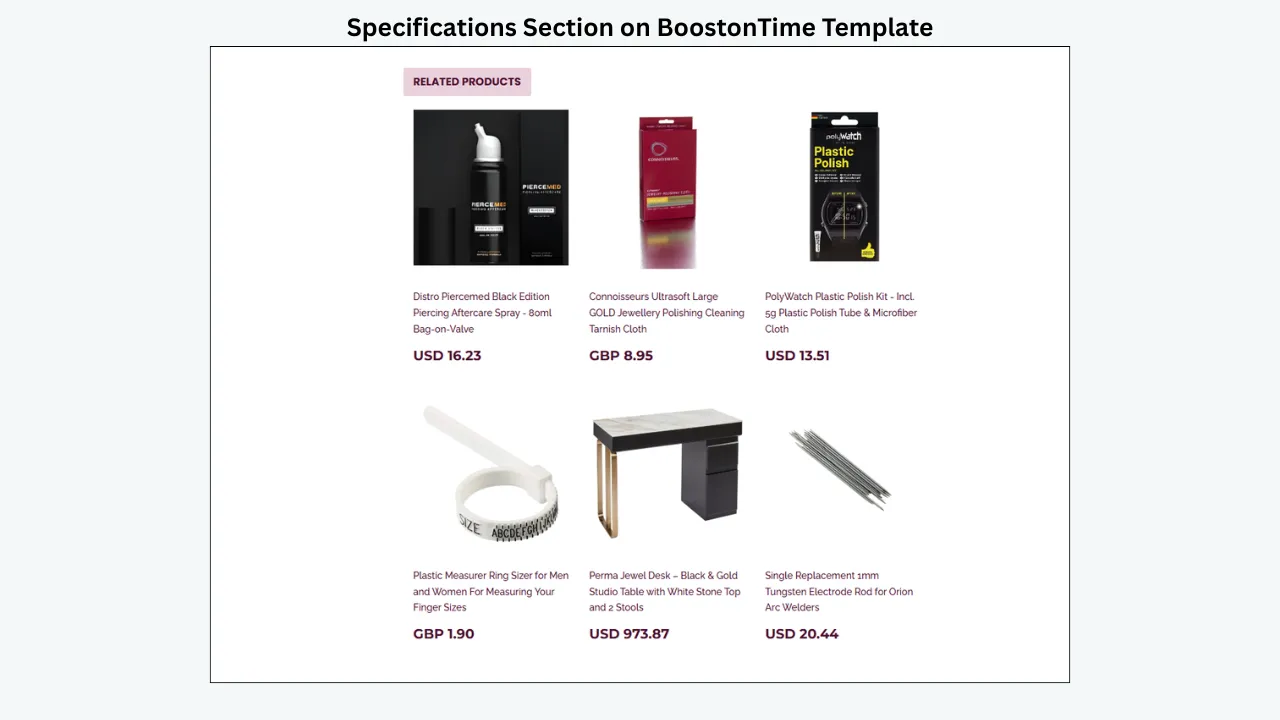
Related Products is BoostOnTime’s cross-promotion module. Sellers can choose products or use random catalogue selections; related-product pricing is dynamic. Manual choices are best for clear complements, such as a camera and memory card. Review random results and place recommendations after the main offer.
17. Footer
The Footer gives the description a consistent close and can lightly reinforce branding. Do not repeat the entire header, Why Us message or policies. The footer should end the experience, not restart it.
A Module Selection Table for Sellers
Not every listing needs every module. Choose modules because they answer buyer questions or support store navigation. A focused template is easier to maintain and easier for buyers to scan.
Step-by-Step: Customize a BoostOnTime eBay Template
Prepare the source listings
Before opening the template builder, review the eBay listings that will supply dynamic information. Correct the title, price, currency, product images, description, item specifics and store categories. Test representative products, including one with a long description, one with many images and one with complex specifications.
Define the buyer’s information priorities
Write down the questions buyers ask before purchasing. An electronics customer may care about model, compatibility and warranty. A fashion customer may prioritize size, material and care. A collectible buyer may need condition, grading and authenticity evidence. Let those questions determine module order before choosing colours.
Preview Cheesecake, Oceanic and Crystalyst
Open the available variations in each theme family. Compare how they place the gallery, title, descriptions, specifications, navigation and policies. Shortlist two or three layouts using both typical and information-heavy products.
Add brand identity
Upload the logo, choose a restrained colour palette and configure the Header Menu. Keep typography readable and consistent. Use the Why Us module to communicate factual seller strengths rather than generic superlatives. For different audiences, create separate templates while retaining recognizable store branding.
Configure the static modules
Set the Greeting Message, Helpful Links, banners and Store Policy Tabs. Check every date, policy statement and link. Plan maintenance: remove seasonal banners on time and update tabs when business policies change.
Enable the dynamic modules
Add Title and Price, Gallery, Description, Specifications, Categories and Related Products as required. Apply the template to test listings and verify that each module collects information from the correct source. Verify price, currency and related-product pricing carefully against the live offer.
Choose the related-product strategy
For carefully matched catalogues, select products manually. For large general catalogues, test the random option and review the results. Related items should complement the product or offer a sensible alternative.
Preview the responsive layout
Use BoostOnTime’s preview capability to inspect the template on desktop, tablet and mobile views. Look for:
- Text that becomes too small
- Images that exceed the screen
- Specification rows that are cut off
- Menus that wrap awkwardly
- Banners that dominate the first screen
- Policy content that becomes difficult to open or read
- Side modules that stack in the wrong order
Apply the template to a controlled test group
Use Batch Revision on a small, selected group rather than the entire catalogue. Five to ten varied listings usually reveal more issues than one ideal example. When you apply a newly selected template, BoostOnTime cleans the old HTML to help prevent legacy code from conflicting with the new framework. Confirm that all useful product content remains after the update.
Inspect the live buyer experience
Open the updated listings as a buyer would. Check current versions of major desktop browsers where available, mobile browsers and the eBay app. Test images, links, tabs, navigation and related products. Expand the change only after the test group passes review.
Customize the Template for Different Product Categories
The same visual brand can support different information structures. BoostOnTime allows multiple templates, which is useful when major categories require different modules or policies.
Category-specific customization should not invent information. It should make the facts already required for the purchase easier to locate.
Mobile-Responsive Customization Is More Than Shrinking the Page
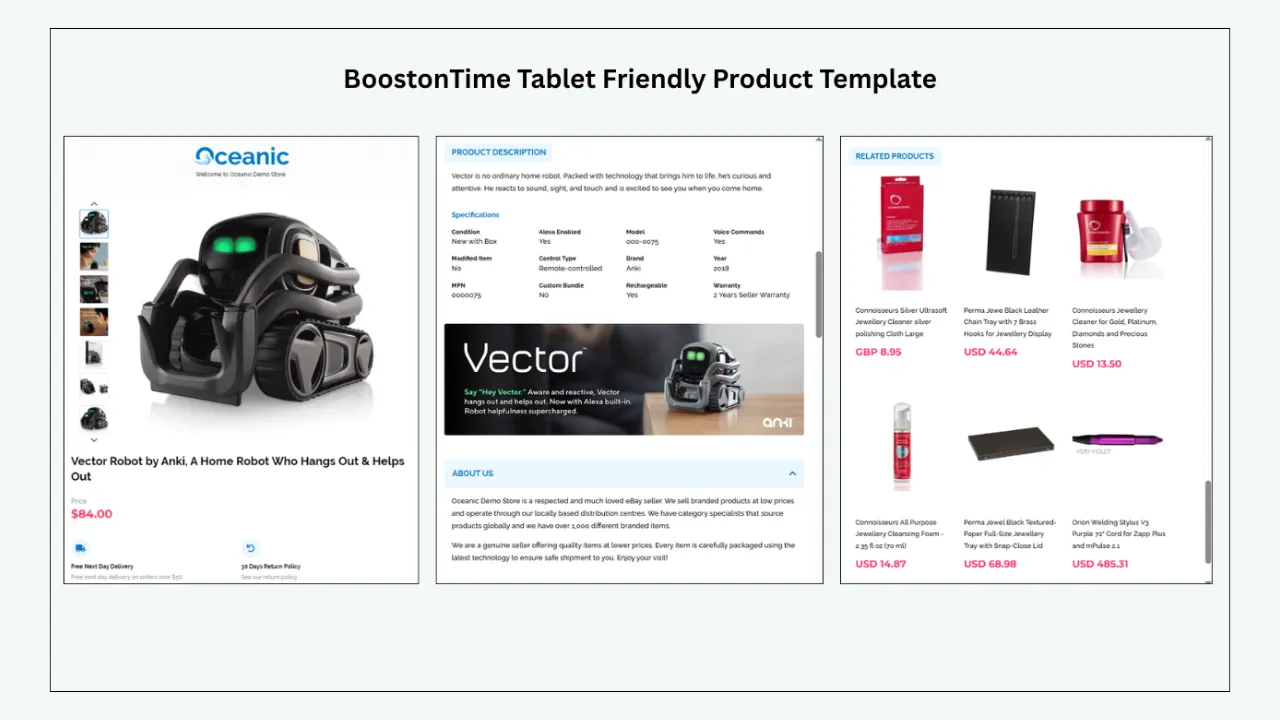
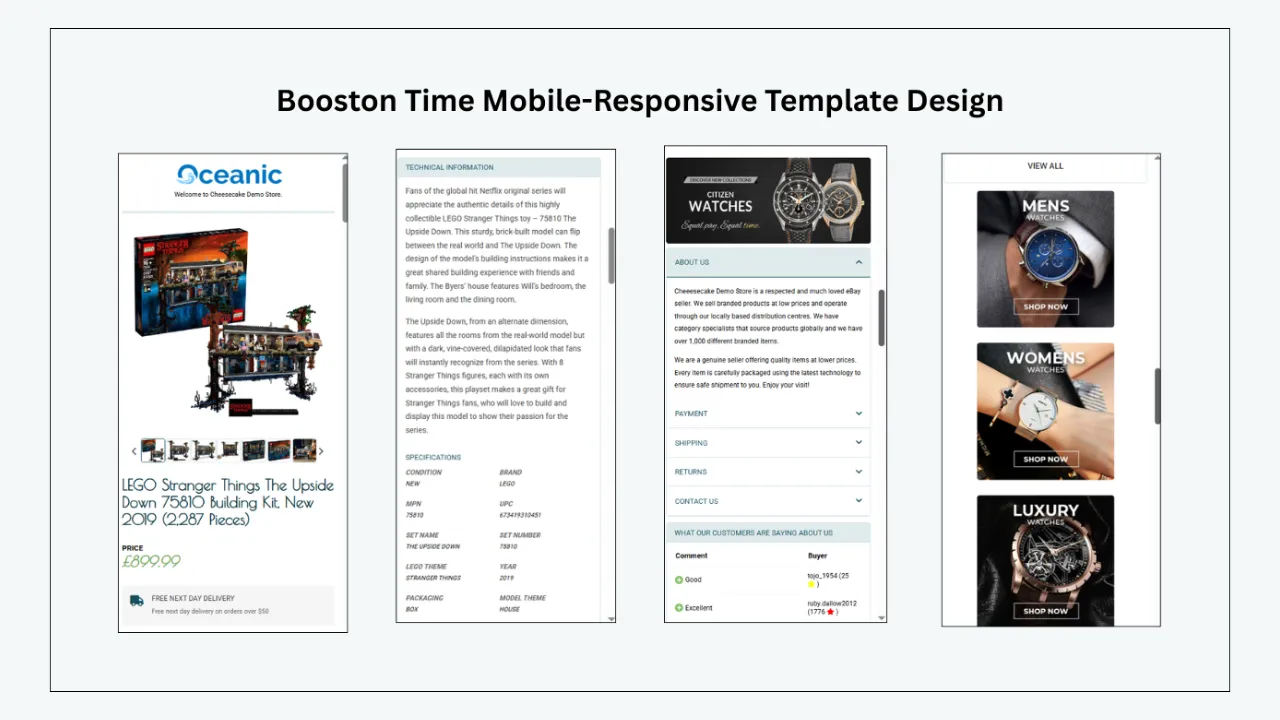
Every BoostOnTime template is fully responsive and optimized for mobile devices and tablets, with preview available before application. Responsive design lets the layout adapt to the available screen width, while preview helps you refine the content decisions that still affect mobile usability.
Sellers still need to control:
- Logo and banner file sizes
- Amount of text shown before product evidence
- Width of specification content
- Length of menu labels
- Number of promotional modules
- Image quality and compression
- Order in which columns stack
A useful mobile listing presents the item quickly. Buyers should be able to identify the product, inspect the main image and locate essential details without moving through a wall of branding.
When reviewing the preview, ask:
- Can the buyer identify the exact item immediately?
- Are the most important images large enough to inspect?
- Is condition or compatibility easy to locate?
- Does the description remain readable without zooming?
- Are policy details and related products placed logically?
Preview is the first check. A live test on actual devices remains necessary because the listing sits inside eBay’s buyer experience, not inside the editor alone.
Batch Revision: Take Customization Beyond One Listing
Designing one template is only the beginning. The operational value appears when a seller can apply a consistent framework without rebuilding every listing.
BoostOnTime’s Batch Revision Tool applies your newly created template to an individual listing or a selected group. Every subscription lets you create multiple templates and update unlimited eBay listings, giving growing catalogues room to scale.
This can help with changes such as:
- Replacing an outdated design
- Applying a new logo
- Refreshing the Header Menu
- Updating shared policy presentation
- Adding or removing a banner
- Introducing a Related Products module
- Creating a category-specific layout
Batch Revision should be treated as a controlled publishing process. Use named groups, keep a record of the selected listings and review the results. Do not assume that one successful product means every listing contains equally clean source data.
🔁 Build once, test carefully, then scale: Explore BoostOnTime ETB and use the seven-day trial to customize one theme before applying it more widely.
International and Multichannel Customization
BoostOnTime covers 19 eBay sites and supports more than 10 multichannel systems, including ChannelAdvisor, Linnworks, Sellbrite, Ecomdash and Sellercloud. This broad coverage makes ETB a strong choice for sellers operating across marketplaces or managing listings through established ecommerce systems.
International coverage does not remove the need for local review. Sellers should check:
- Currency display
- Language and spelling
- Measurements
- Shipping expectations
- Return policies
- Category structure
- Legally required information
- Marketplace-specific buyer expectations
Likewise, integration support should be confirmed against the seller’s exact workflow. Ask how the template is applied when a listing is created or revised through the connected system, and test that process before assuming every channel behaves identically.
Customize Within eBay’s HTML Rules
Professional customization must remain within eBay’s technical requirements.
According to eBay’s official HTML formatting guidance, active content such as JavaScript, Flash, plug-ins and form actions is not permitted in listing descriptions and will be blocked or removed. eBay also says HTML content should use relative widths and heights, while permitted external links must follow its restrictions and use HTTPS.
For sellers, the practical rules are straightforward:
- Do not paste scripts from old template packages
- Do not use Flash, plug-ins or embedded forms
- Avoid fixed-width structures that break on small screens
- Use secure HTTPS sources where external content is permitted
- Check every external destination against eBay’s links policy
- Keep description content consistent with native listing fields
- Test the live listing after any major template change
BoostOnTime templates comply with current eBay policies, giving you a safer foundation than outdated template code. Your own content still matters: an approved framework can contain an outdated image URL or an unapproved link if you add one.
How Customization Can Support Conversion Rate
Customization can improve the conditions around a purchase decision, but it cannot guarantee the decision itself.
A well-configured BoostOnTime template can support conversion in several ways.
It Reduces Information Friction
Gallery, Description and Specifications modules give buyers predictable places to look. A customer does not need to search through an unformatted wall of text for the model number or package contents.
It Supports Seller Credibility
Consistent branding, a factual Why Us section, visible policies and accurate feedback presentation can make the store feel organized.
It Improves Mobile Reading
Responsive templates help prevent desktop layouts from becoming unusable on smaller screens.
It Encourages Discovery
Related Products and Categories can help an interested buyer discover another suitable listing, if recommendations stay relevant.
It Keeps Updates Consistent
Batch Revision can help sellers avoid leaving outdated branding or shared information on part of the catalogue.
Conversion also depends on price, demand, competition, product condition, photography, delivery cost, seller reputation and numerous other factors. The honest claim is that customization can remove avoidable friction. It is not a substitute for a competitive offer.
Common eBay Template Customization Mistakes
- Activating every module. More modules do not automatically create more value. Enable a section because it answers a buyer question, communicates a necessary policy or supports relevant navigation.
- Choosing a theme only by appearance. A layout must accommodate real product data. Test long titles, many images and detailed specifications before deciding.
- Making the header too large. Brand recognition matters, but the product is the reason the buyer opened the listing. Keep the logo and navigation proportionate.
- Using too many colours and fonts. Visual consistency is easier to recognize and read. Use a restrained brand palette and a small typography system.
- Placing promotions before product evidence. Large banners and related items should not hide the main image, condition or description.
- Trusting source data without review. Dynamic modules can collect information efficiently, but automation does not correct an inaccurate price, incomplete item specifics or the wrong photograph.
- Showing irrelevant related products. Random recommendations should be reviewed. A poorly matched product can make the module feel automated in the least helpful way.
- Applying a template to the full catalogue immediately. Always test a controlled group. Listings can differ in age, code quality, image count and description structure.
- Letting description policies conflict with eBay fields. Policy Tabs should match the business policies configured in eBay. Contradictory return or shipping information creates risk and confusion.
- Making unsupported performance claims. Do not promise a specific conversion increase, page-load time or search-ranking gain without a real study. Explain the user-experience benefit and measure the account’s actual result.
How to Measure Whether the Customized Template Helps
Begin with a baseline. Record performance for a representative group before changing the template, then review the same indicators after the change while noting other factors.
Useful measurements include:
- Listing views
- Sales conversion rate where available
- Watchers and offers
- Buyer questions caused by missing information
- Returns linked to misunderstanding of condition or specifications
- Time required to create or revise a listing
- Number of listings with outdated branding or policies
- Mobile display issues found during quality checks
- Engagement with relevant related items where measurable
Keep price, promotions and shipping terms as stable as practical during the comparison. Document seasonal changes or advertising campaigns. The aim is not to force a success story; it is to understand whether the new structure improves the real workflow and buyer experience.
BoostOnTime Pricing and Trial
BoostOnTime offers two straightforward subscription options:
Both plans let you create multiple eBay templates and update unlimited eBay listings. You can start with a seven-day trial, and there is no contract, so you can cancel at any time.
For the latest subscription details, check the current BoostOnTime pricing information before choosing your plan.
Secure eBay authorization lets you connect your account without sharing your eBay password with BoostOnTime. As with any connected application, review the requested permissions and current privacy information before authorizing access.
Frequently Asked Questions
BoostOnTime sellers can start with this guide and visit the BoostOnTime eBay Template Builder to preview themes, review features and begin a seven-day trial.
BoostOnTime offers Cheesecake, Oceanic and Crystalyst, with six, ten and ten variations respectively.
ETB offers 20+ customizable modules. The principal modules are explained above.
No. ETB lets you select a theme, configure modules, preview the design and apply it without coding or professional design experience.
Static modules store shared branding and policies. Dynamic modules collect supported product data, including title, price, currency, images and related items.
Yes. ETB can collect supported images, descriptions, item specifics, categories and dynamic details from your listings. Verify the source data first.
Yes. Multiple templates allow product groups to use different module arrangements and policies.
Yes. Sellers can choose related products or use random catalogue items; manual selection gives more control.
Yes. Batch Revision supports individual listings or selected groups. Test a small group first.
Yes. Every BoostOnTime theme is responsive and optimized for phones and tablets, with preview available. Test live listings on real screens as a final quality check.
No. It can improve clarity, consistency and product discovery, but results also depend on the offer, demand, images, shipping, reputation and competition.
ETB covers 19 eBay sites and supports 10+ multichannel systems. Confirm the marketplace and integration required for your workflow.
Build a Template That Looks Like
Your Store and Works Like a System
The strongest eBay template is not the one with the most banners, the most colours or the greatest number of active modules. It is the one that gives buyers the right information in the right order and remains practical for the seller to maintain.
BoostOnTime turns customization into a repeatable system. Cheesecake, Oceanic and Crystalyst provide multiple starting layouts. Static modules keep branding and store information consistent. Dynamic modules collect supported product data. Related Products supports relevant cross-promotion, while Batch Revision helps apply the finished framework to selected existing listings.
Start with accurate source listings. Choose a theme based on information structure. Configure only the modules that serve the buyer. Preview the design on smaller screens, test it on a controlled group and measure the result honestly.
🚀 Start Your Seven-Day BoostOnTime ETB Trial
boostontime.com/ebay-template-builder